Master the end-to-end pharmaceutical chargeback lifecycle — from medication catalog and buyer group setup through quoting, pricing, claims processing, and settlement.
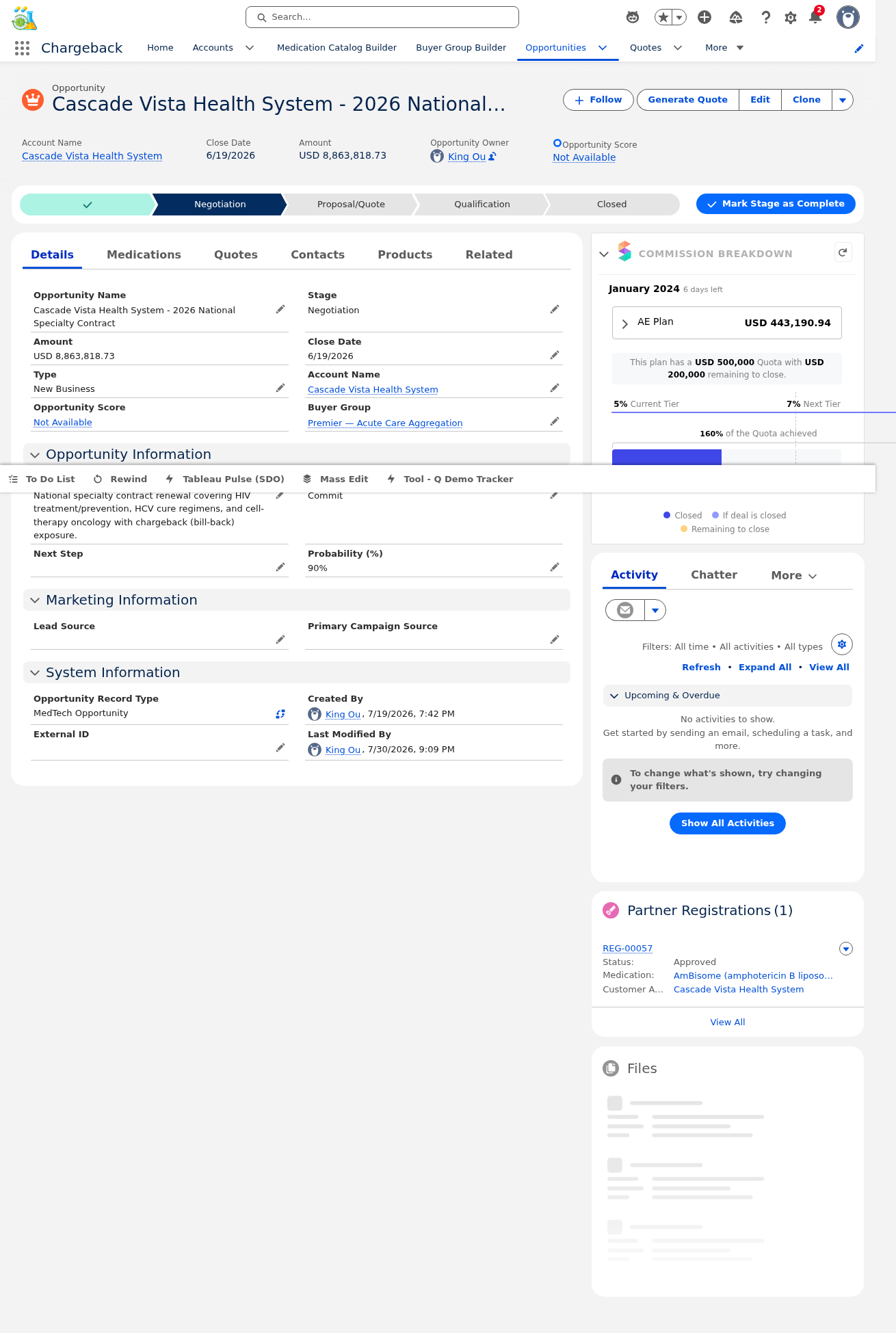
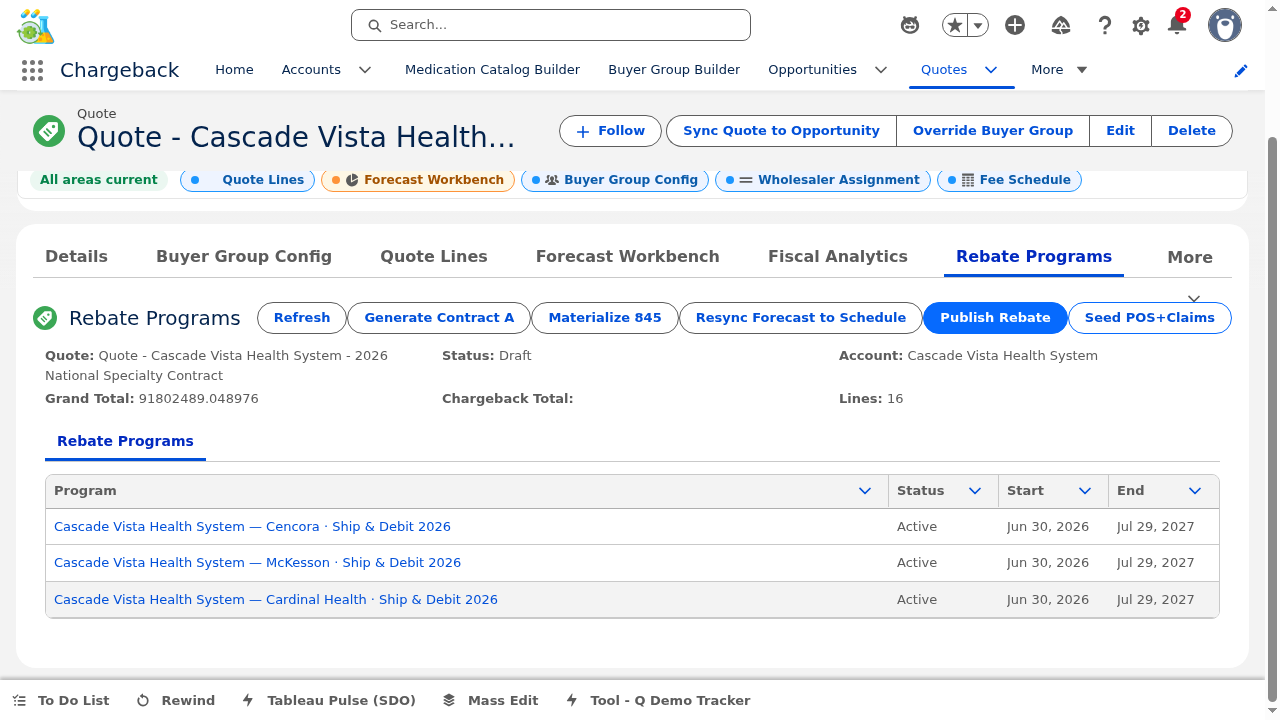
This guide walks through the complete Chargeback Application using live data from the Cascade Vista Health System — 2026 National Specialty Contract ($8.86M, 14 medications). Each module builds on the previous, following the natural workflow from opportunity creation through settlement.
Medication Catalog — Master data management
Buyer Group Builder — Group creation & roster management
Opportunity Management — End-to-end opportunity lifecycle
Quoting Engine — Quote generation & line management
Quote Forecast — Wholesaler assignment, forecasting & analytics
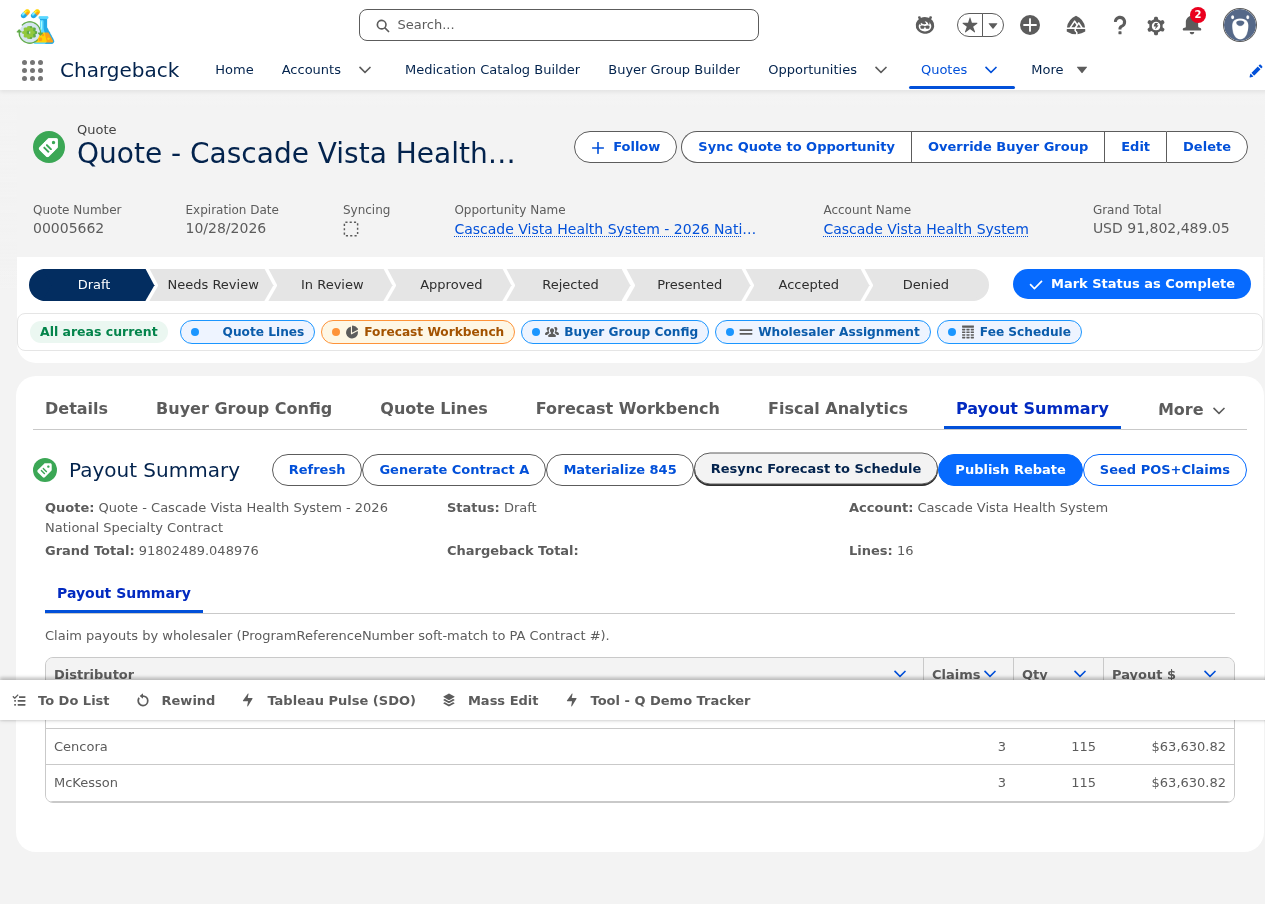
POS, Claims & Payout — Exception handling & finance processing
Agreements & Partner Portal — LOAs, GPO Fees & portal access
Shareback, Rebates & EDI — Settlement, 845/849, and rebate programs
Prompt Validation — AI-powered business rule authoring
Collaborative Workbench — Cross-functional workflow orchestration
All examples in this guide reference a live opportunity with real medication data.
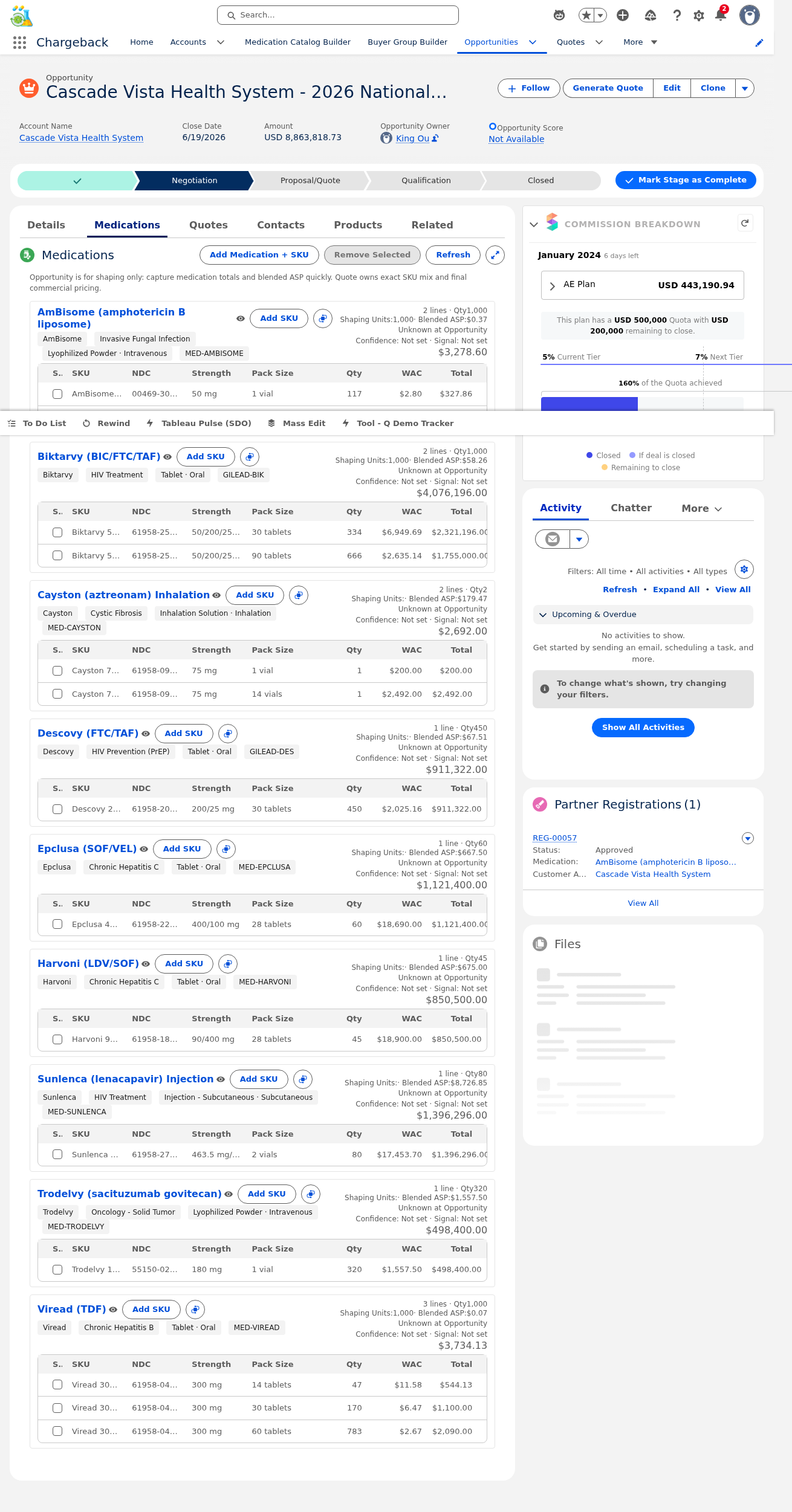
| Medication | Qty | Unit Price | Total |
|---|---|---|---|
| Biktarvy 50/200/25 mg 30-count | 334 | $6,949.69 | $2,321,196 |
| Biktarvy 50/200/25 mg 90-count | 666 | $2,635.14 | $1,755,000 |
| Sunlenca 463.5 mg/1.5 mL 2 vials | 80 | $17,453.70 | $1,396,296 |
| Epclusa 400/100 mg 28-count | 60 | $18,690.00 | $1,121,400 |
| Descovy 200/25 mg 30-count | 450 | $2,025.16 | $911,322 |
| Harvoni 90/400 mg 28-count | 45 | $18,900.00 | $850,500 |
| Trodelvy 180 mg 1 vial | 320 | $1,557.50 | $498,400 |
| AmBisome 50 mg (1 vial + 10 vials) | 1,000 | varies | $3,279 |
| Cayston 75 mg (1 vial + 14 vials) | 2 | varies | $2,692 |
| Viread 300 mg (14/30/60-count) | 1,000 | varies | $3,734 |
The application manages the complete pharmaceutical chargeback lifecycle from contract origination through settlement.
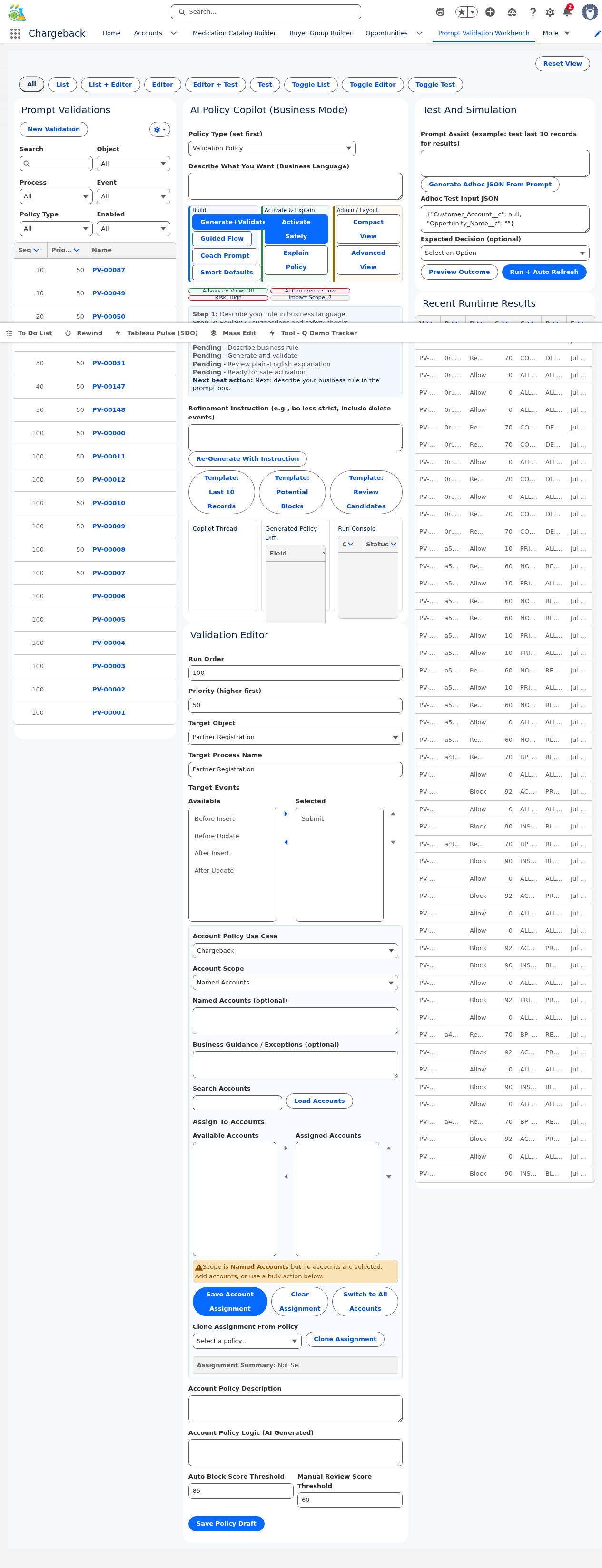
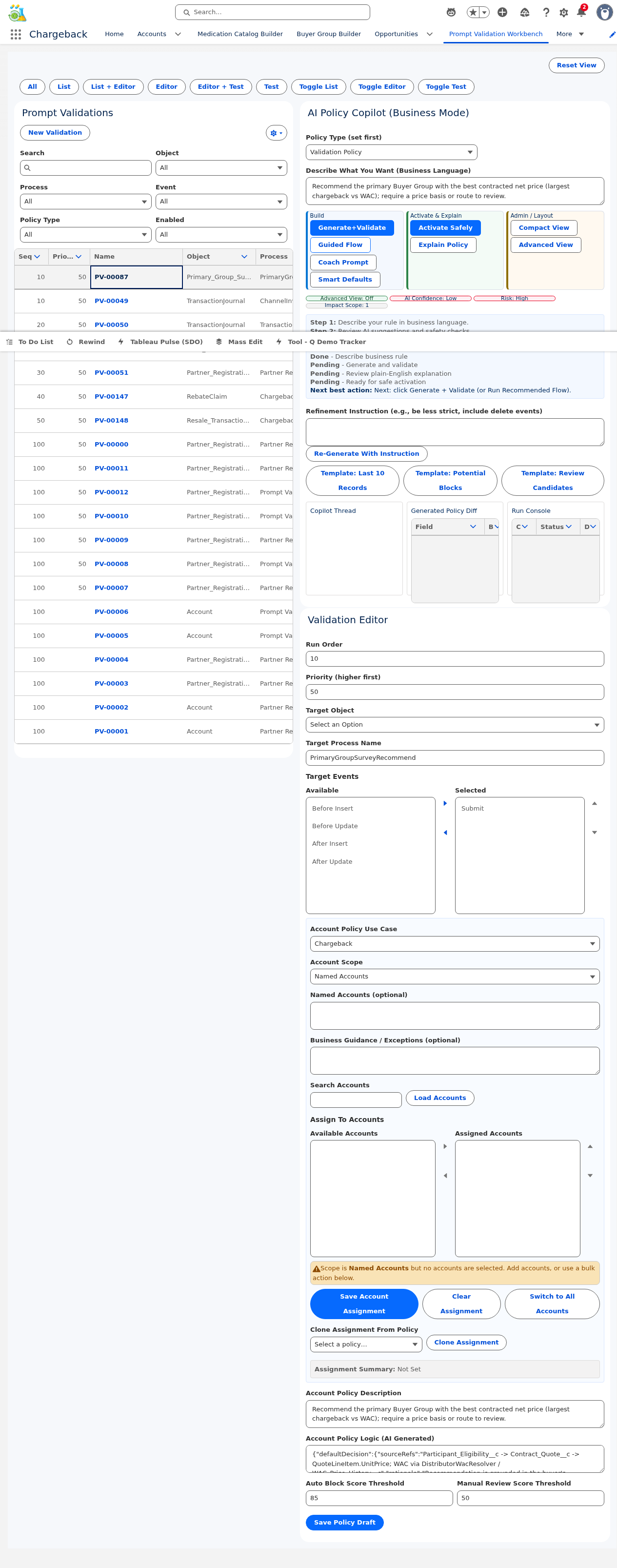
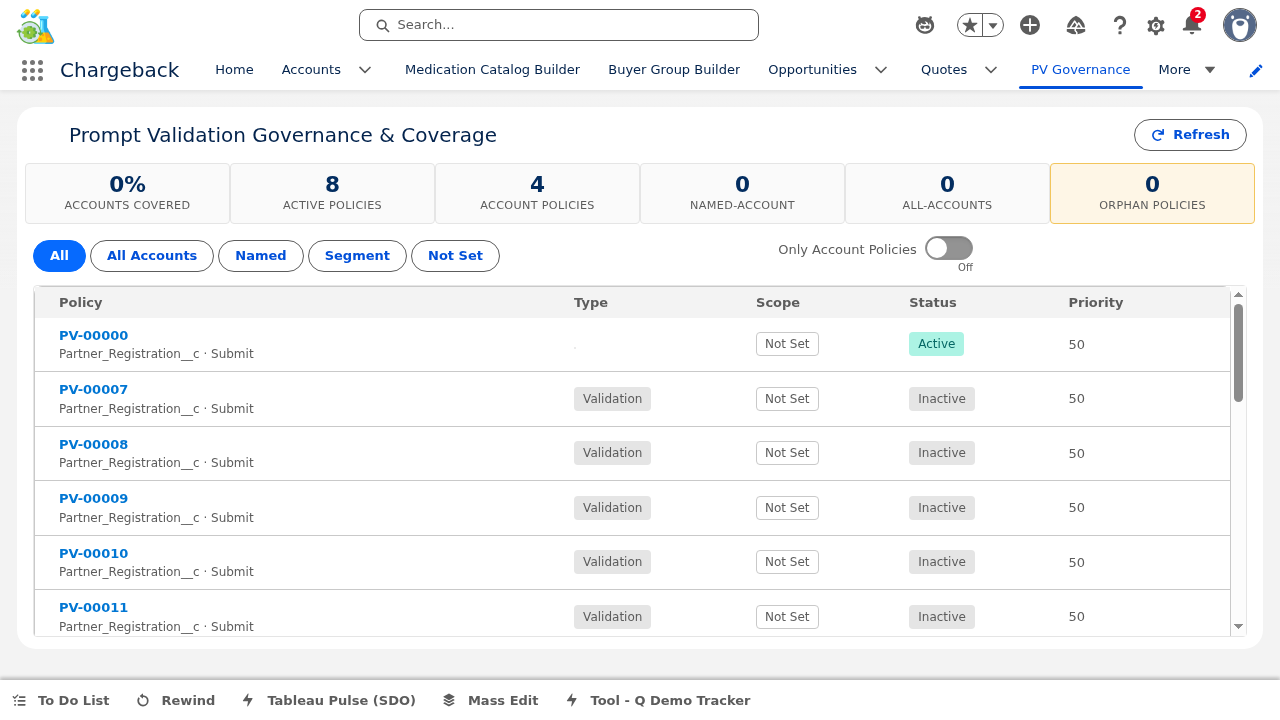
The Prompt Validation Workbench enables business users to author validation rules in plain English — no code, no deployments, no IT tickets. Rules take effect immediately and can be tested, versioned, and governed through a unified interface.
Instead of writing Apex validation rules or Flow conditions, a contract analyst types: "Reject any quote line where the unit price is below 85% of WAC for specialty medications" — and the system enforces it in real-time.
The workbench uses a resizable three-pane layout with widths persisted in localStorage:


Enter a natural language description of the business rule you want to enforce. Example: "Flag any quote where total chargeback exceeds $500K per medication group without VP approval."
The system parses your intent, generates structured validation logic, and displays a preview of what will be enforced. Review the generated policy for accuracy.
Before activation, the readiness check validates the policy against existing data to estimate its impact. View the blast radius (how many records would be affected).
Build test scenarios that exercise the policy against edge cases. Each test pack produces pass/fail results showing how the policy responds to different inputs.
Once the readiness check passes and test packs confirm expected behavior, activate the policy. It takes effect immediately — no deployment required.
The workbench offers a Business Mode toggle that simplifies the interface for non-technical users, hiding advanced features like version diffs, export/import, and cross-check panels.
Every policy change creates a new version. Side-by-side diffs show exactly what changed between versions — added rules in green, removed in red, modified in amber.
Policies can be assigned at three scope levels:
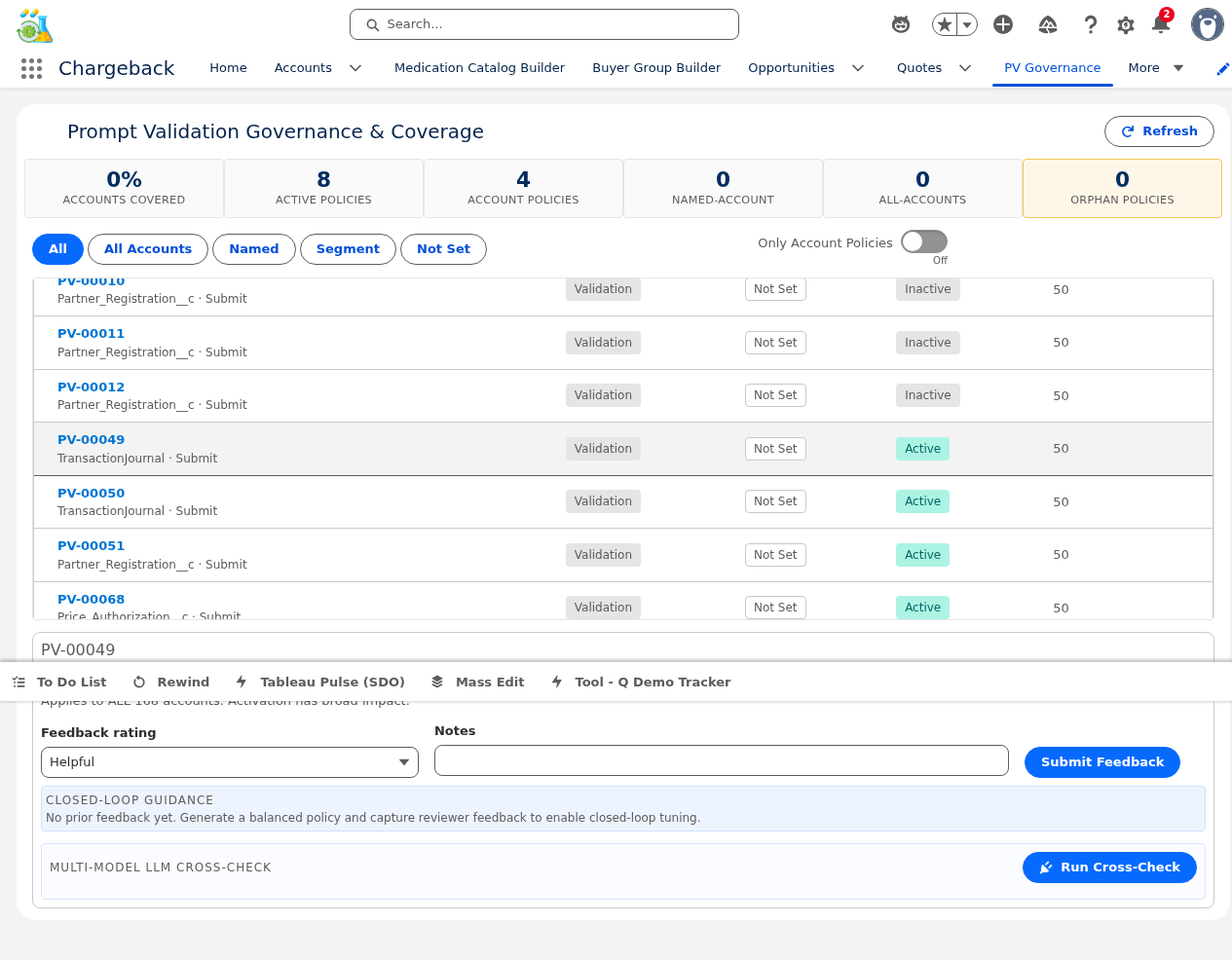
The governance dashboard runs policies against a panel of multiple AI models (jurors) to detect hallucination risk. Each juror independently evaluates the policy and reports its decision, confidence, and agreement with the anchor model.
Users can submit feedback on policy decisions: Helpful Not Helpful Incorrect Decision False Positive False Negative. Feedback is aggregated in the governance dashboard for policy refinement.
Policies can be exported as JSON for backup, sharing across orgs, or version control. Import allows restoring or migrating policies.
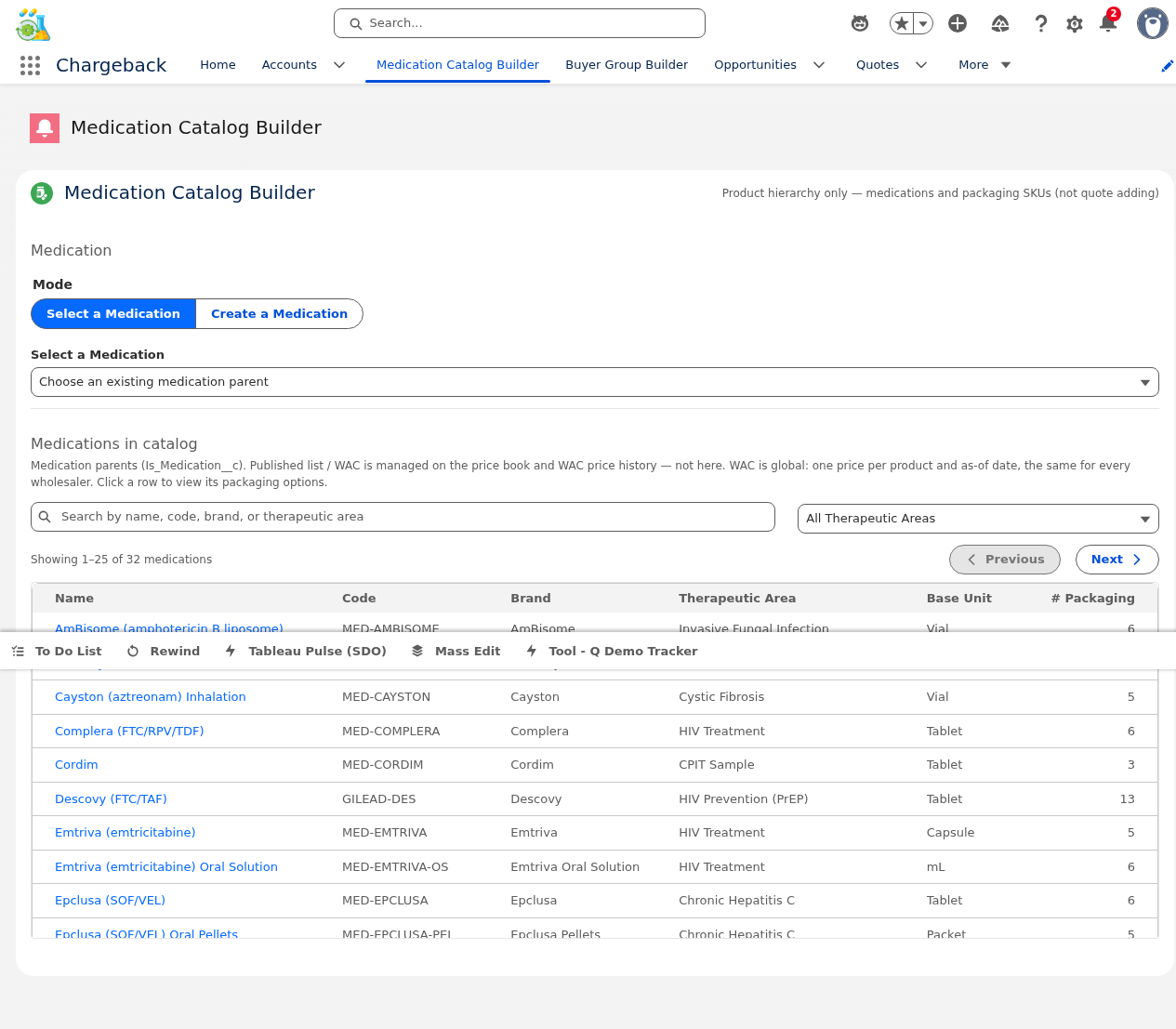
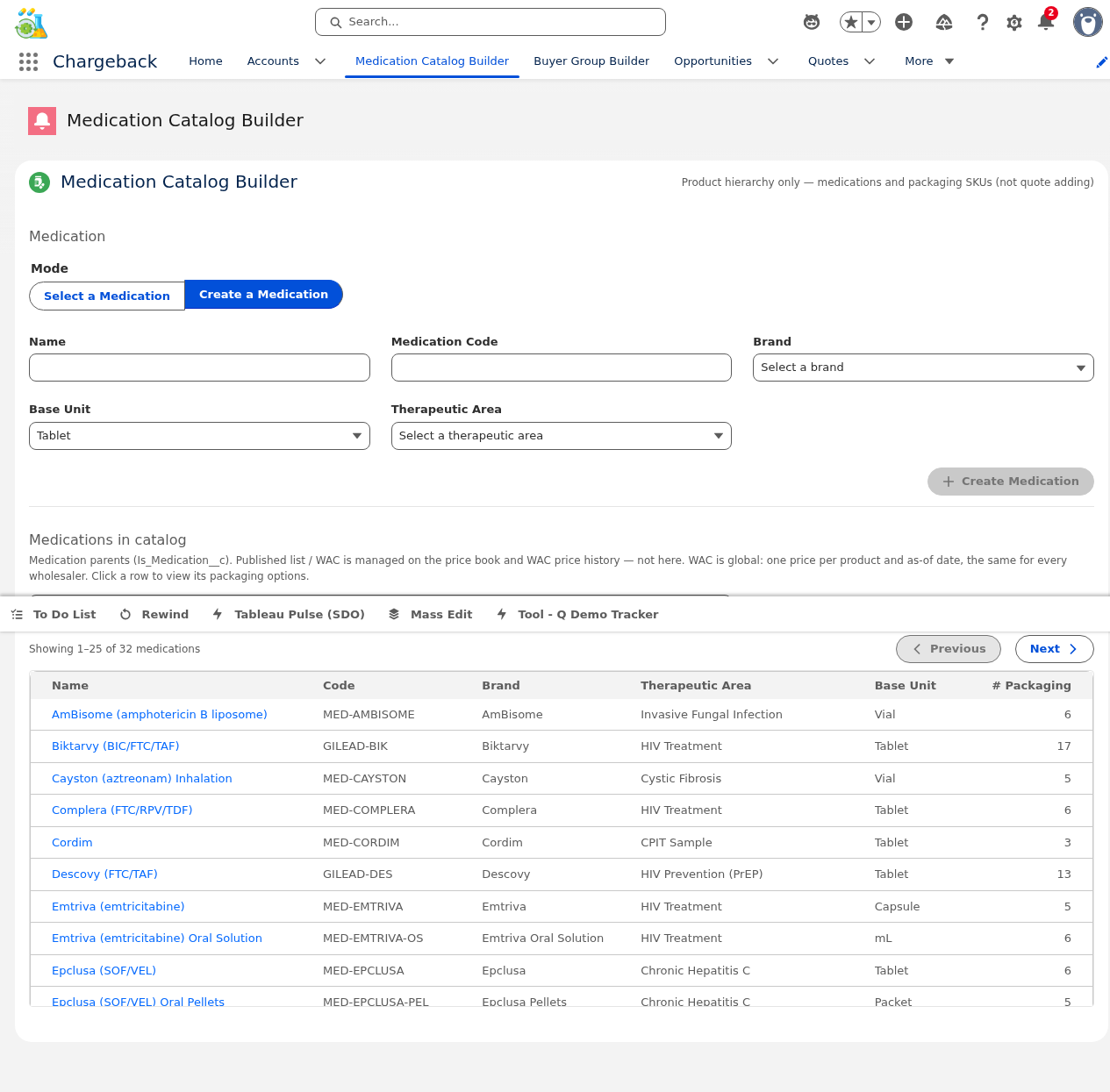
The Medication Catalog Builder is the master data management workbench for the medication reference data that underpins every contract, quote, and claim. Each medication is a Product2 record linked to one or more packaging options (SKUs) — e.g., Biktarvy is a medication with 30-count and 90-count bottle SKUs.
The catalog presents a server-side paginated table (25 records per page) with 300ms debounced search. Search matches against medication name, brand, and NDC across the full catalog.
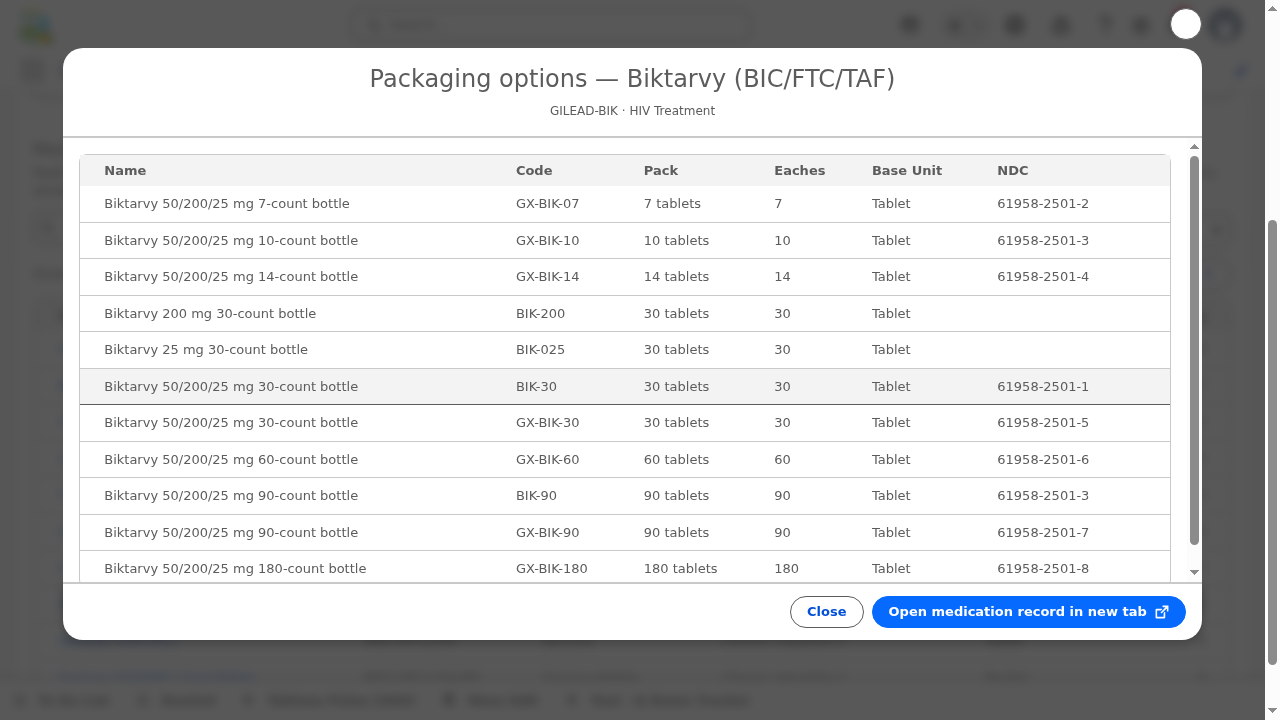
Clicking a medication row opens a detail modal showing all attributes: brand, therapeutic area, strength, form, NDC, WAC price, and the full list of packaging options with their individual pricing.


Switch from "Select" to "Create" mode in the catalog header to access the new medication form.
Enter the medication name, select brand and therapeutic area, and provide product-level details (strength, form, description).
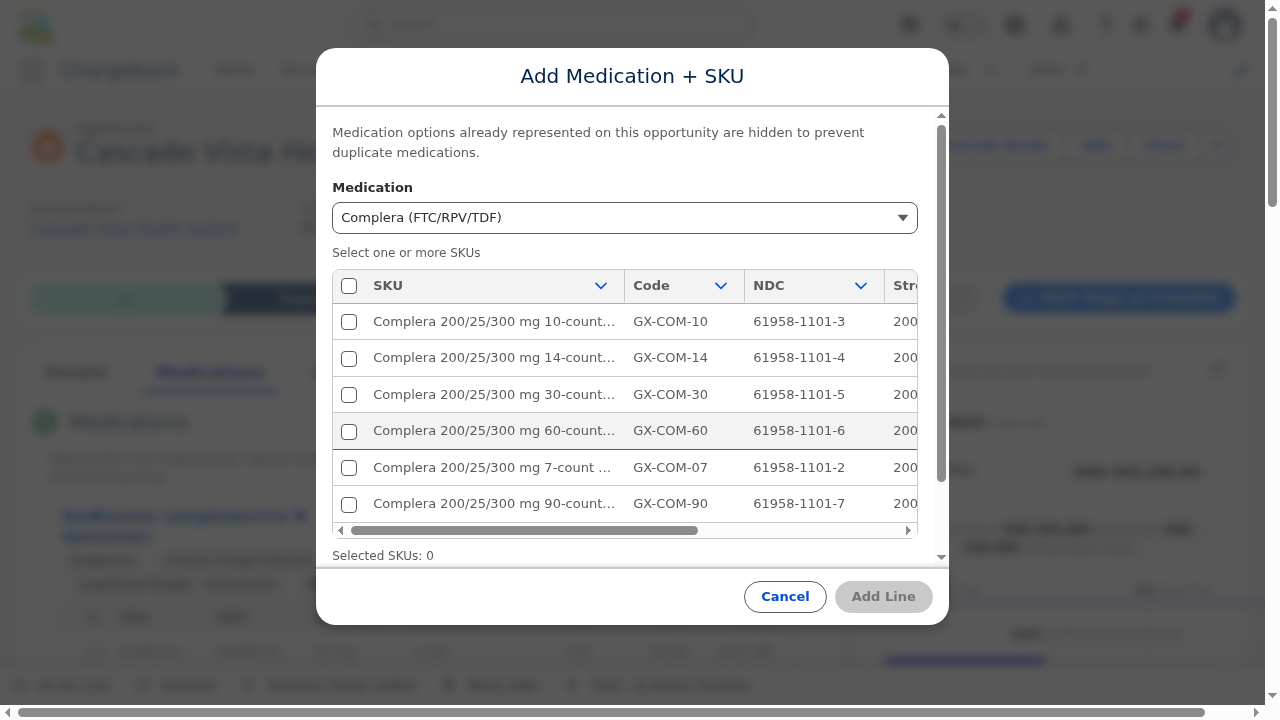
For each SKU variant, either create a new Product2 record or attach an existing one. Each packaging option has its own NDC, WAC price, unit of measure, and pack size.

The training opportunity includes 14 medication line items spanning HIV/AIDS therapeutics (Biktarvy, Descovy, Sunlenca), Hepatitis C (Harvoni, Epclusa), antifungal (AmBisome), respiratory (Cayston), oncology (Trodelvy), and antiretroviral (Viread).
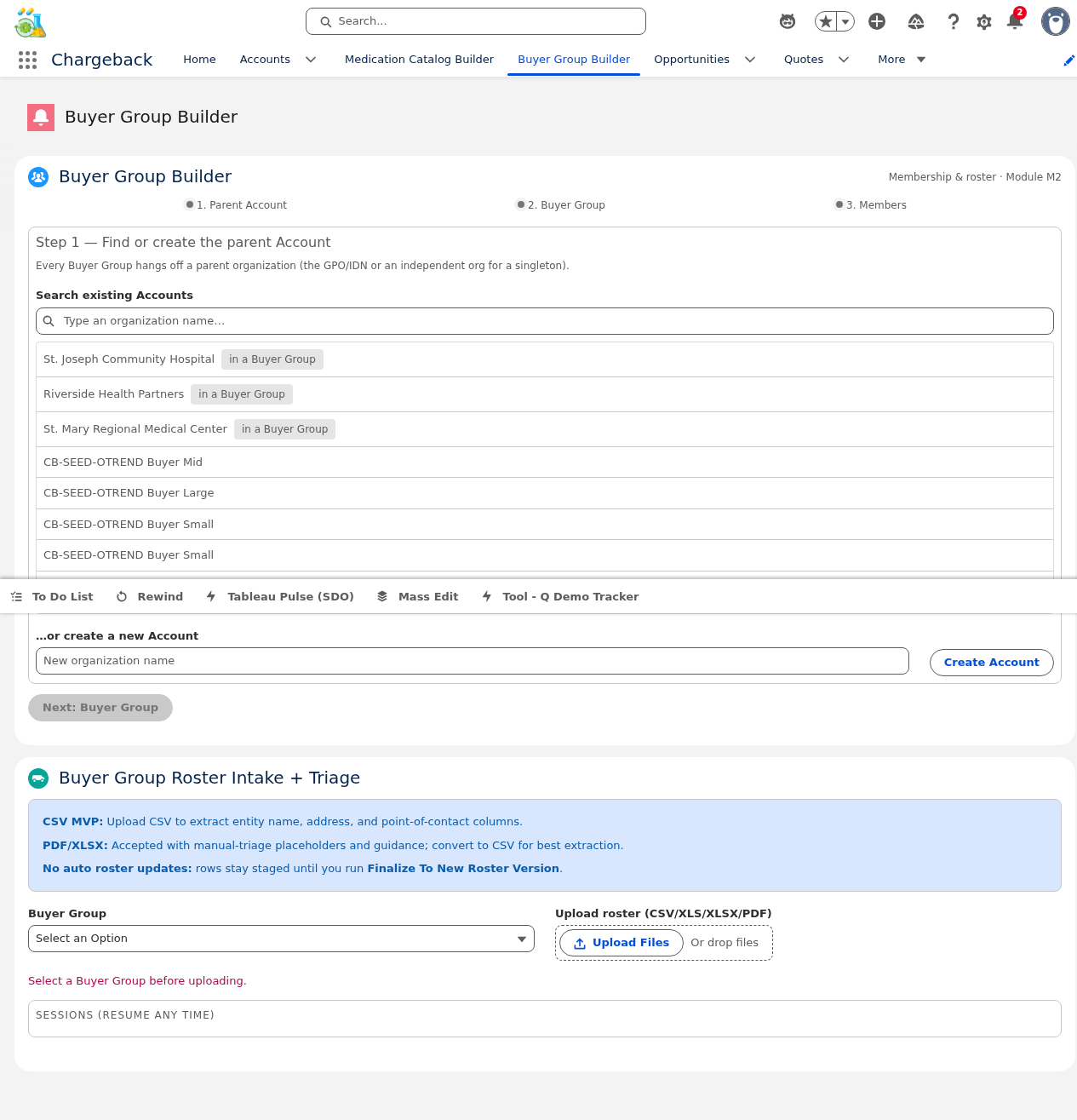
Buyer Groups aggregate purchasing entities (hospitals, clinics, pharmacies) into negotiating units for contract pricing. A Group Purchasing Organization (GPO) like Vizient or Premier may have hundreds of member facilities. The Buyer Group Builder manages the full lifecycle: creation, member roster, conflict detection, and onboarding review.
| Buyer Group | Type |
|---|---|
| Vizient — Pharmacy Aggregation | GPO Aggregation |
| Premier — Acute Care Aggregation | GPO Aggregation |
| Sentinel — Acute Care Aggregation | Regional Network |
| Ridgeline — Specialty Aggregation | Specialty Network |
| Cobalt Ridge — Competing Aggregation | Competing |
| Olympic Sound Direct | Direct (Buyer Group of 1) |
| Cascade Rural Health (M5 Legacy) | Legacy GPO |
| Northgate Purchasing Coalition (M4) | Regional Coalition |
Choose the parent organization (typically the GPO or network headquarters) using the account record picker. This becomes the owner and primary contact for the buyer group.
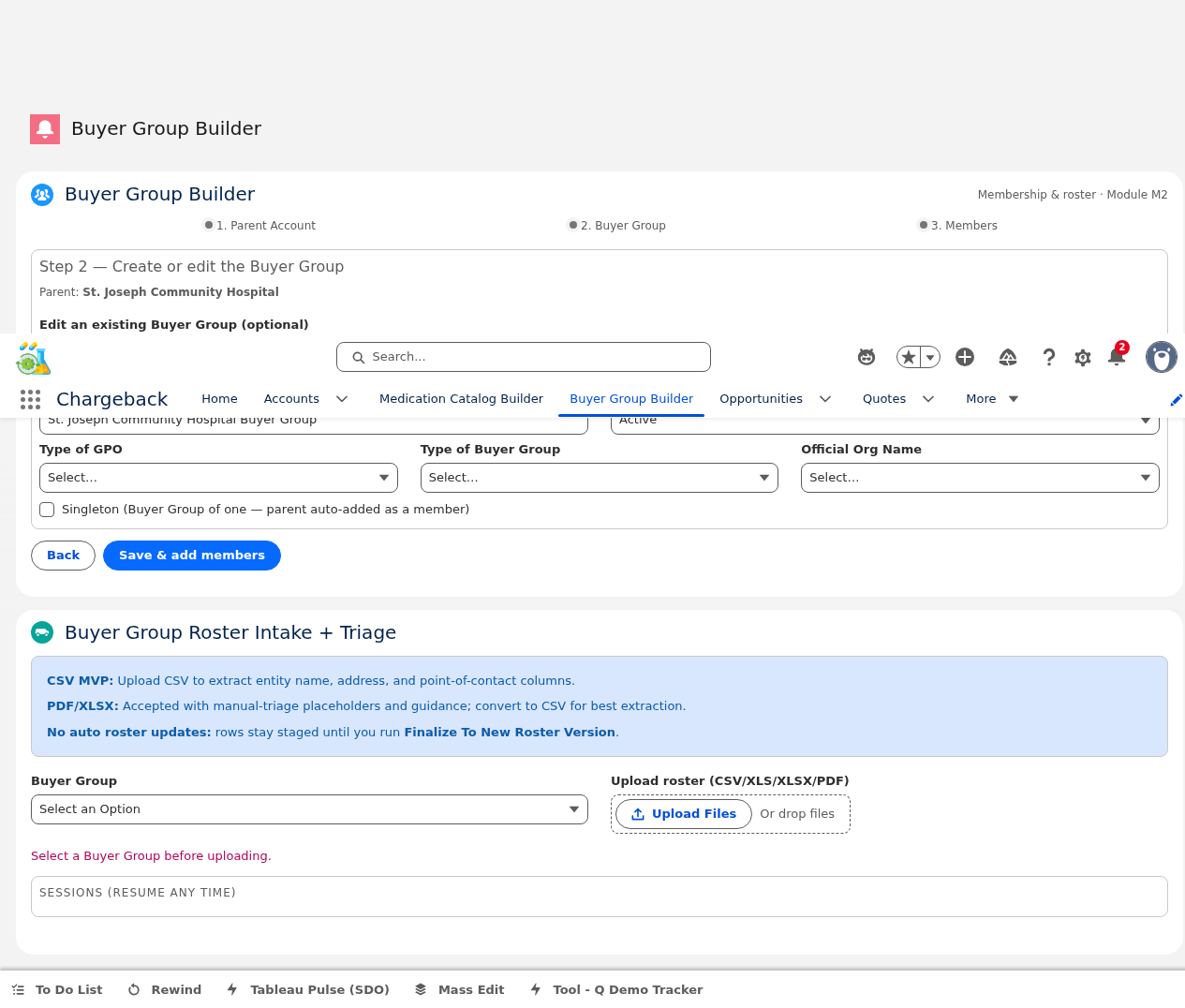
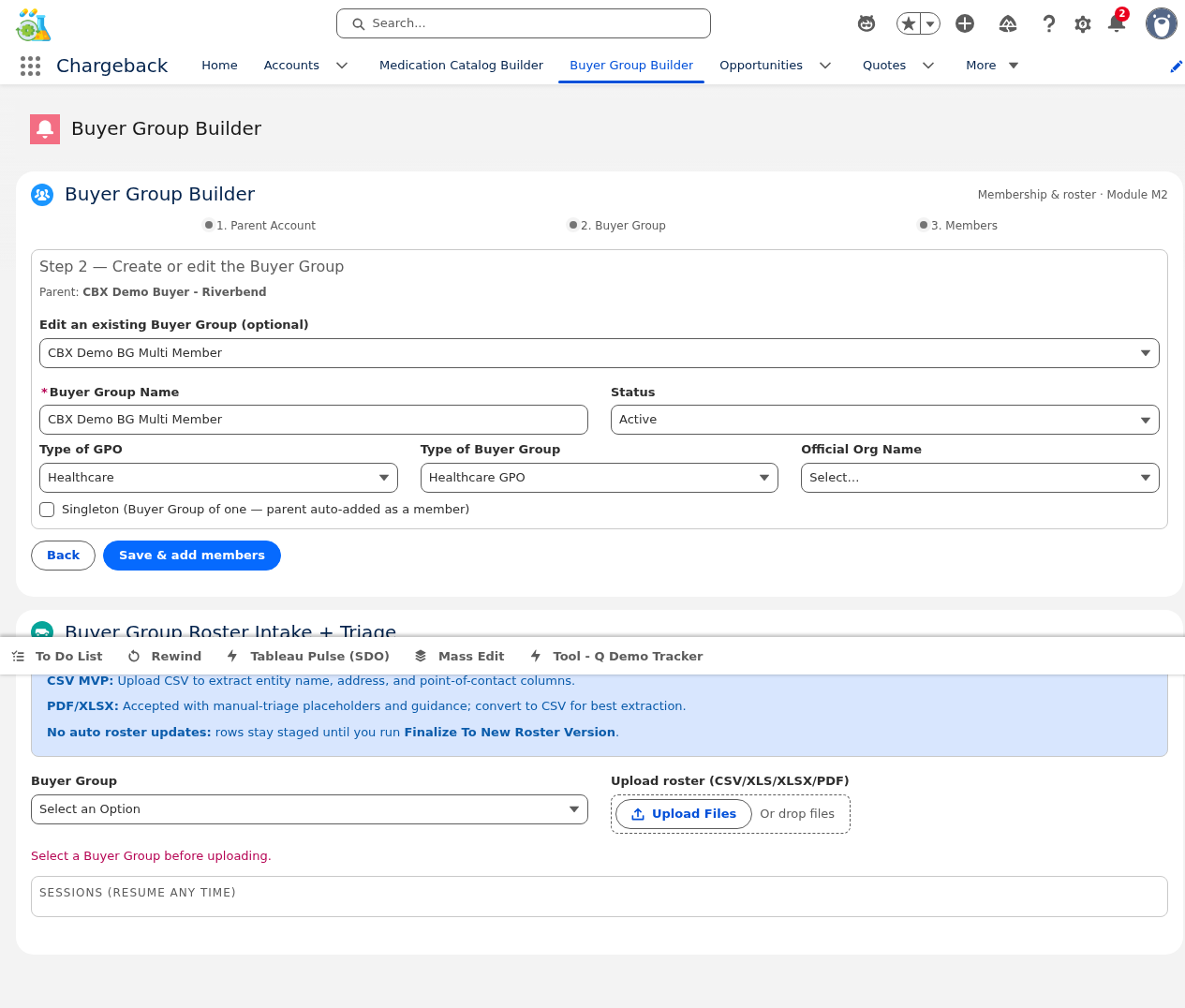
Set the buyer group name and configure cascading dependent picklists: Type of GPO → Type of Buyer Group → Official Org Name. Each selection narrows the next picklist options.
Search accounts and add as members. Each member receives a role assignment: Member Affiliate Parent Owner. The system flags accounts already in other buyer groups with conflict badges.

The Roster Workbench supports full roster lifecycle management with version control:
The conflict detection component groups conflicts by therapeutic area and classifies them as:
Conflict statuses: Open LOA-Pending Resolved

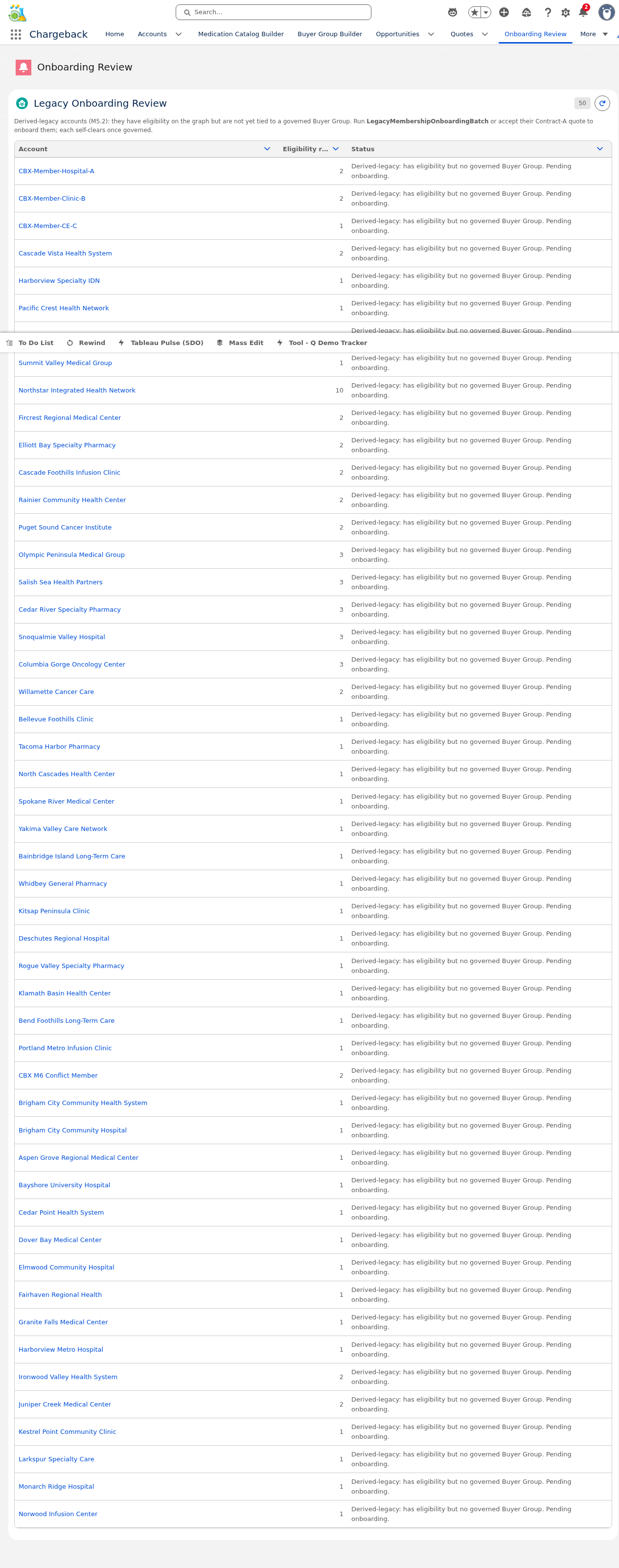
The Onboarding Review dashboard shows accounts undergoing buyer group enrollment with eligibility counts and status notes, providing a queue-based view for onboarding progress tracking.

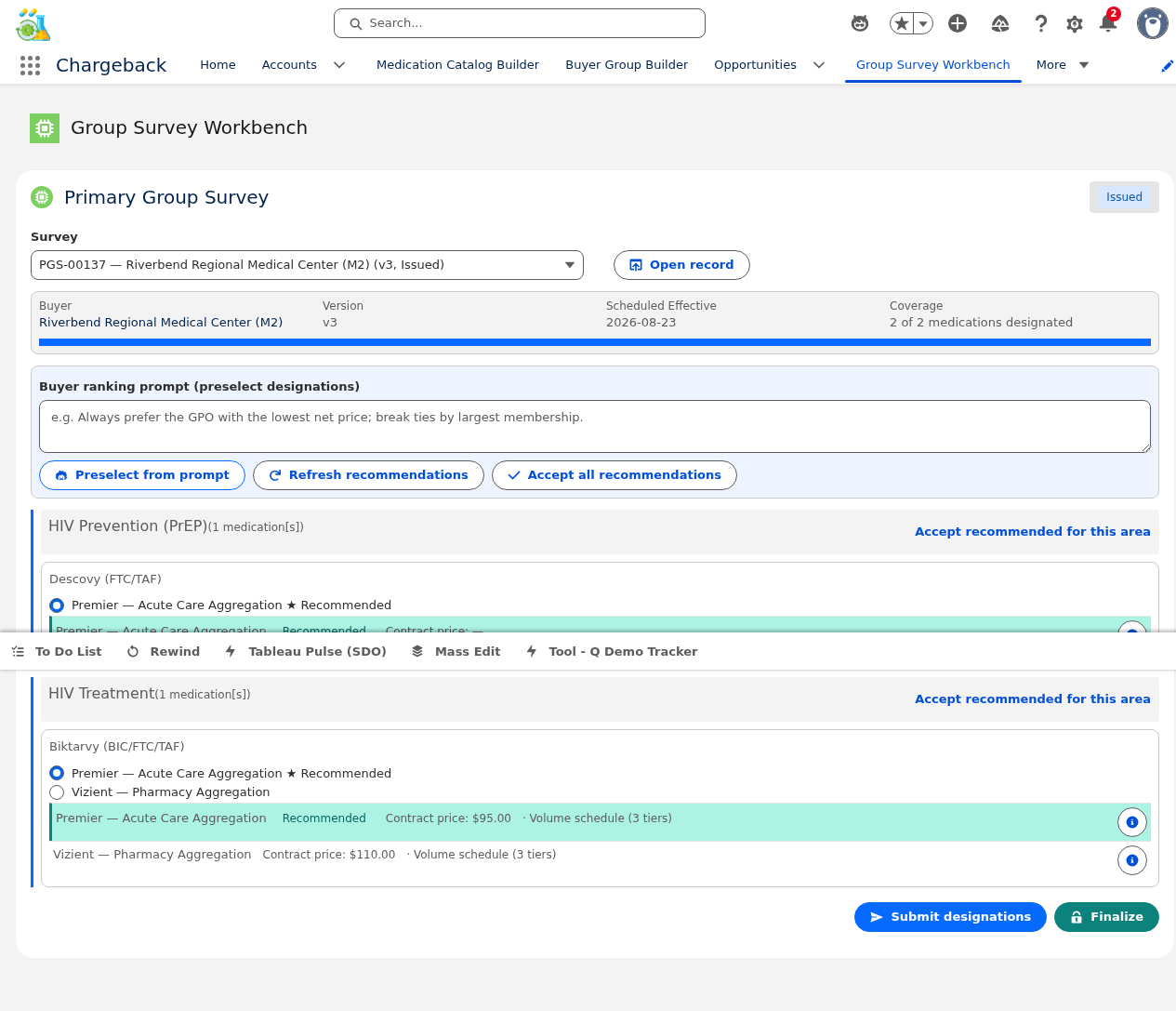
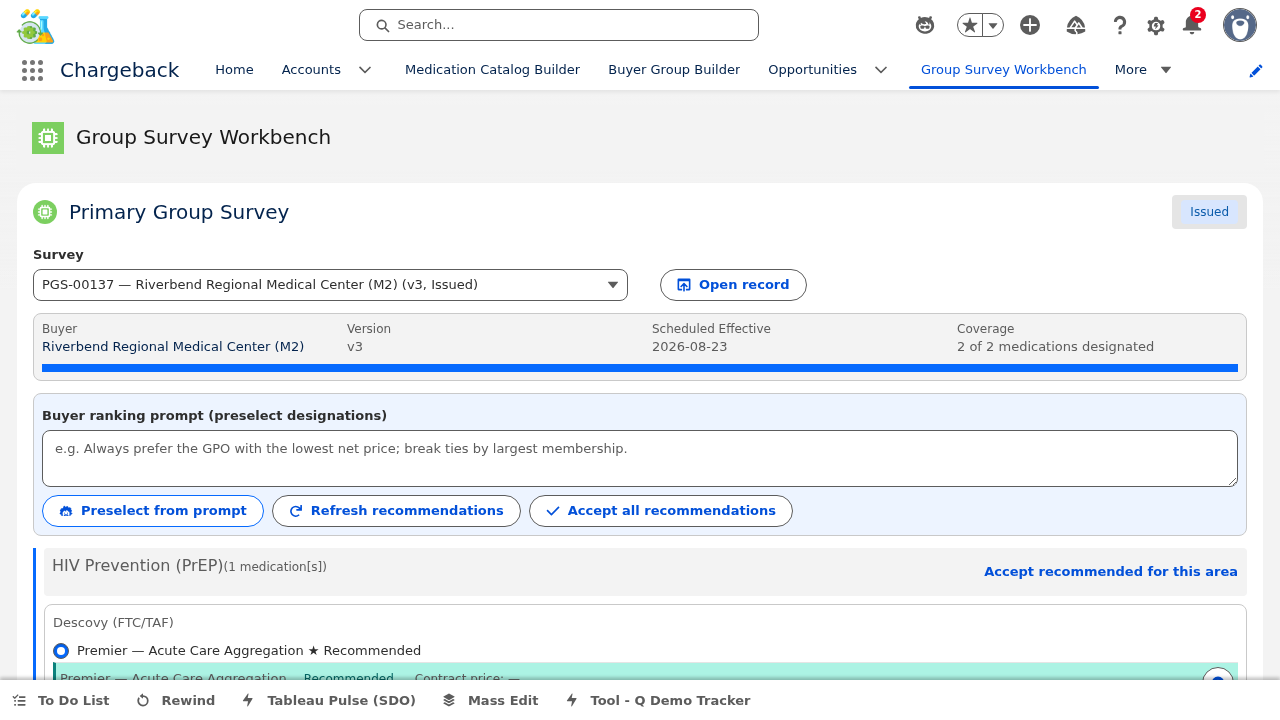
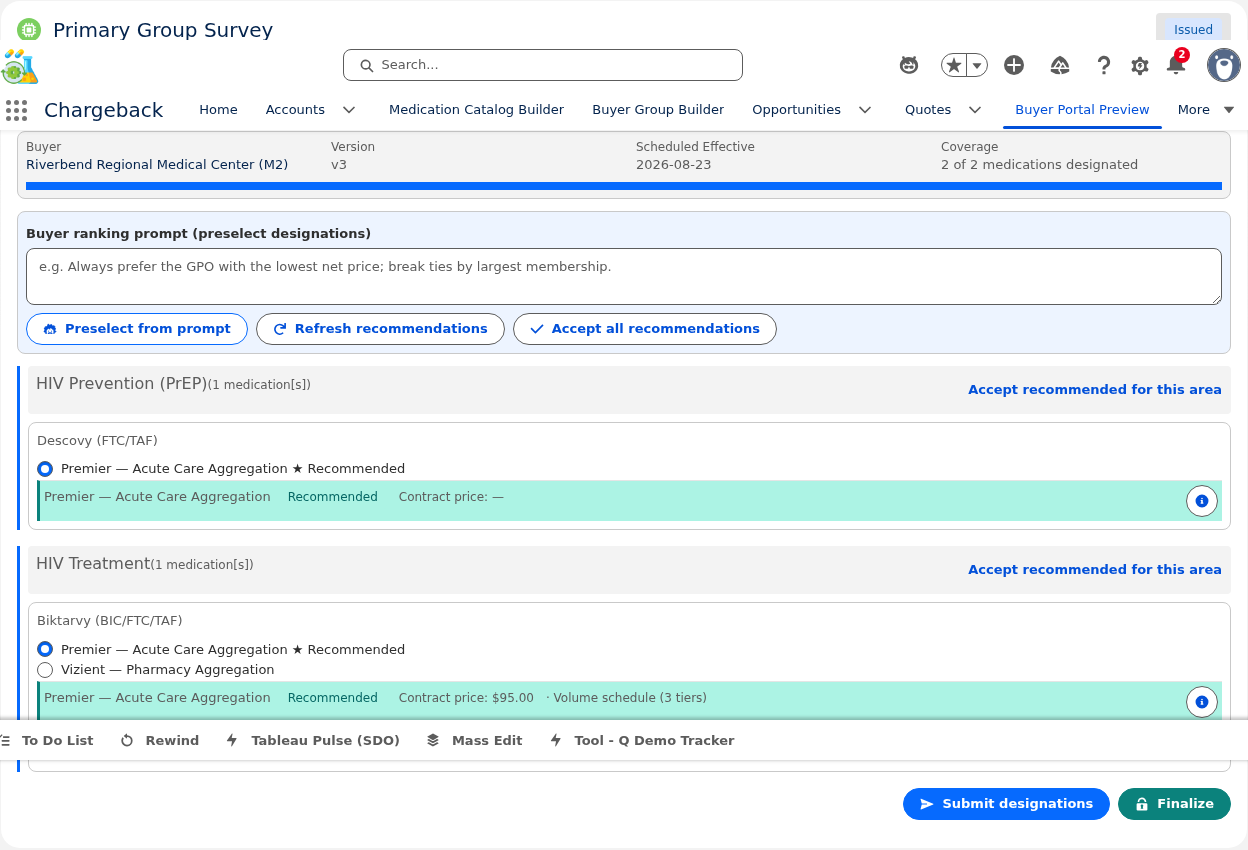
When a buyer belongs to multiple buyer groups, the Primary Group Survey enables them to designate their preferred buyer group per medication. Features include:


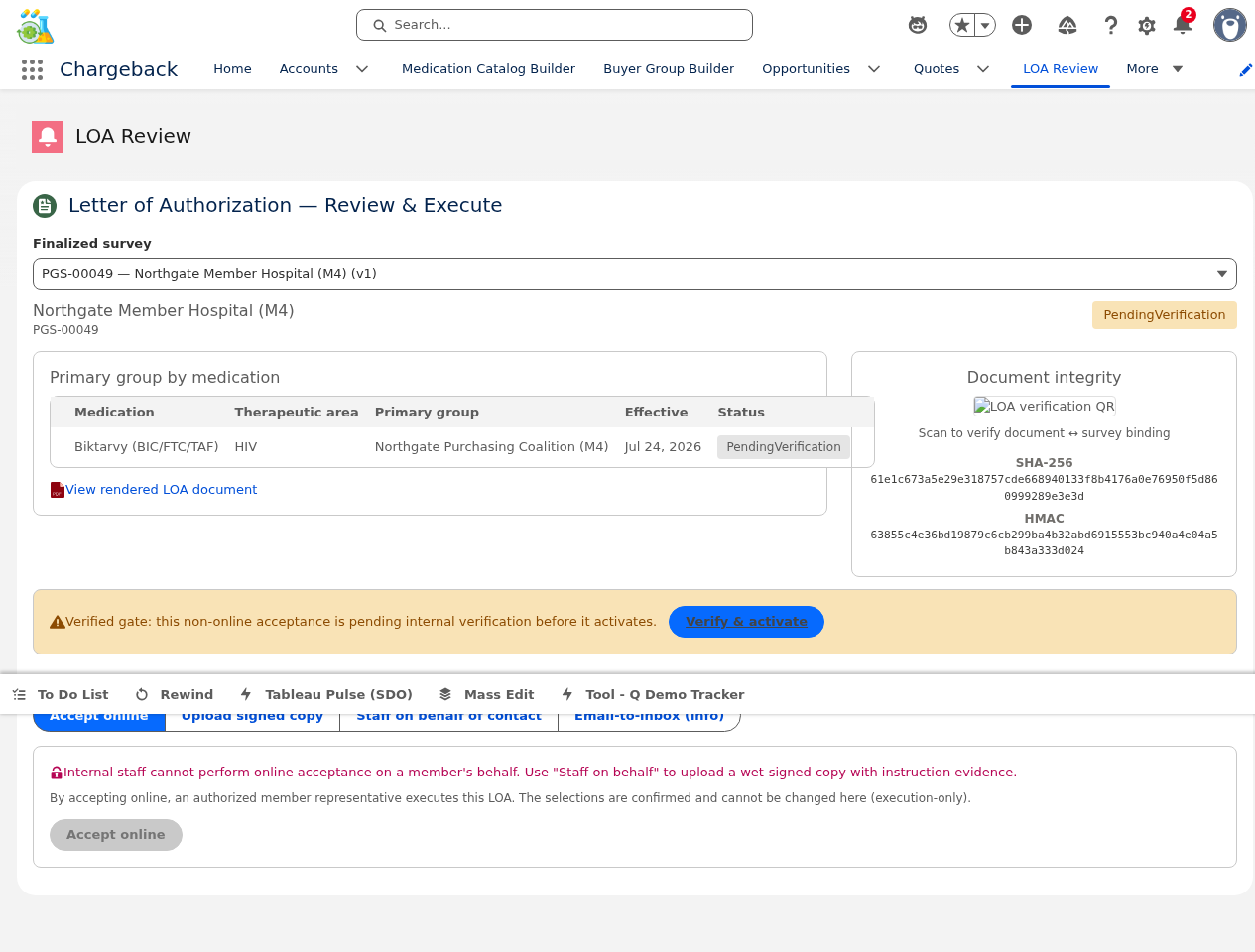
The LOA process supports four acceptance channels:
Non-online channels go through a verification gate requiring internal staff to confirm the document before it becomes active.

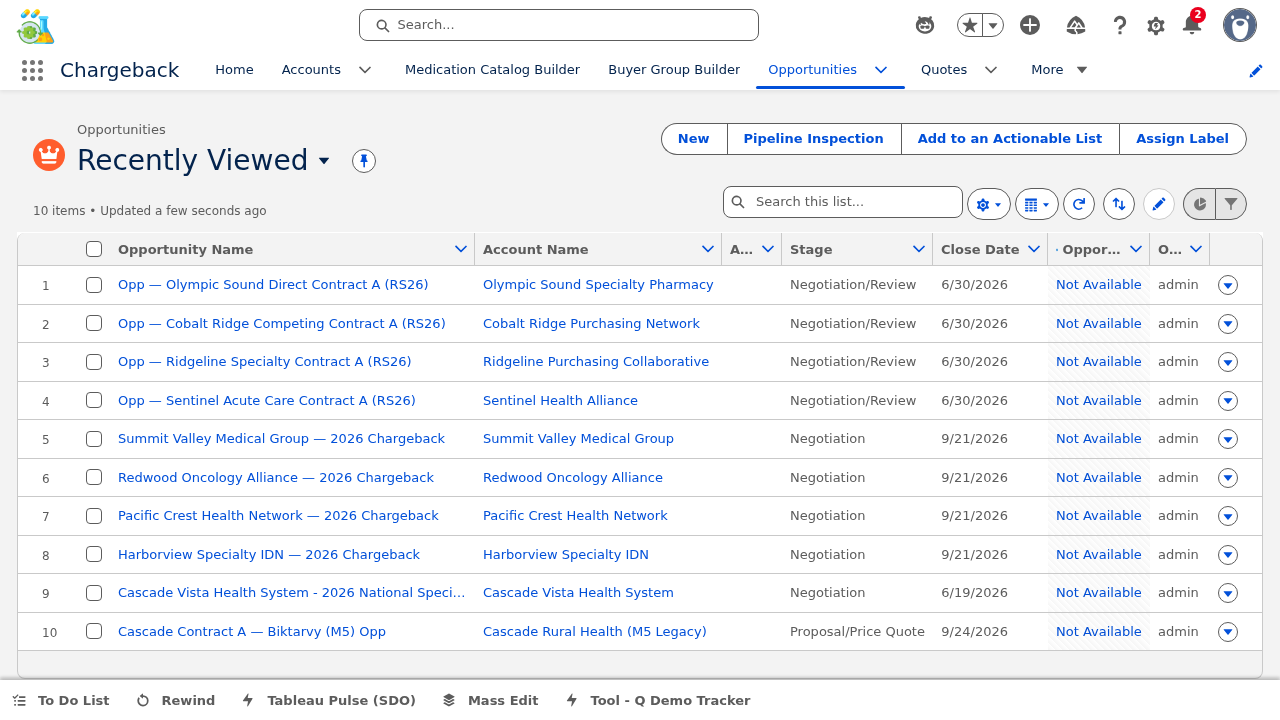
All examples in this module reference the live opportunity in the training environment:


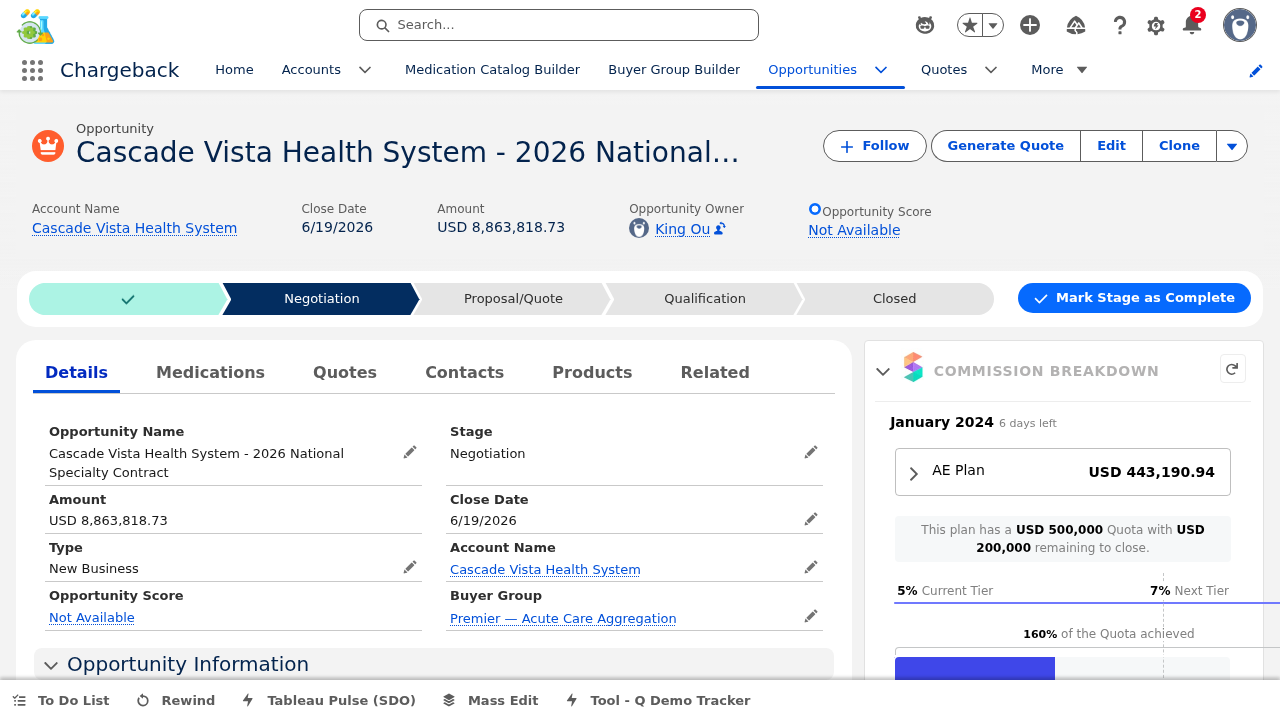
The Details tab displays all opportunity header fields in an organized layout, providing a comprehensive view of the deal at a glance. Users can edit fields inline and advance the opportunity through its lifecycle stages.
Click any field label to enter edit mode. Modify the value and click Save to persist changes. The stage path at the top provides visual navigation — click a stage to advance or move back, with guidance text displayed for each stage explaining what actions are required before progressing.
The Opportunity Medications component manages medication line items with SKU selection from the pricebook.
The shaping workspace provides granular control over how quantities are distributed:
The distribution modal offers two modes for spreading quantities across time periods:


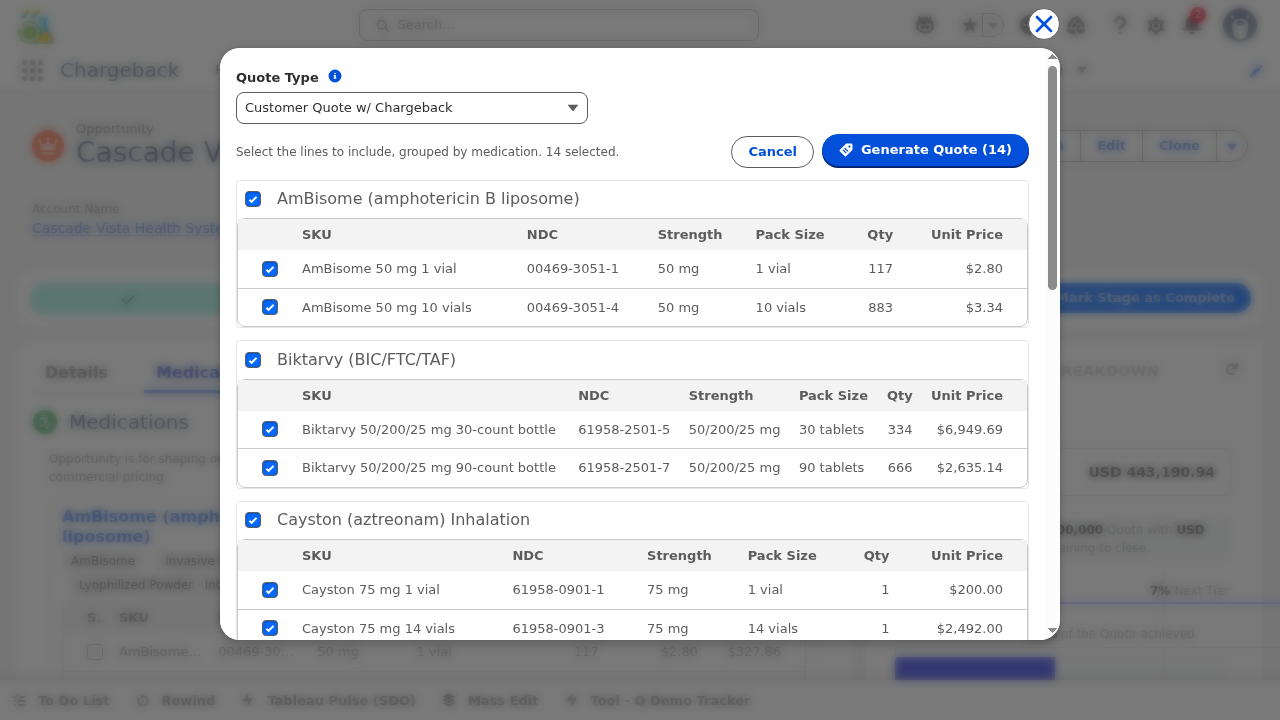
The "Generate Quote" quick action creates a Quote record from the Opportunity's medication lines.
A checklist shows all medication groups on the opportunity. Check/uncheck per-group and per-line to include or exclude specific medications from the quote.
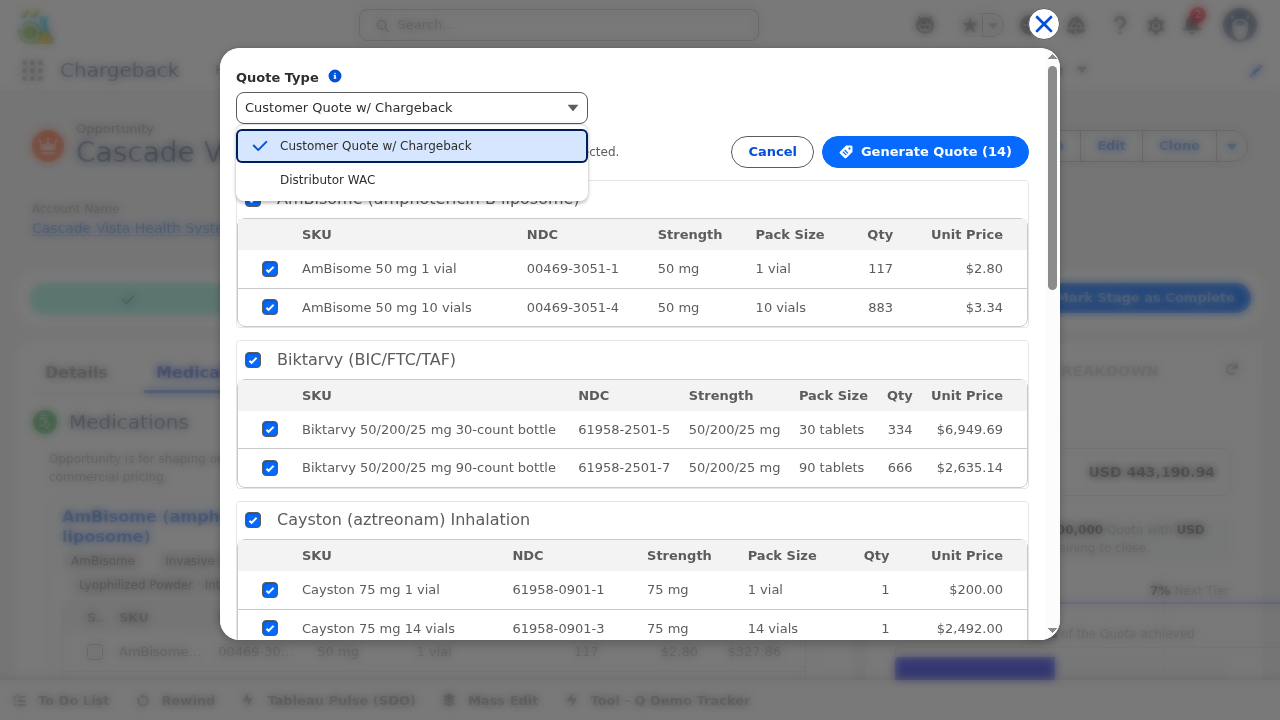
Select either "Customer Quote w/ Chargeback" (standard chargeback pricing) or "Distributor WAC" (wholesale acquisition cost-based pricing).
The system creates the Quote record, copies the selected line items as QuoteLineItems, and navigates to the new Quote.


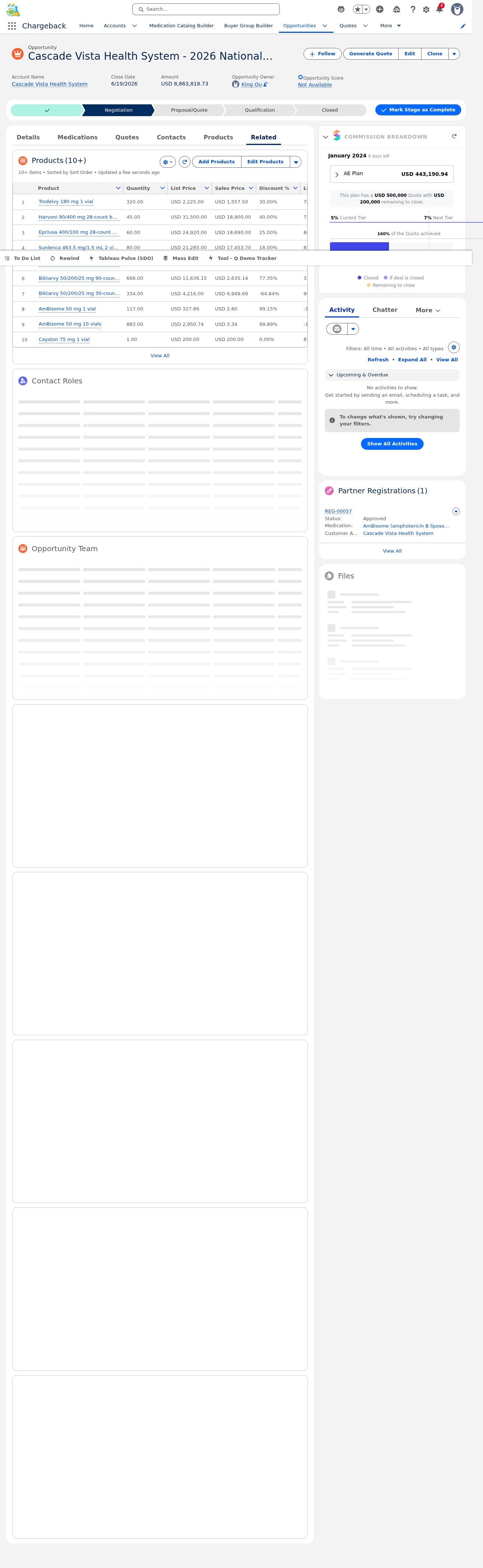
The Related tab shows all records linked to the opportunity, providing quick-access navigation to associated data. This tab consolidates all downstream and upstream relationships in one view.
Click any related list header to expand or collapse the section. Click individual records within a related list to navigate directly to their detail pages. Use the "View All" link at the bottom of each related list to see the full set of related records.


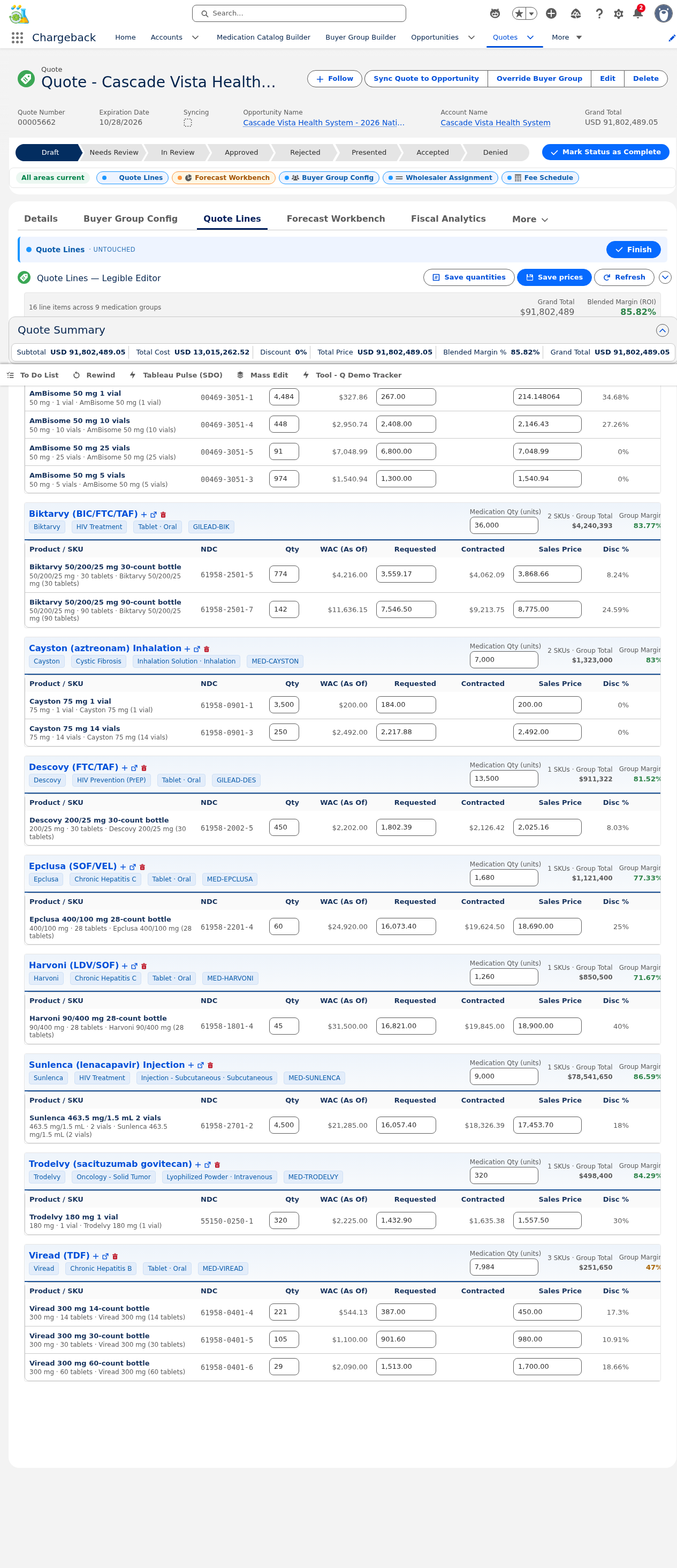
▸ Live from Salesforce org — 16 line items across 14 medications
| Product | Unit Price | Qty | Total |
|---|---|---|---|
| AmBisome 50 mg 1 vial | $214.15 | 4,484 | $960,240 |
| AmBisome 50 mg 10 vials | $2,146.43 | 448 | $961,601 |
| AmBisome 50 mg 25 vials | $7,048.99 | 91 | $641,458 |
| AmBisome 50 mg 5 vials | $1,540.94 | 974 | $1,500,876 |
| Biktarvy 30-count | $3,868.66 | 774 | $2,994,343 |
| Biktarvy 90-count | $8,775.00 | 142 | $1,246,050 |
| Cayston 1 vial | $200.00 | 3,500 | $700,000 |
| Cayston 14 vials | $2,492.00 | 250 | $623,000 |
| Descovy 30-count | $2,025.16 | 450 | $911,322 |
| Epclusa 28-count | $18,690.00 | 60 | $1,121,400 |
| Harvoni 28-count | $18,900.00 | 45 | $850,500 |
| Sunlenca 2 vials | $17,453.70 | 4,500 | $78,541,650 |
| Trodelvy 180 mg | $1,557.50 | 320 | $498,400 |
| Viread 14-count | $450.00 | 221 | $99,450 |
| Viread 30-count | $980.00 | 105 | $102,900 |
| Viread 60-count | $1,700.00 | 29 | $49,300 |
| Grand Total | 11,393 | $91,802,490 |
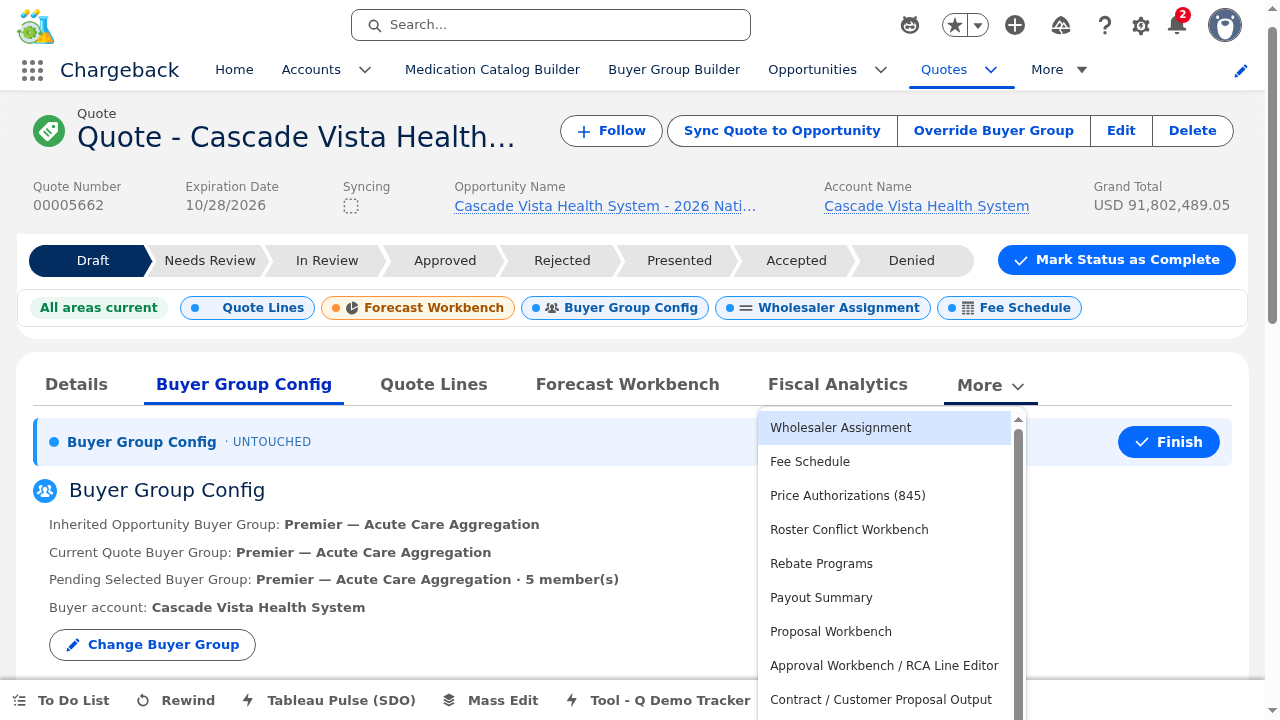
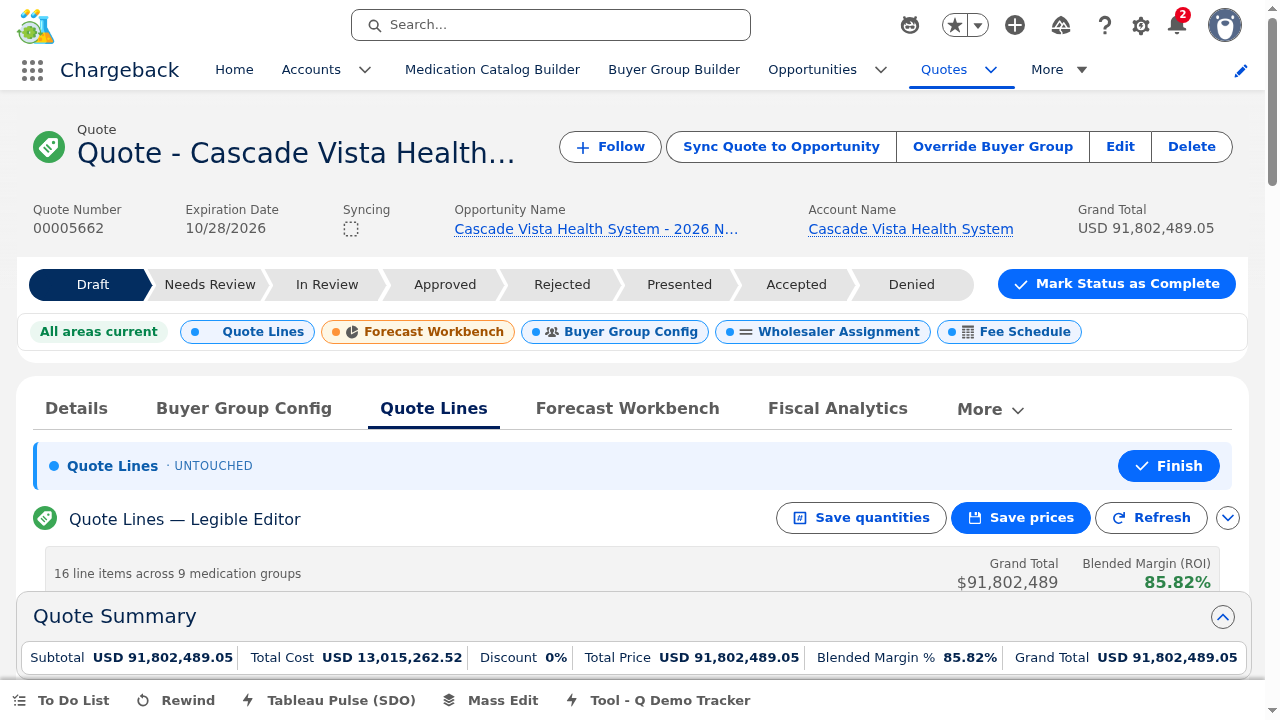
The Quote record page features multiple subtabs, each managing a specific aspect of the quoting process. Here is a comprehensive breakdown of every subtab:
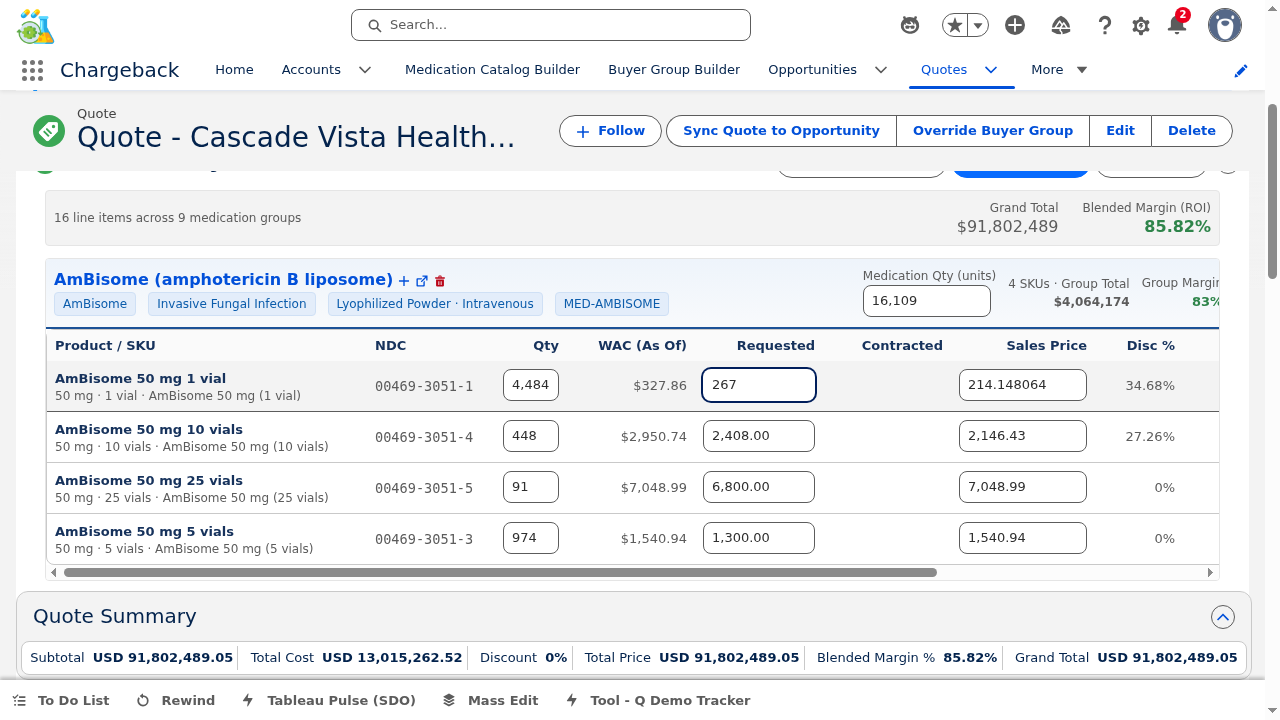
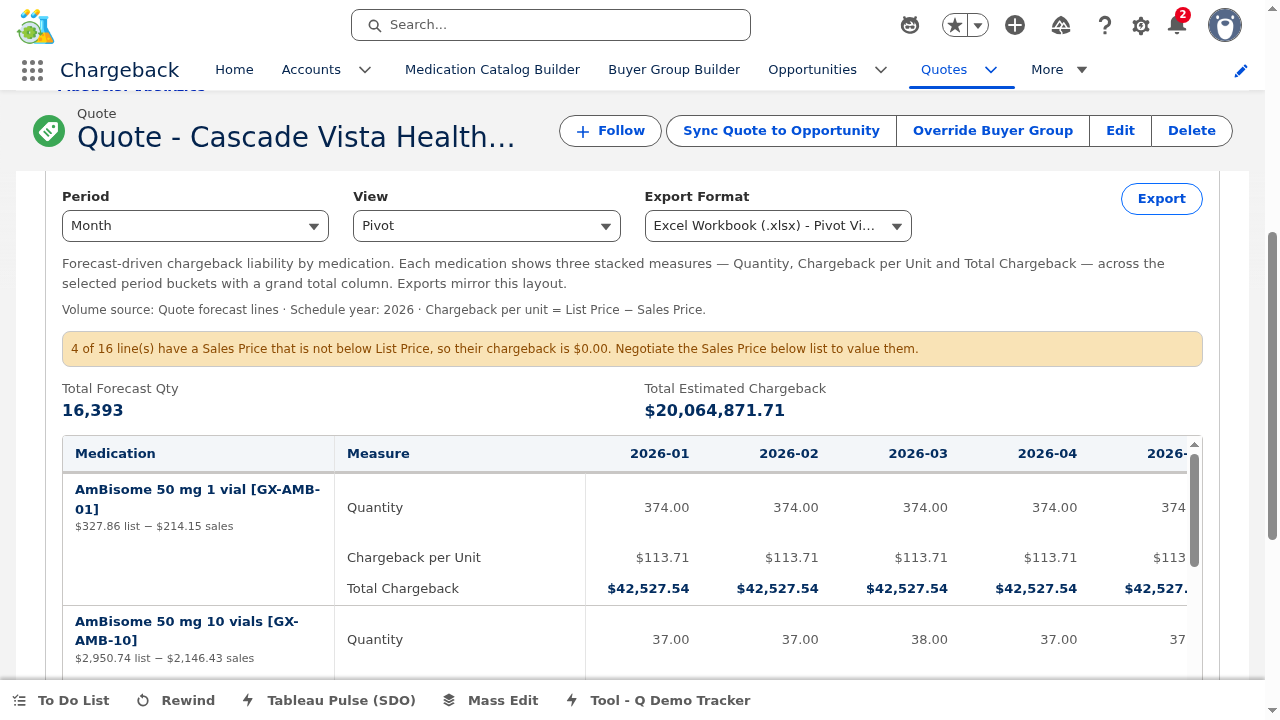
The primary line editing interface with inline price and quantity editing, margin visualization, and CWW integration.
Each line shows a color-coded margin indicator:
The editor only sends changed fields to the server — unchanged lines are not included in the save payload. This prevents overwrite conflicts in multi-user scenarios.
cwwMarkDirty, notifying the Collaborative Workbench that the Lines area has been modified. Downstream areas (Forecast, Analytics, Price Auth) are alerted for review.

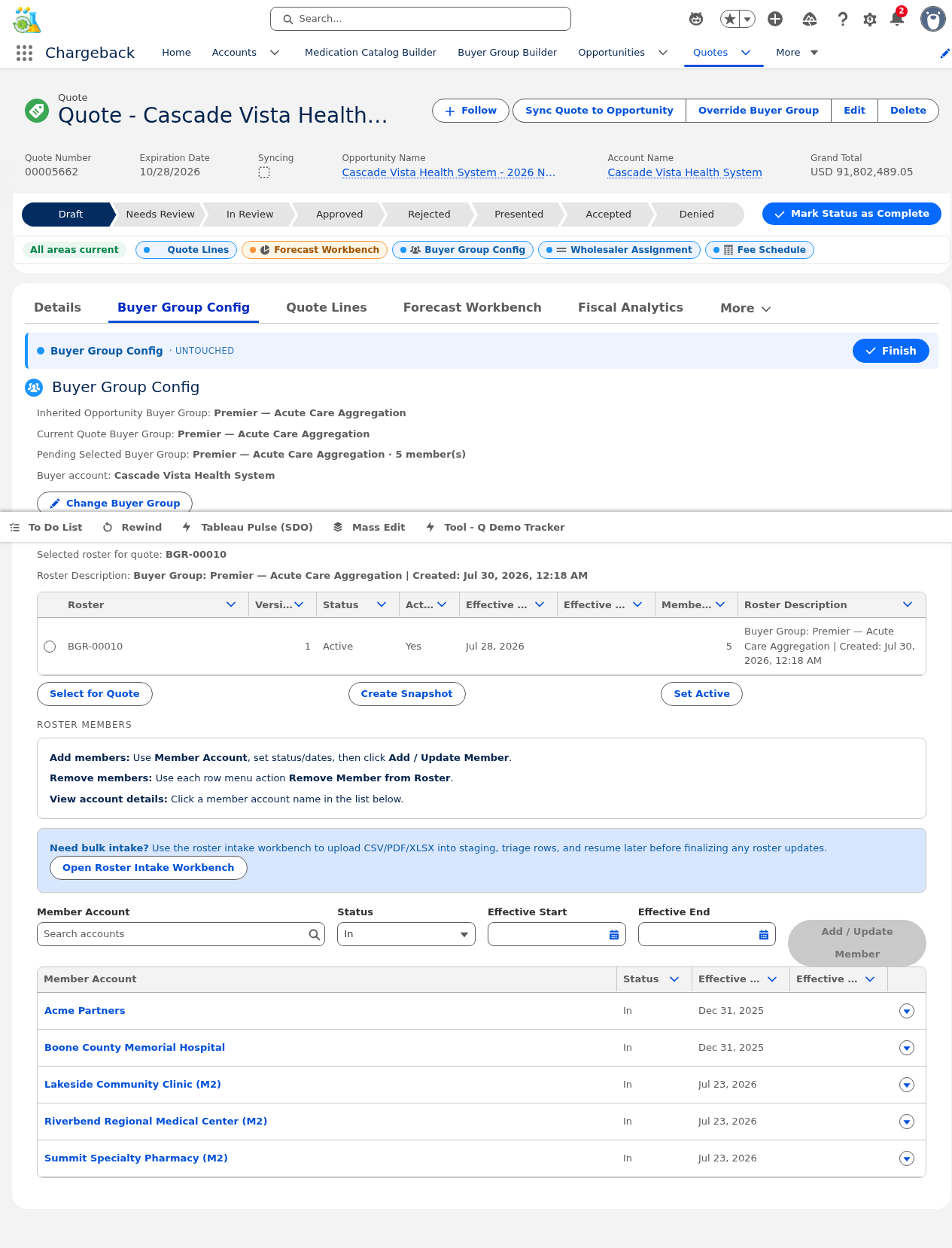
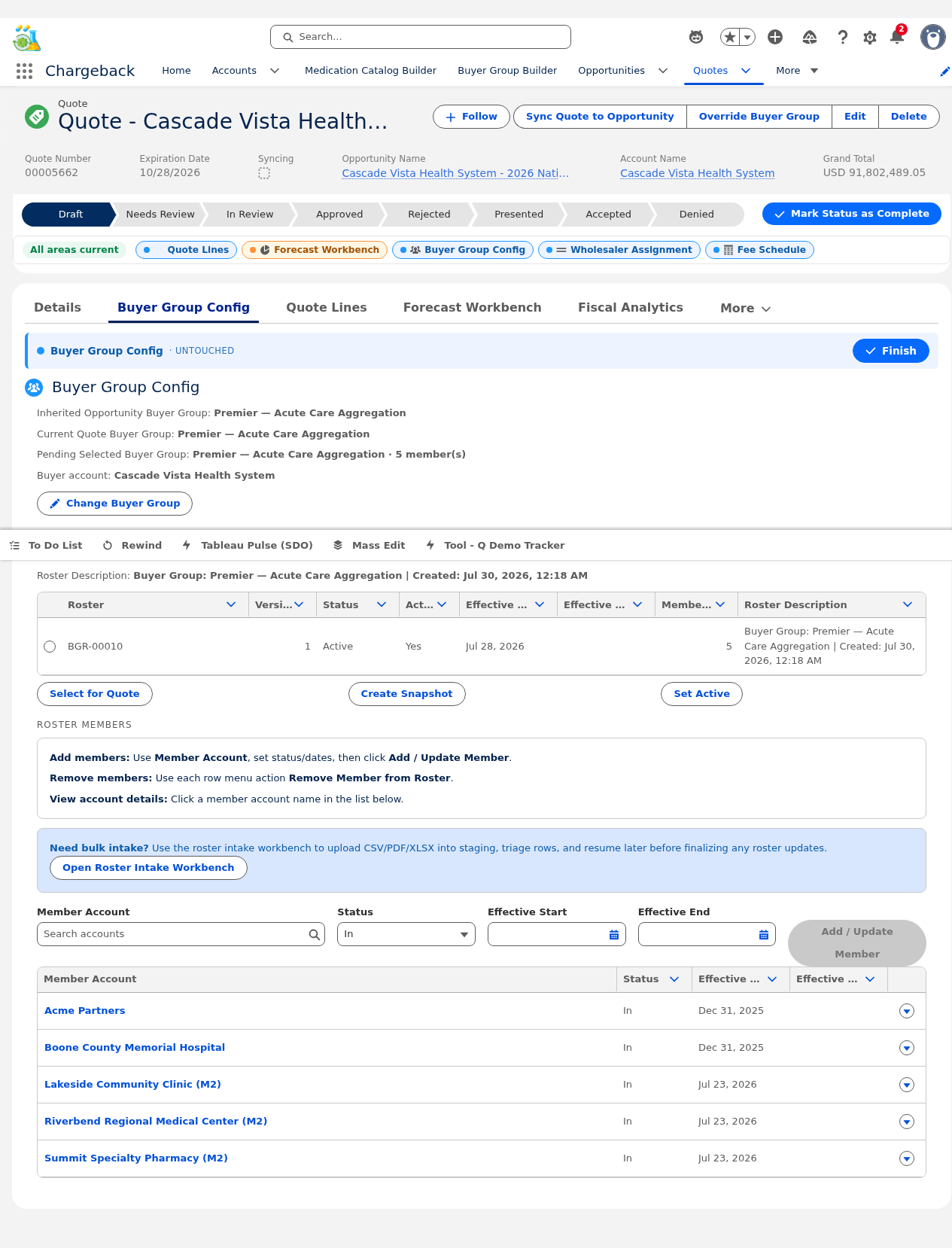
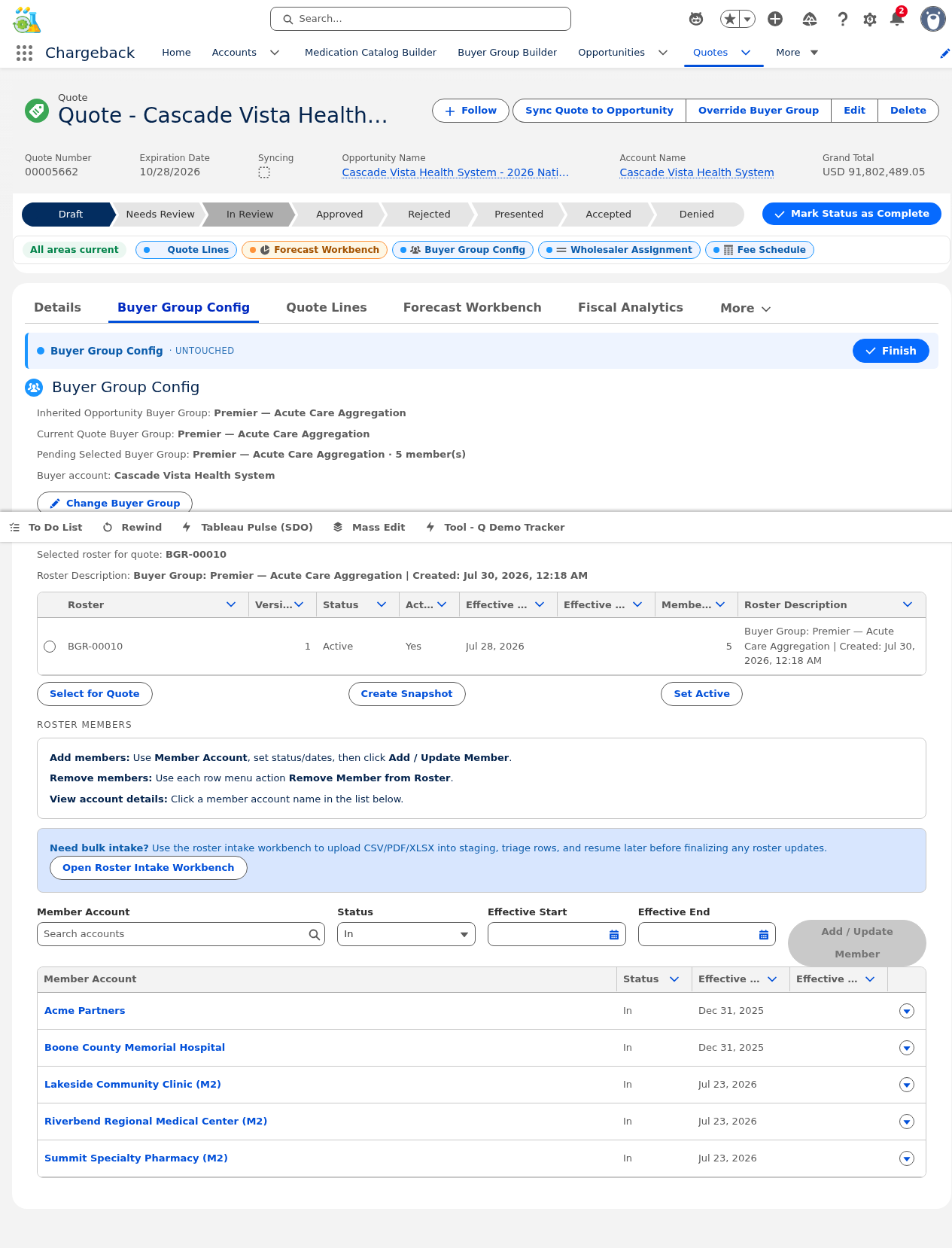
Assigns a buyer group to the quote, enabling roster-based pricing and distribution.
Within the quote context, you can create roster snapshots and activate specific versions. Each version preserves the exact member list used for pricing calculations.

Creates medication groups on the quote and links packaging options (SKUs) to those groups via a checkbox selection modal.

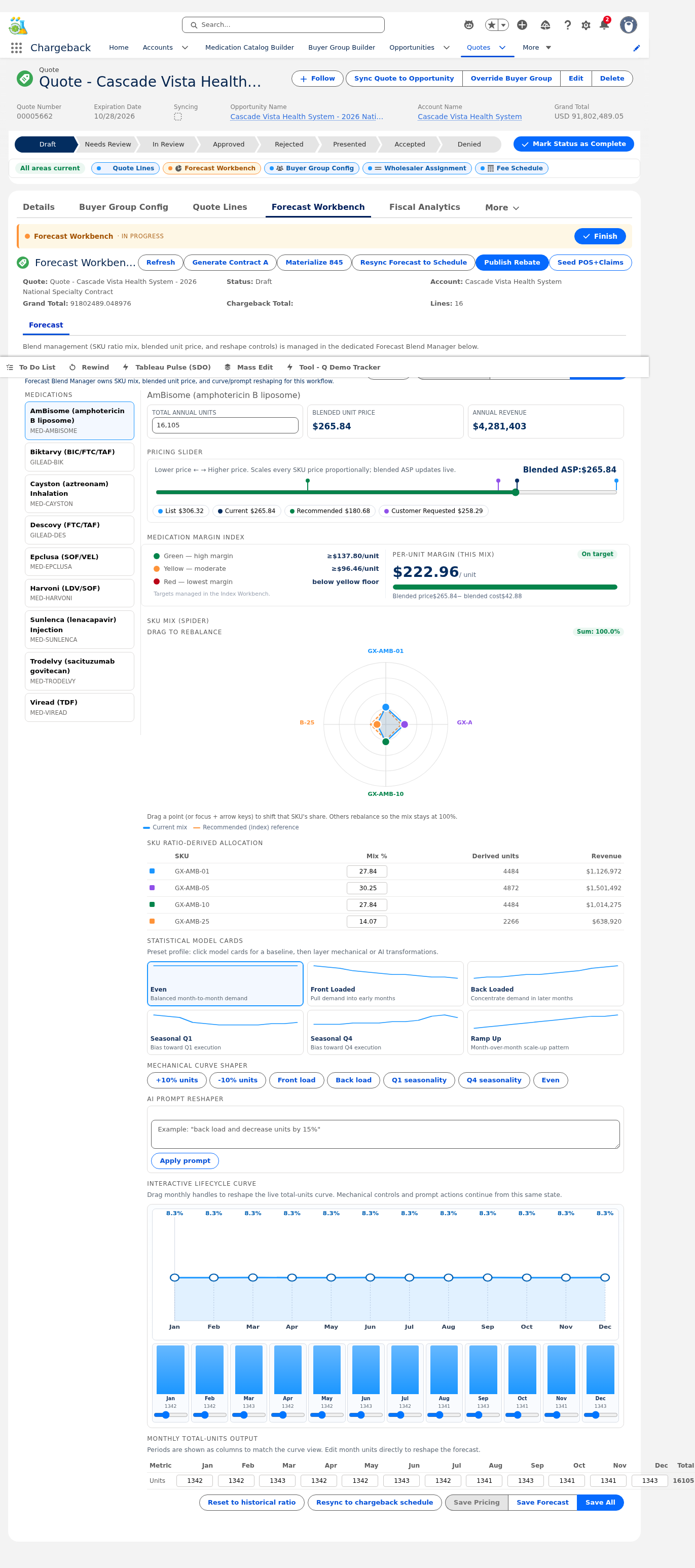
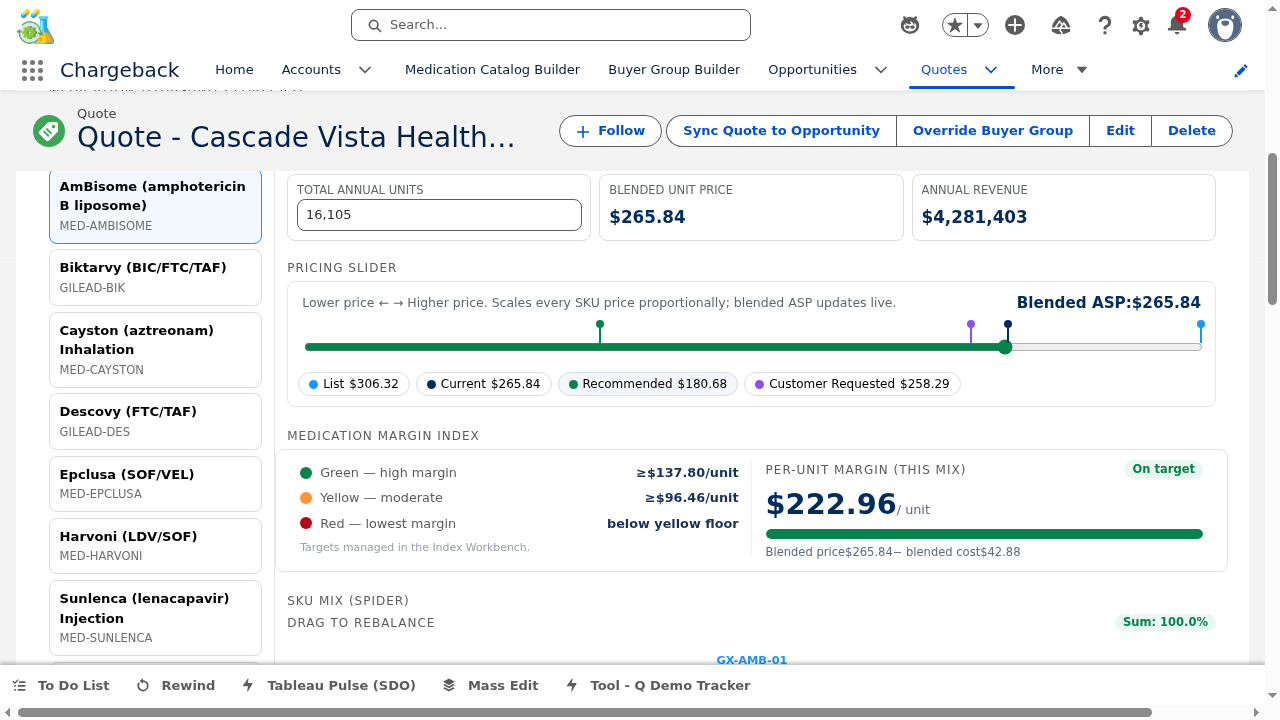
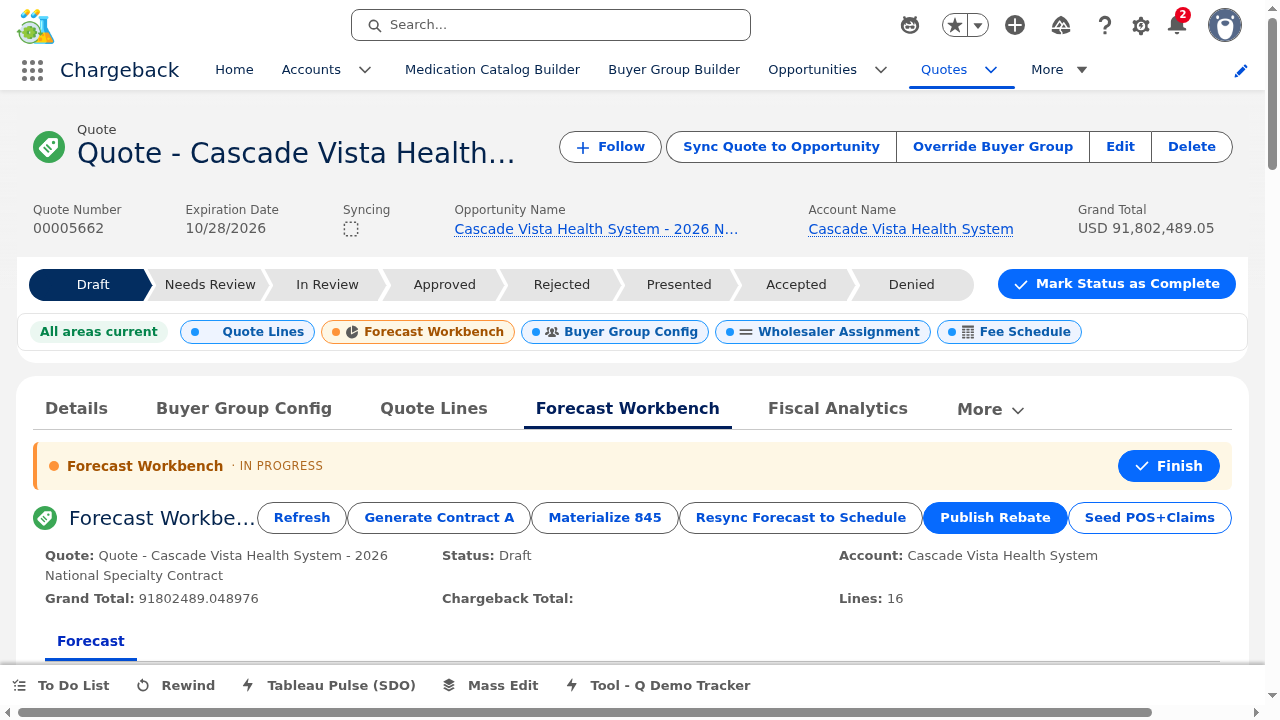
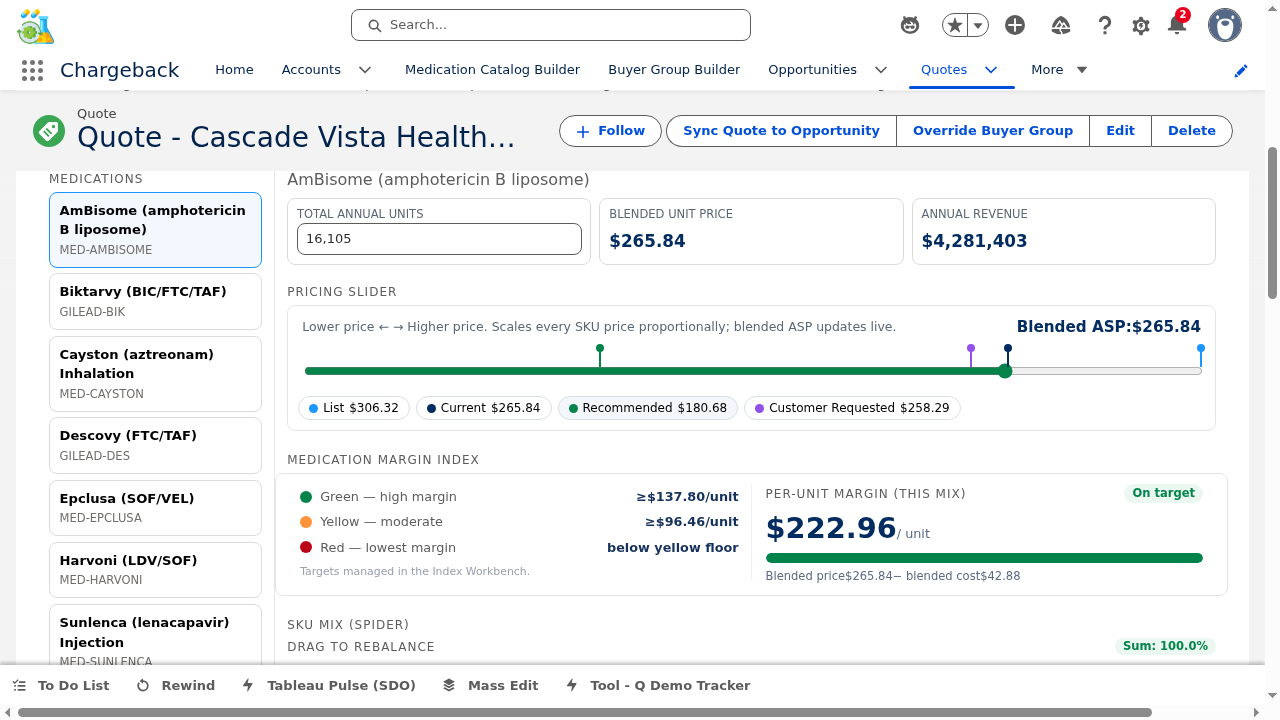
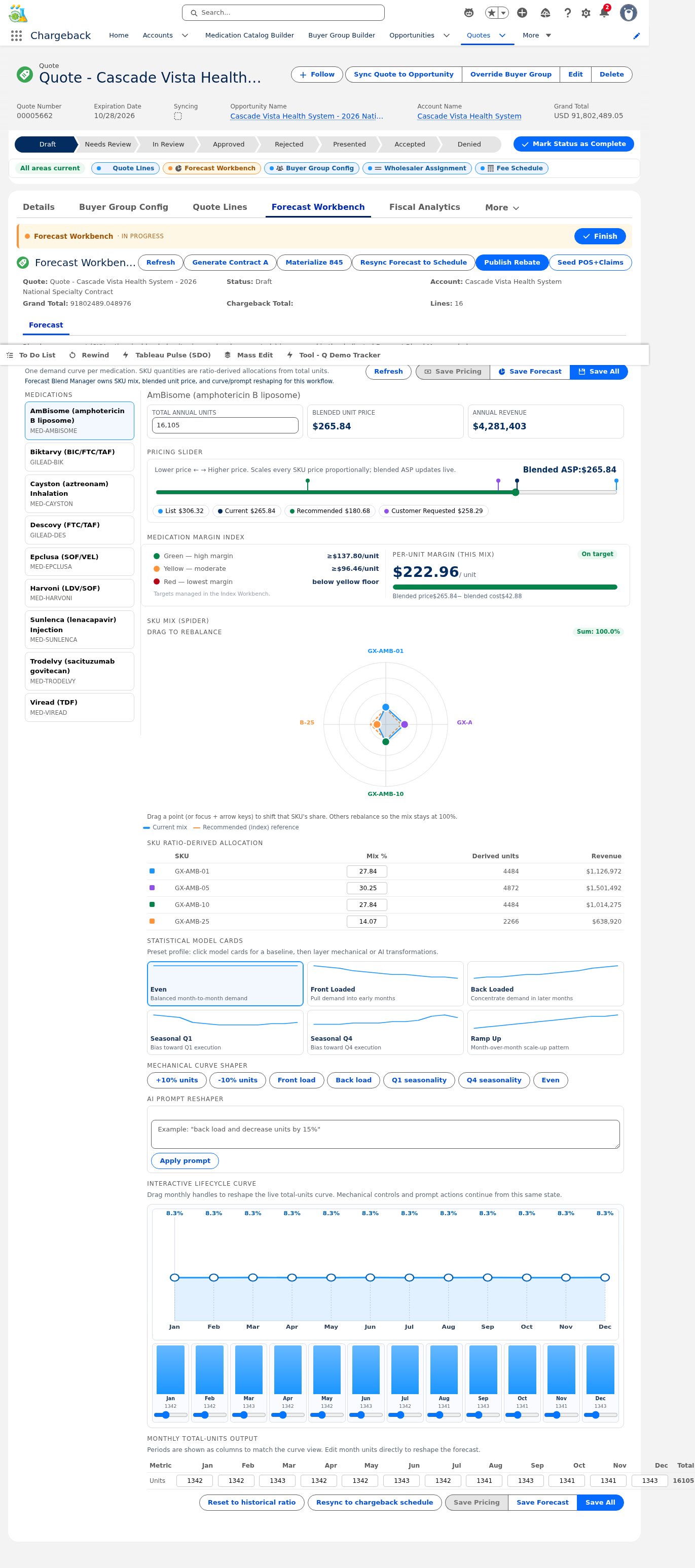
The interactive forecast editor combines SVG radar/spider charts, seasonality curves, pricing sliders, and margin analysis into a single workbench.
An interactive SVG radar chart with draggable handles allows visual adjustment of the SKU mix. Each axis represents a packaging option, and dragging a handle adjusts its allocation percentage relative to other SKUs.
Six preset curves are available:
Each curve can be further customized by dragging per-month weight handles or editing values directly.
A slider blends across four price points: Current, List, Recommended, and Requested prices. Moving the slider dynamically recalculates margins and updates the rating indicator.
Enter commands like "Shift 20% volume from 30-count to 90-count" — the system uses deterministic regex-based parsing to transform the forecast without requiring manual slider adjustment.
Three save options: Save Forecast (mix + seasonality), Save Pricing (price blend only), or Save All. Each triggers CWW dirty marking.
▸ Live from Salesforce org — showing first 6 months with applied seasonality curves
| Product | Annual Qty | Curve | Jan | Feb | Mar | Apr | May | Jun |
|---|---|---|---|---|---|---|---|---|
| Biktarvy 30-ct | 774 | SeasonalQ4 | 47 | 46 | 46 | 54 | 54 | 54 |
| Biktarvy 90-ct | 142 | SeasonalQ4 | 9 | 9 | 8 | 10 | 10 | 10 |
| Descovy 30-ct | 450 | BackLoaded | 18 | 23 | 23 | 27 | 32 | 31 |
| Epclusa 28-ct | 60 | FrontLoaded | 9 | 8 | 7 | 6 | 5 | 5 |
| Cayston 1 vial | 3,500 | SeasonalQ4 | 210 | 210 | 210 | 245 | 245 | 245 |


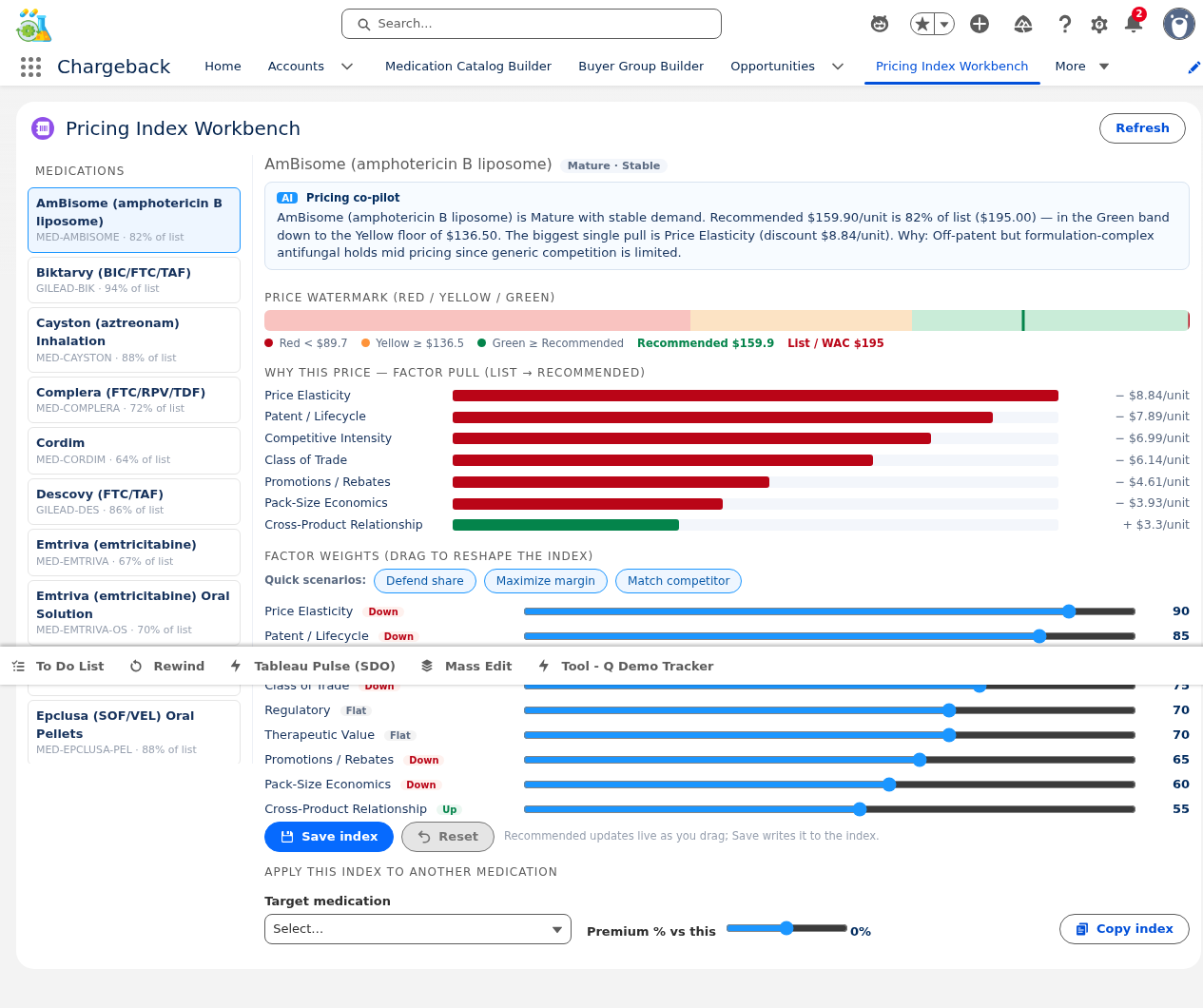
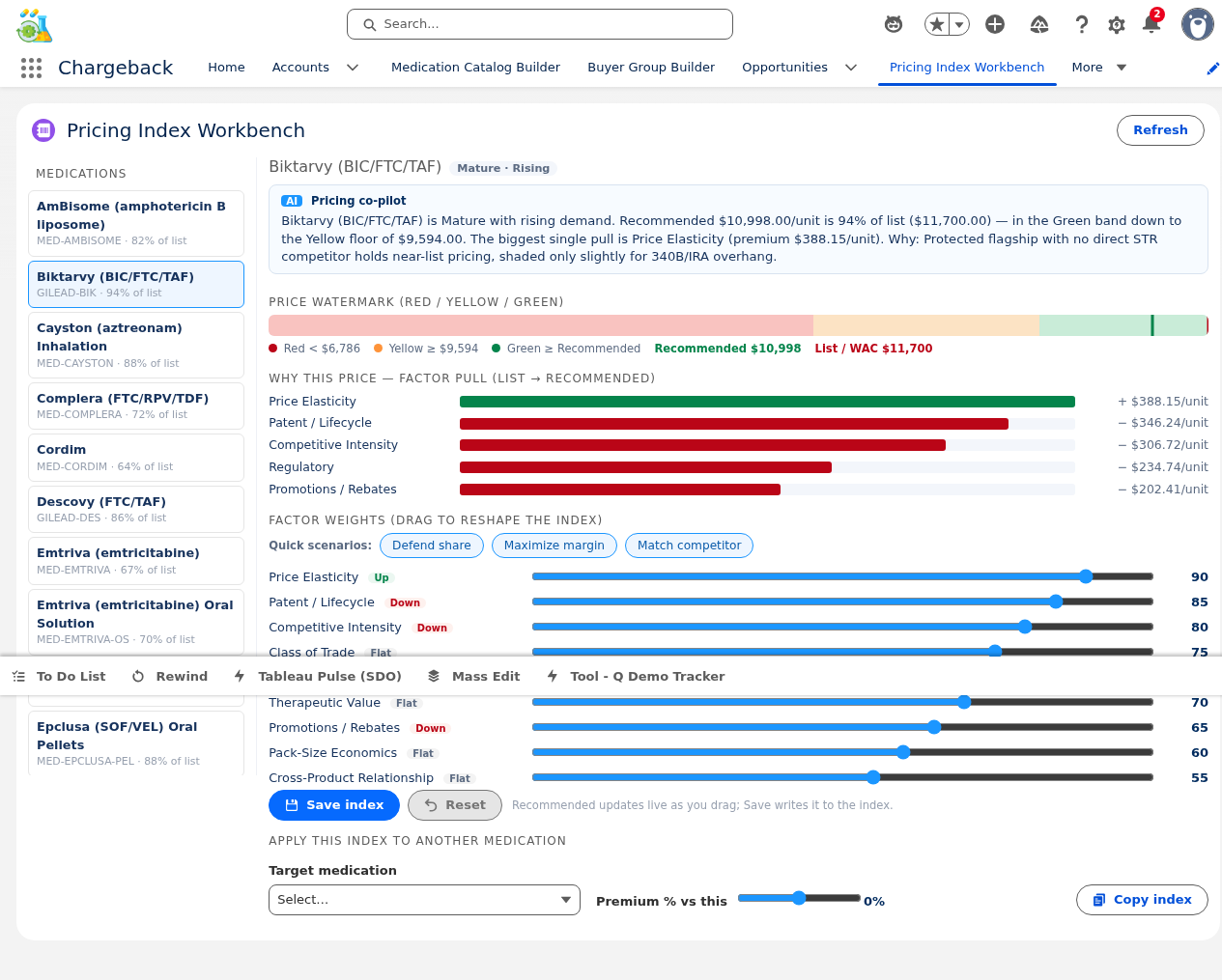
Per-medication pricing intelligence with factor weight sliders, a live recommendation engine, price ladder gauge, and waterfall chart.
Adjustable sliders for each pricing factor (market share, competitive pressure, volume commitment, therapeutic value, etc.). The live client-side engine mirrors server-side recomputation in real time.
A visual gauge showing where the current price falls on the ladder, with red/yellow/green zones indicating margin health.
Shows how each factor contributes to the final recommended price — starting from the base WAC and adding/subtracting factor-weighted adjustments.
Copy a configured pricing index to another medication with an optional premium percentage adjustment.


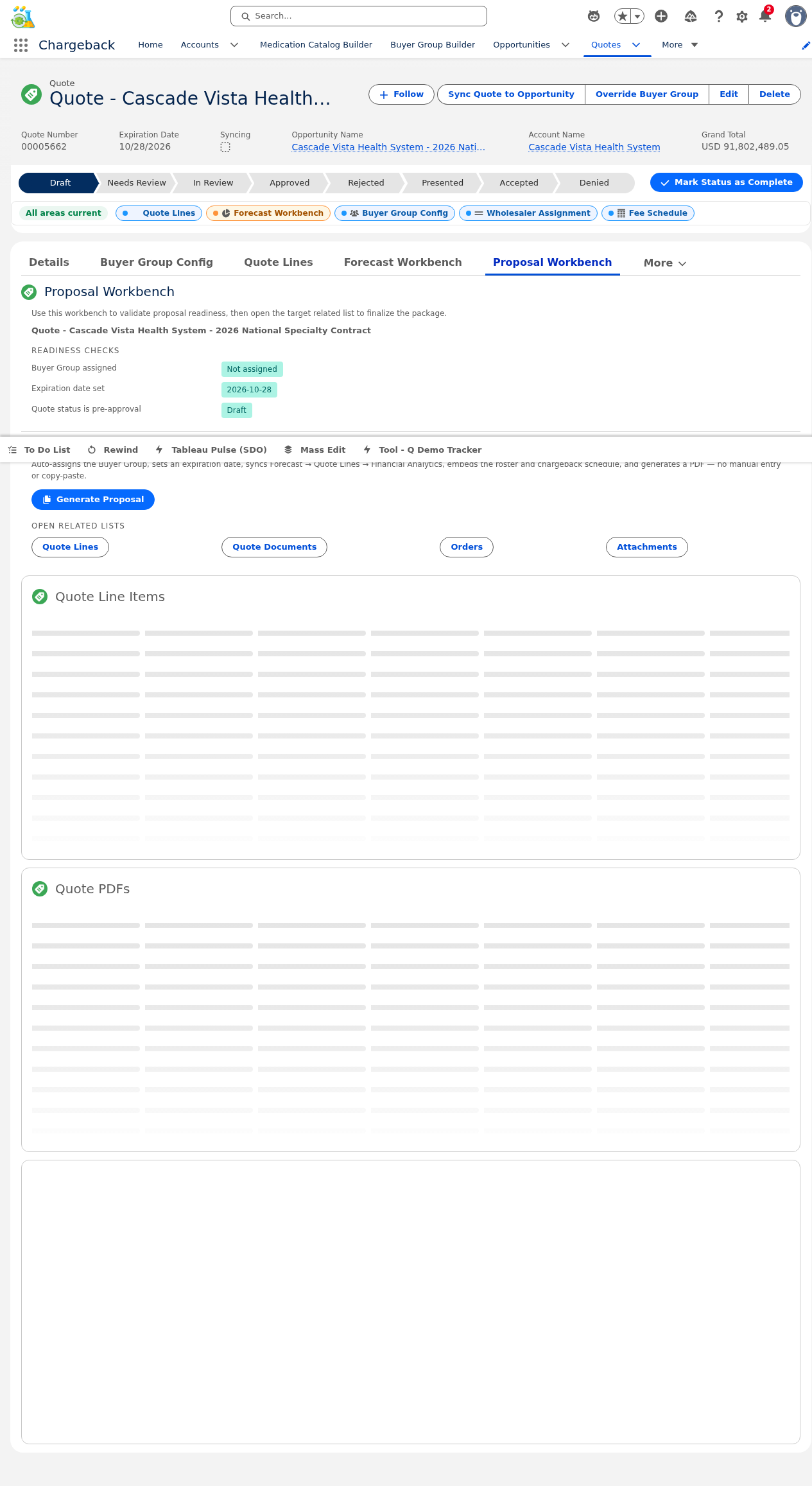
Validates readiness prerequisites and generates a professional proposal document from the quote.
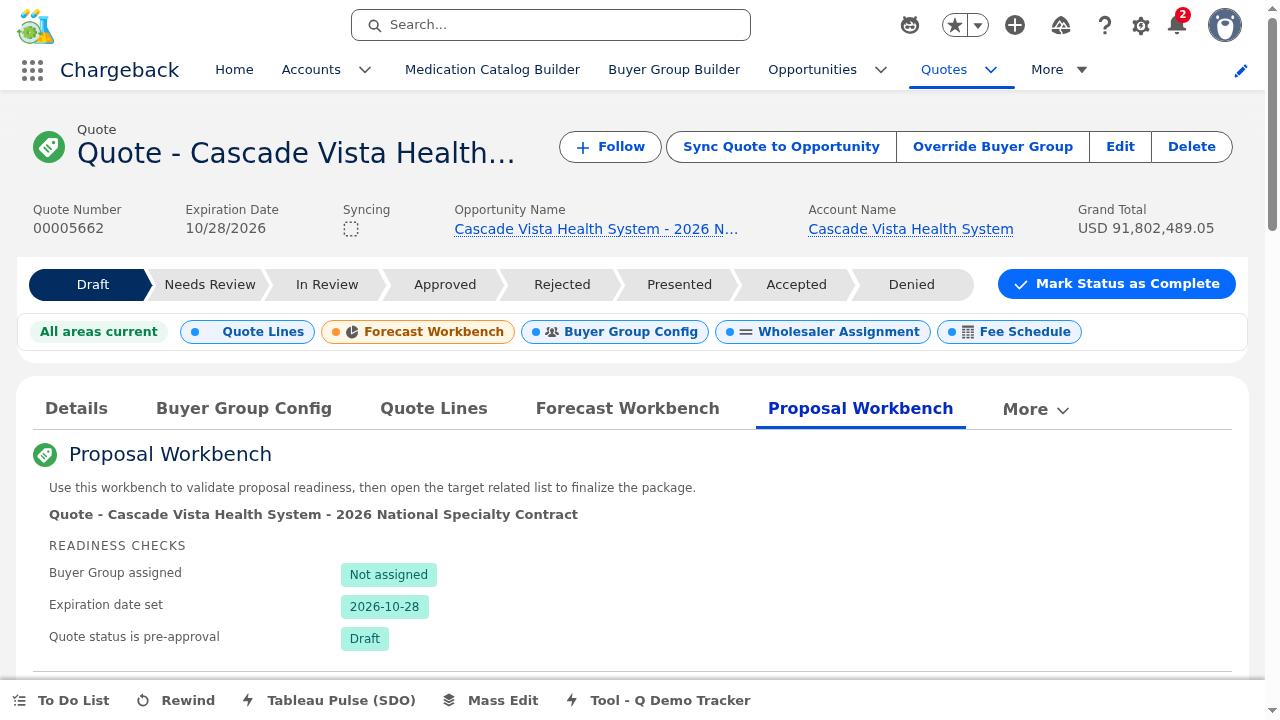
Before generating, the system validates:
All checks must pass before the Generate button becomes active.
Generates a proposal document (ContentDocument) with roster member count, forecast data, and pricing summary. After generation, the system navigates directly to the created document.


The Pipeline Workbench is a multi-panel interface managing the entire post-quote pipeline. Each panel focuses on a specific stage of the chargeback lifecycle:


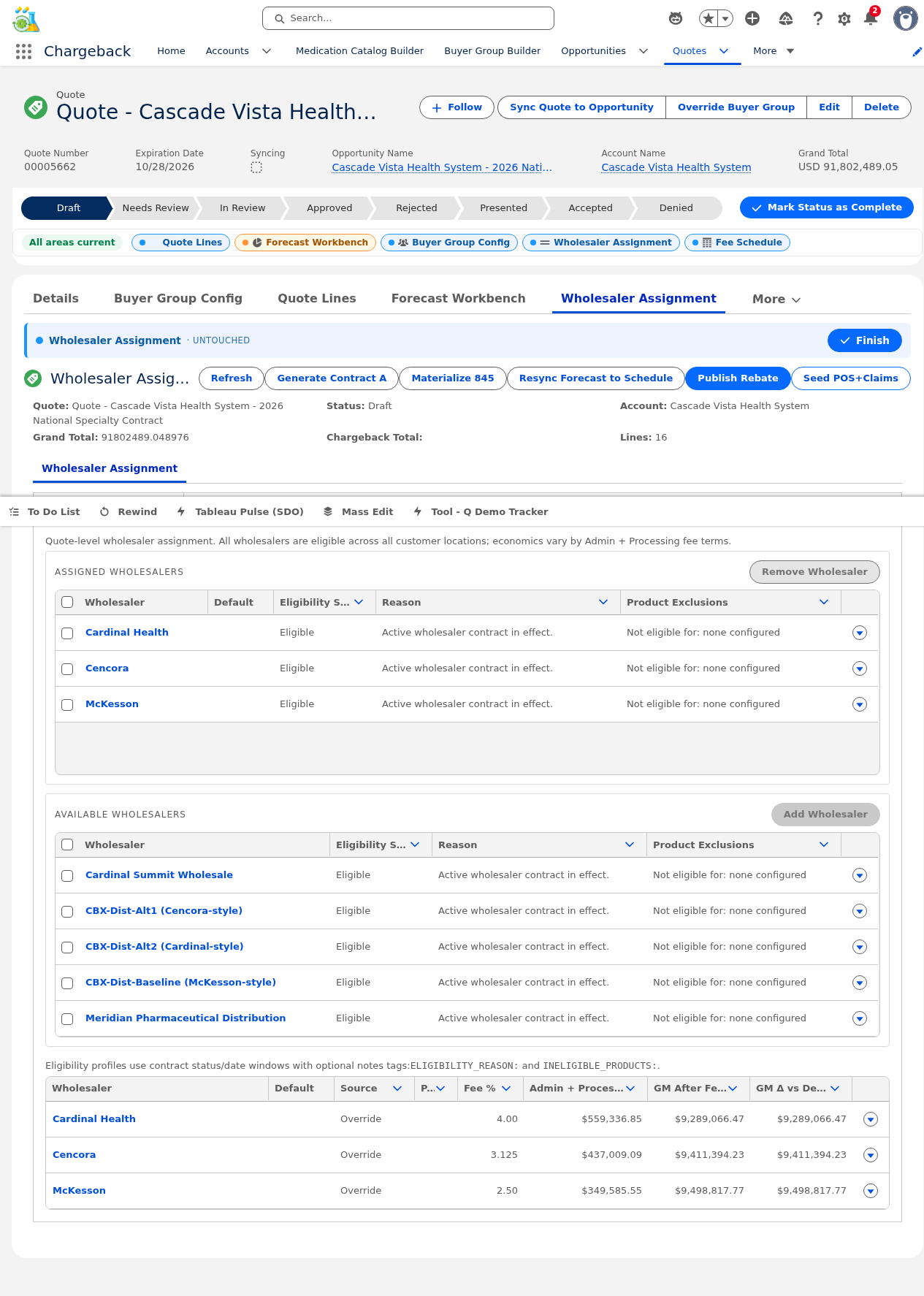
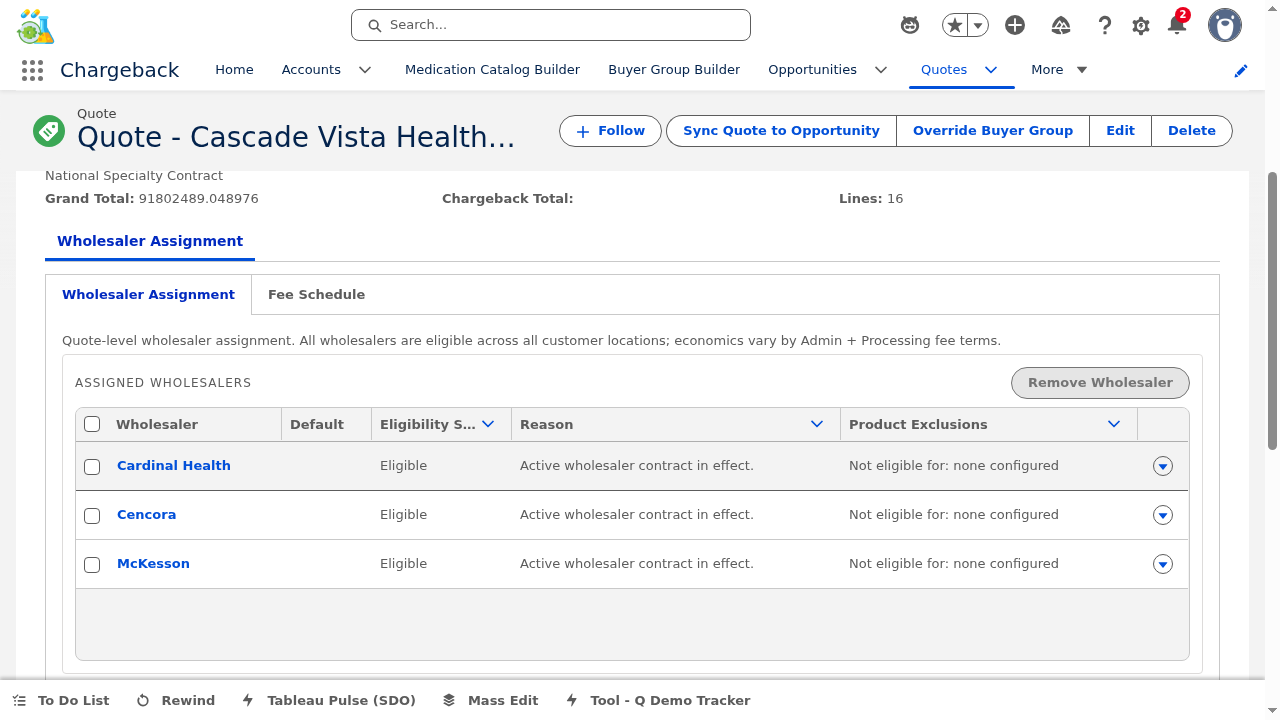
Manages which wholesaler/distributors are authorized to distribute each medication under this contract.


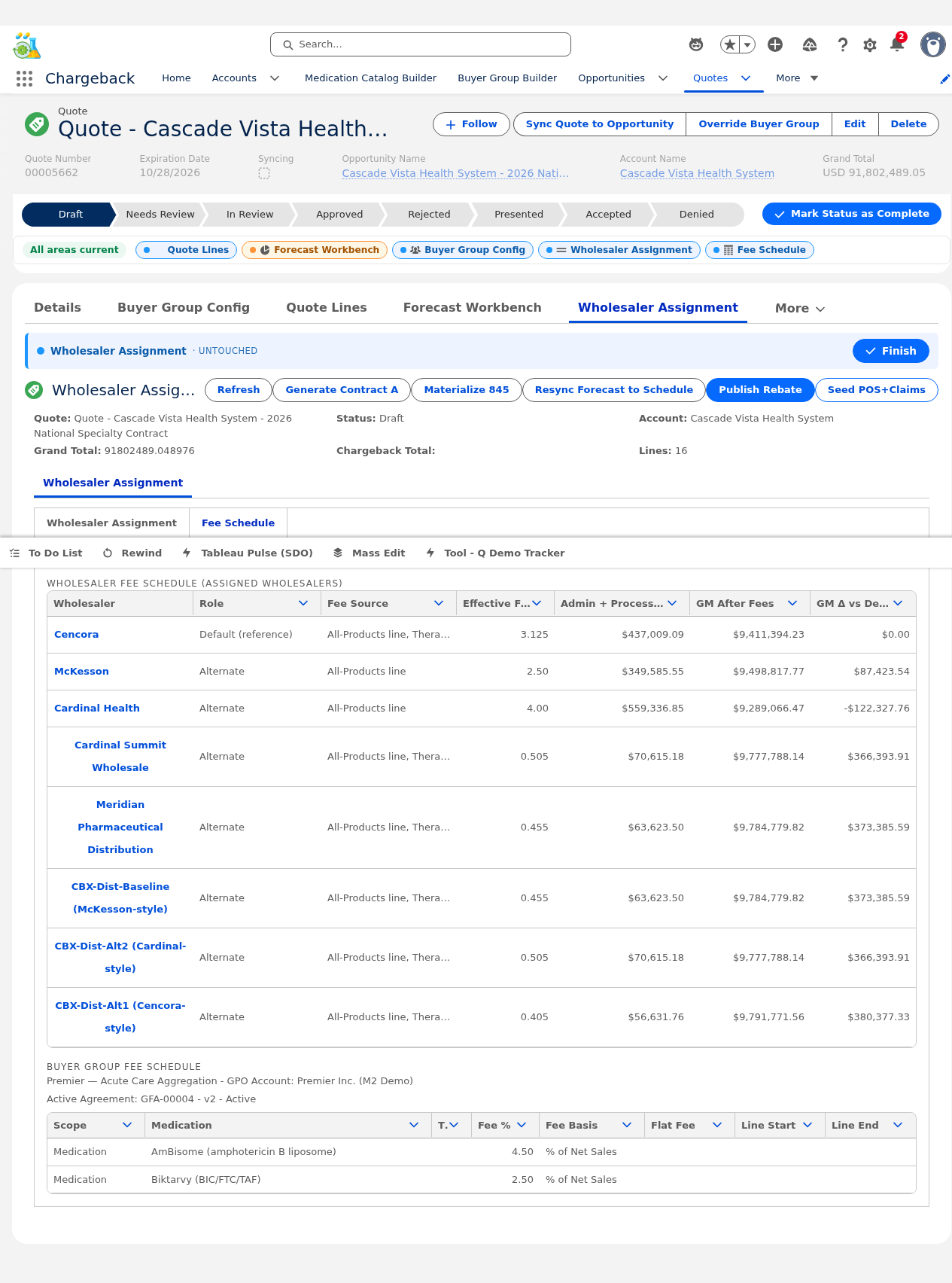
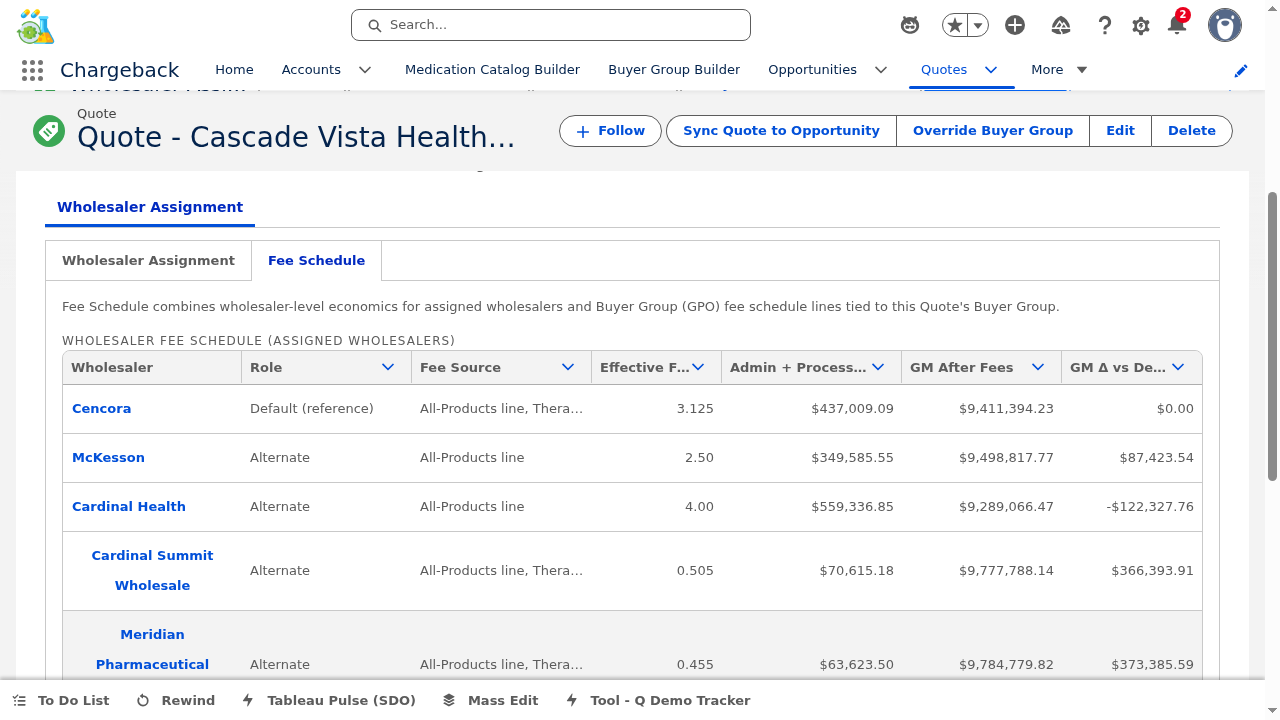
Displays the fee schedule associated with the assigned buyer group, showing distribution fees, admin fees, and chargeback processing fees with agreement context.


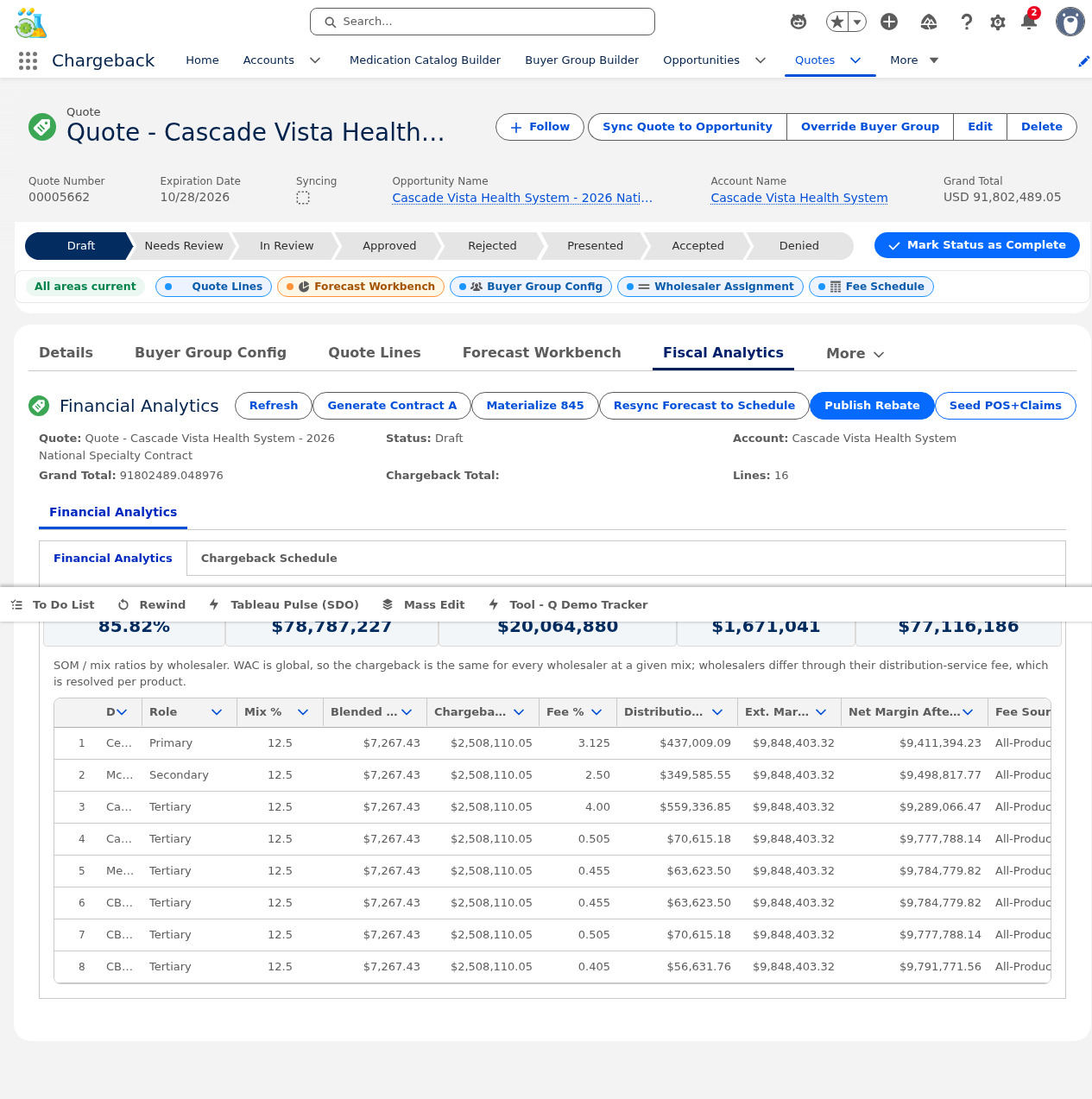
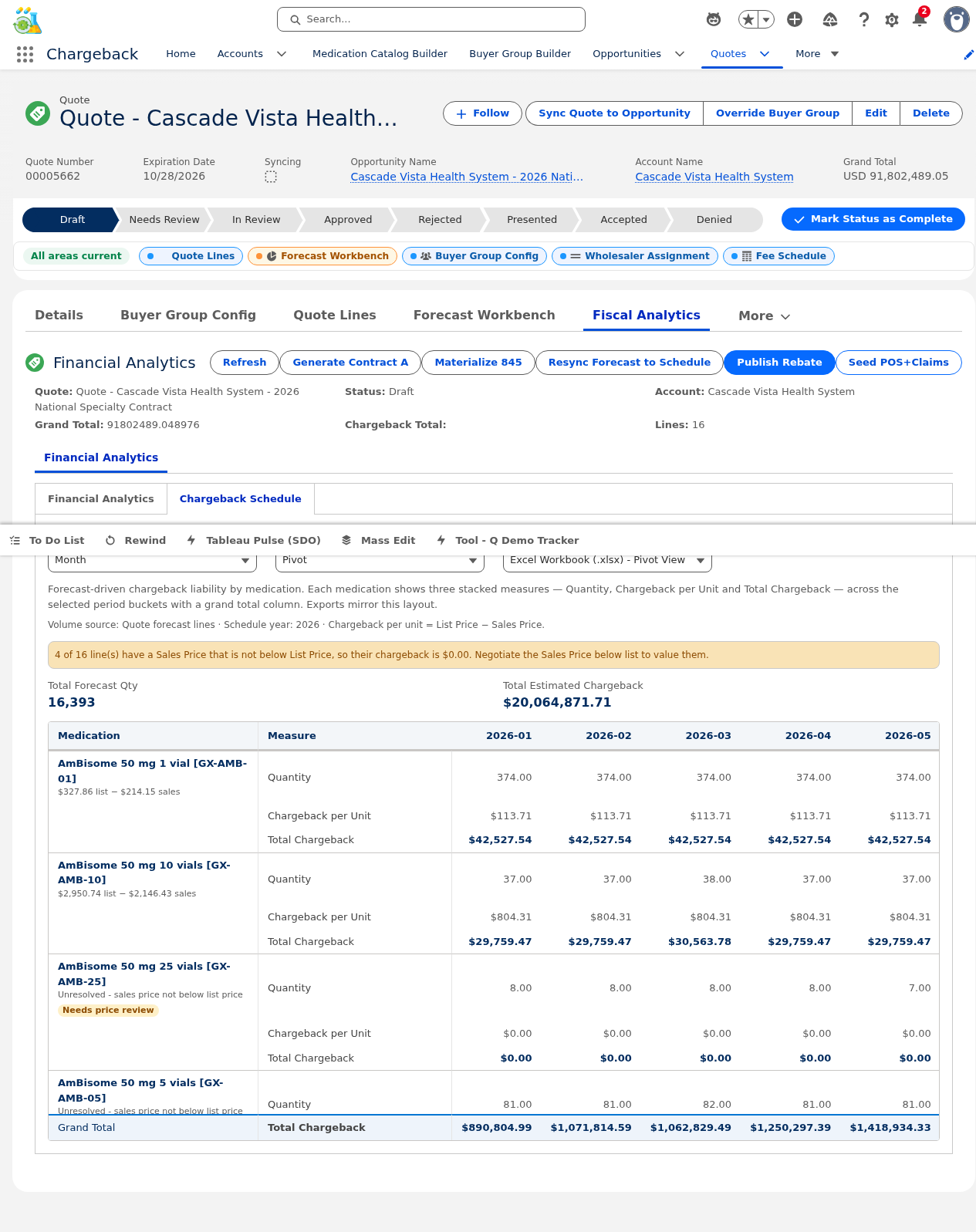
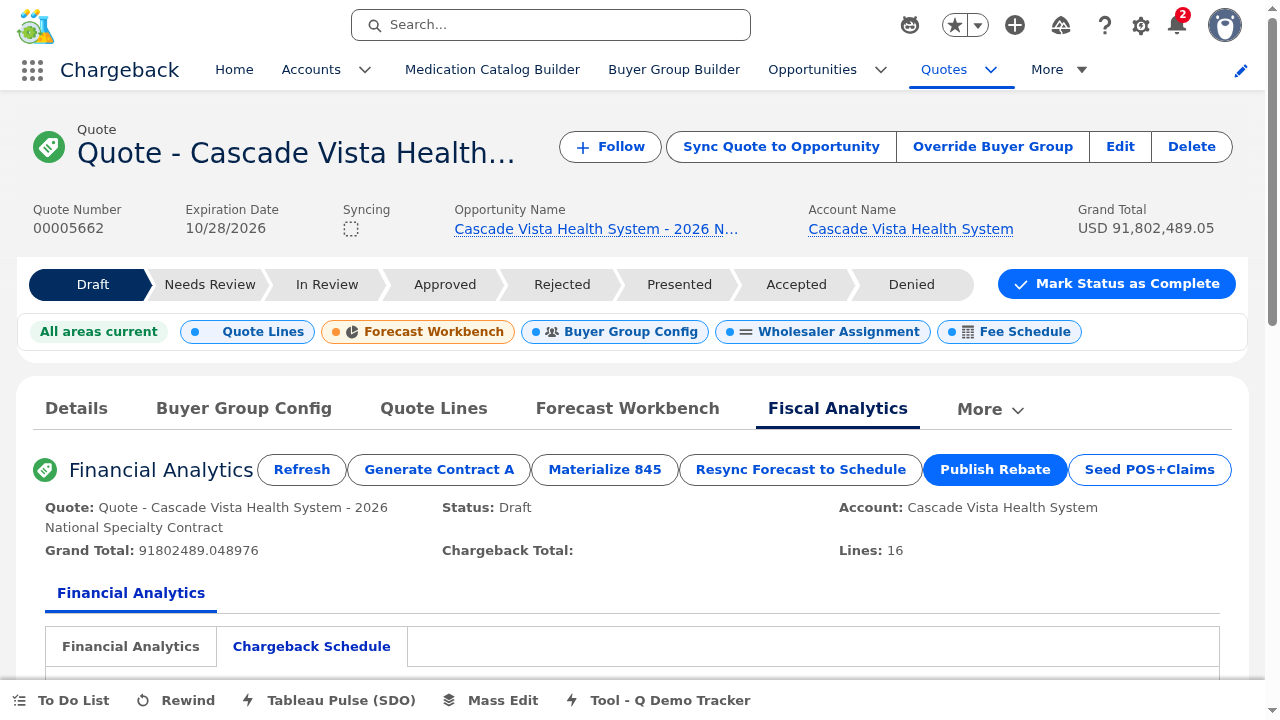
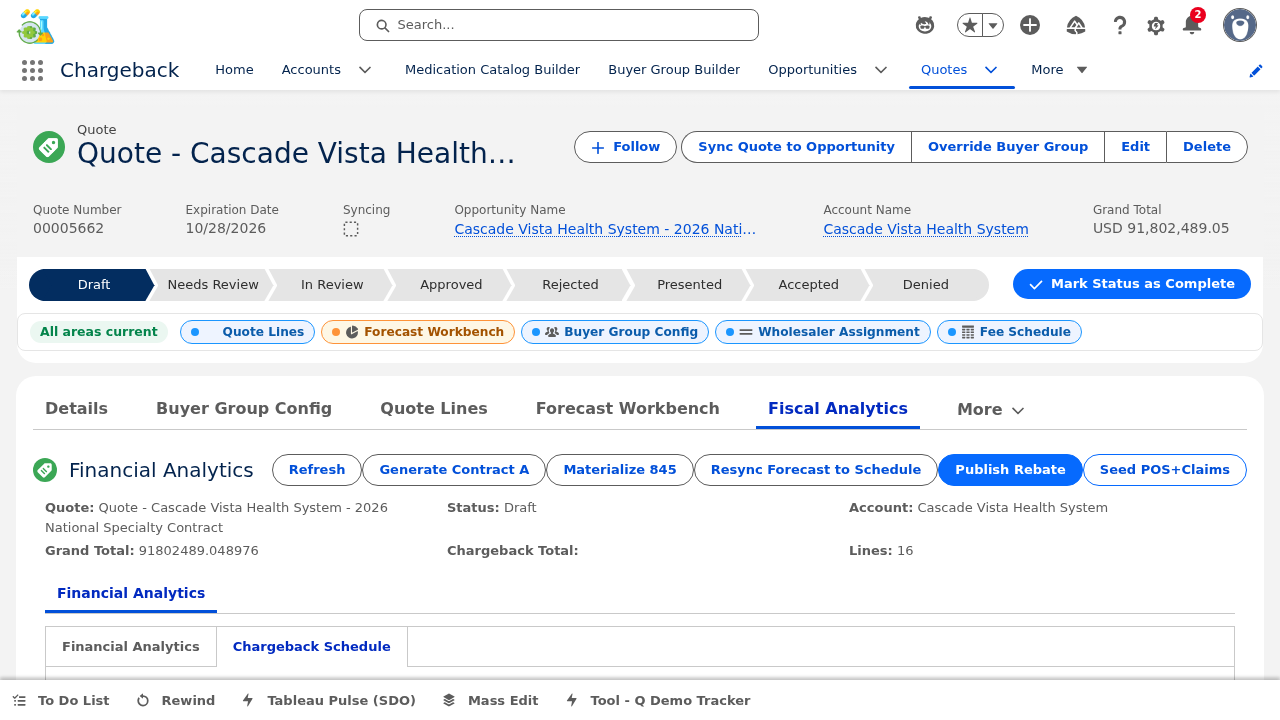
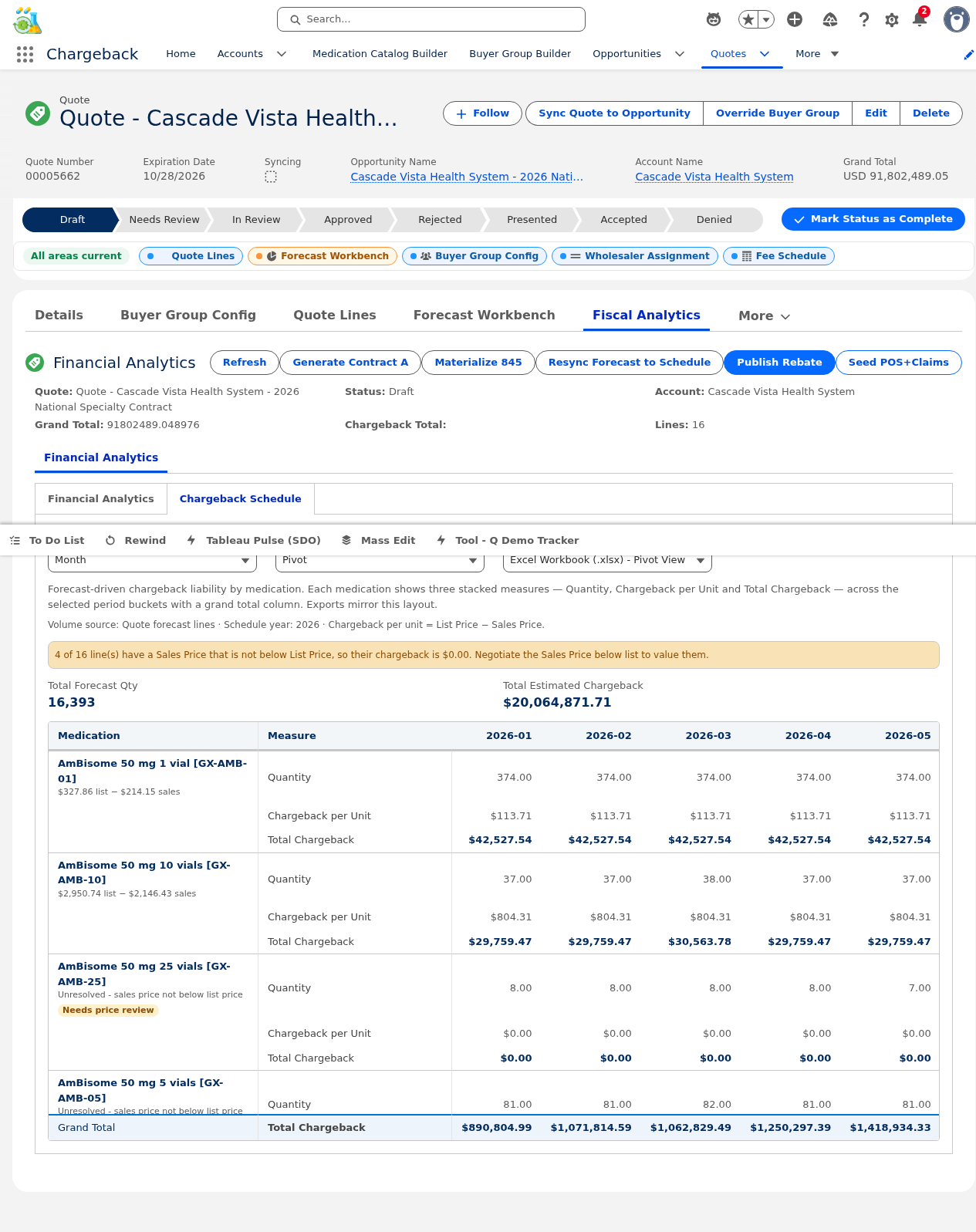
Comprehensive financial analysis for the quote:
Two display modes for the chargeback schedule:


The Forecast panel projects medication demand distribution across wholesalers and time periods, incorporating seasonality curves and lifecycle modeling for accurate volume planning.


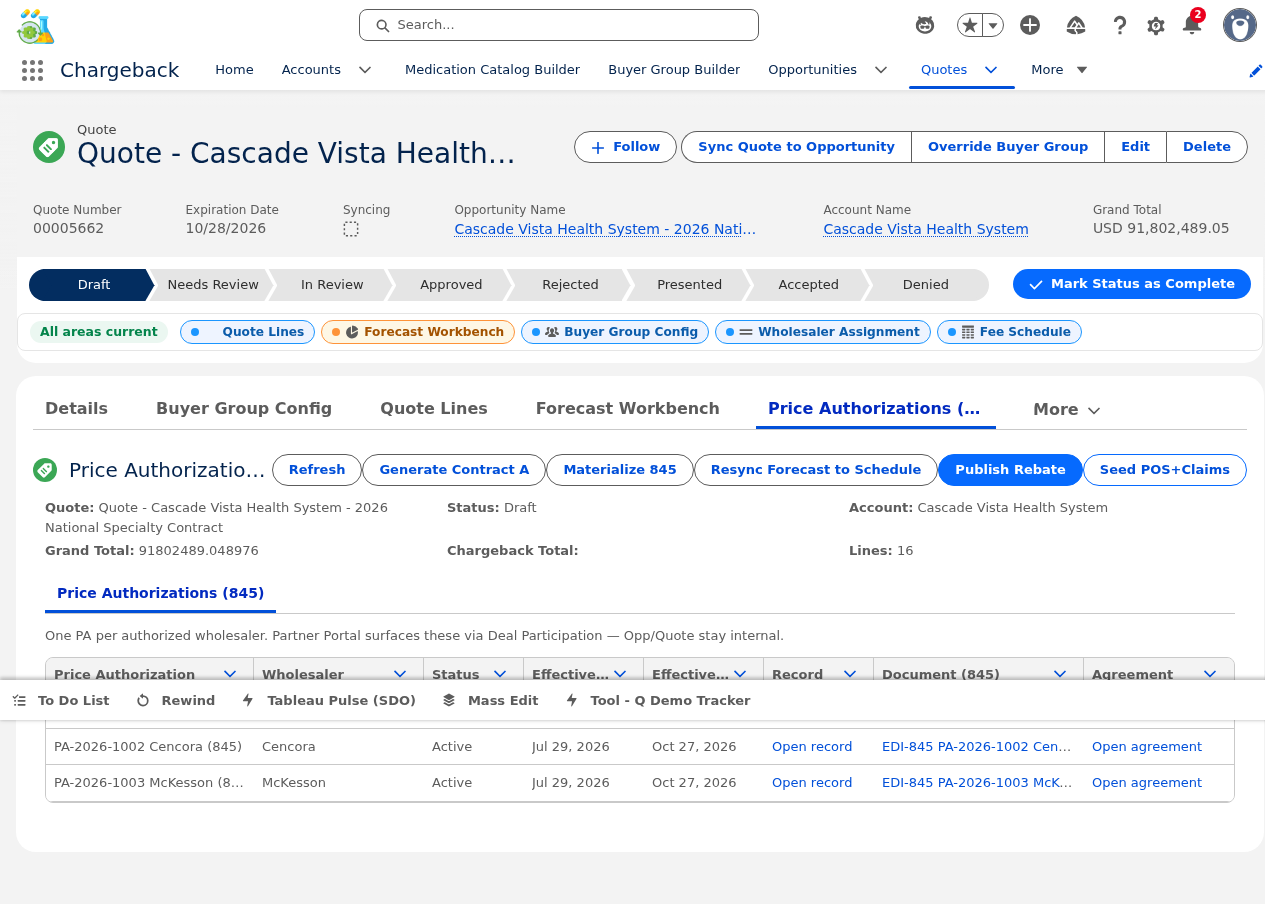
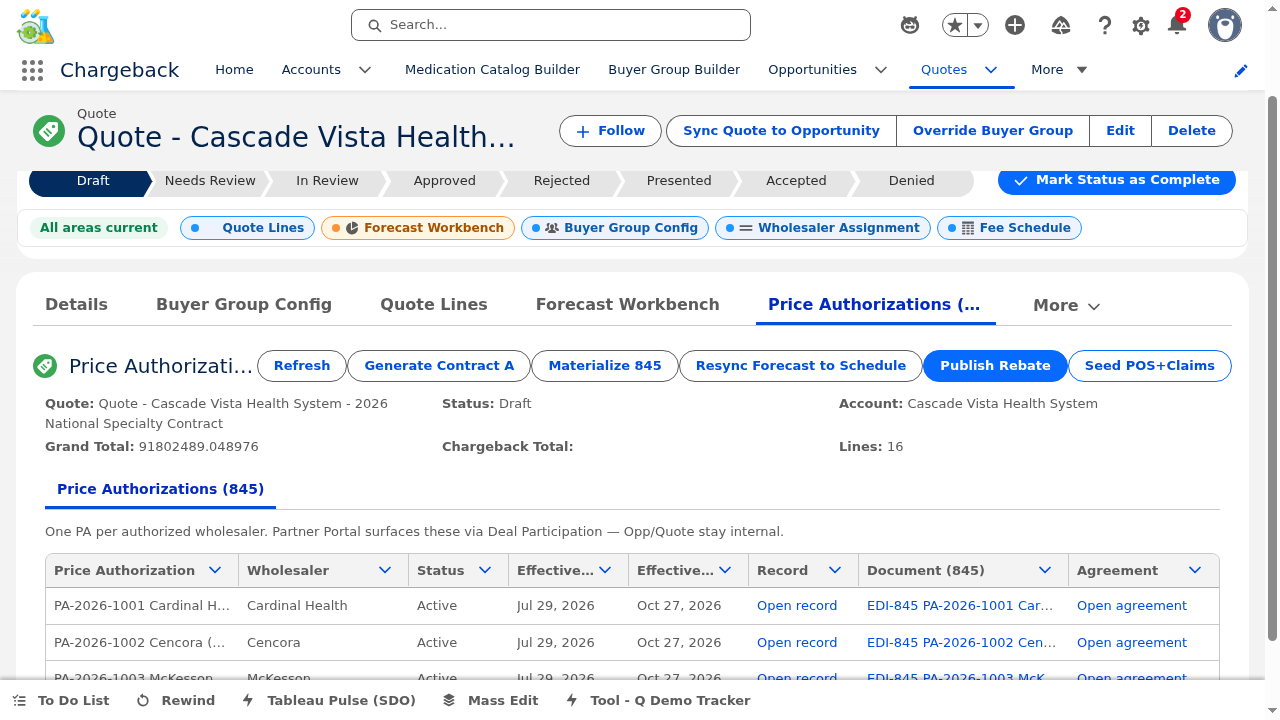
The Price Authorization panel materializes the quote into formal price authorizations for distribution to wholesalers.
The "Materialize PA" action generates:


▸ Live from Salesforce org — 3 PAs generated from contract GC-2026-gK000002Ff-F4DdTQAV
| NDC | Contract Price | WAC | CB / Unit | Qty |
|---|---|---|---|---|
| 55150-0250-1 | $1,557.50 | $2,225.00 | $667.50 | 320 |
| 61958-1801-4 | $18,900.00 | $31,500.00 | $12,600.00 | 45 |
| 61958-2201-4 | $18,690.00 | $24,920.00 | $6,230.00 | 60 |
| 61958-2701-2 | $17,453.70 | $21,285.00 | $3,831.30 | 4,500 |
| 61958-2002-5 | $2,025.16 | $2,202.00 | $176.84 | 450 |


The Pipeline Workbench includes a full client-side Excel export with native ZIP generation (CRC32, shared strings, styles) — no external library required. The export includes all pipeline data: lines, assignments, fee schedules, forecasts, and chargeback schedules in a multi-sheet workbook.

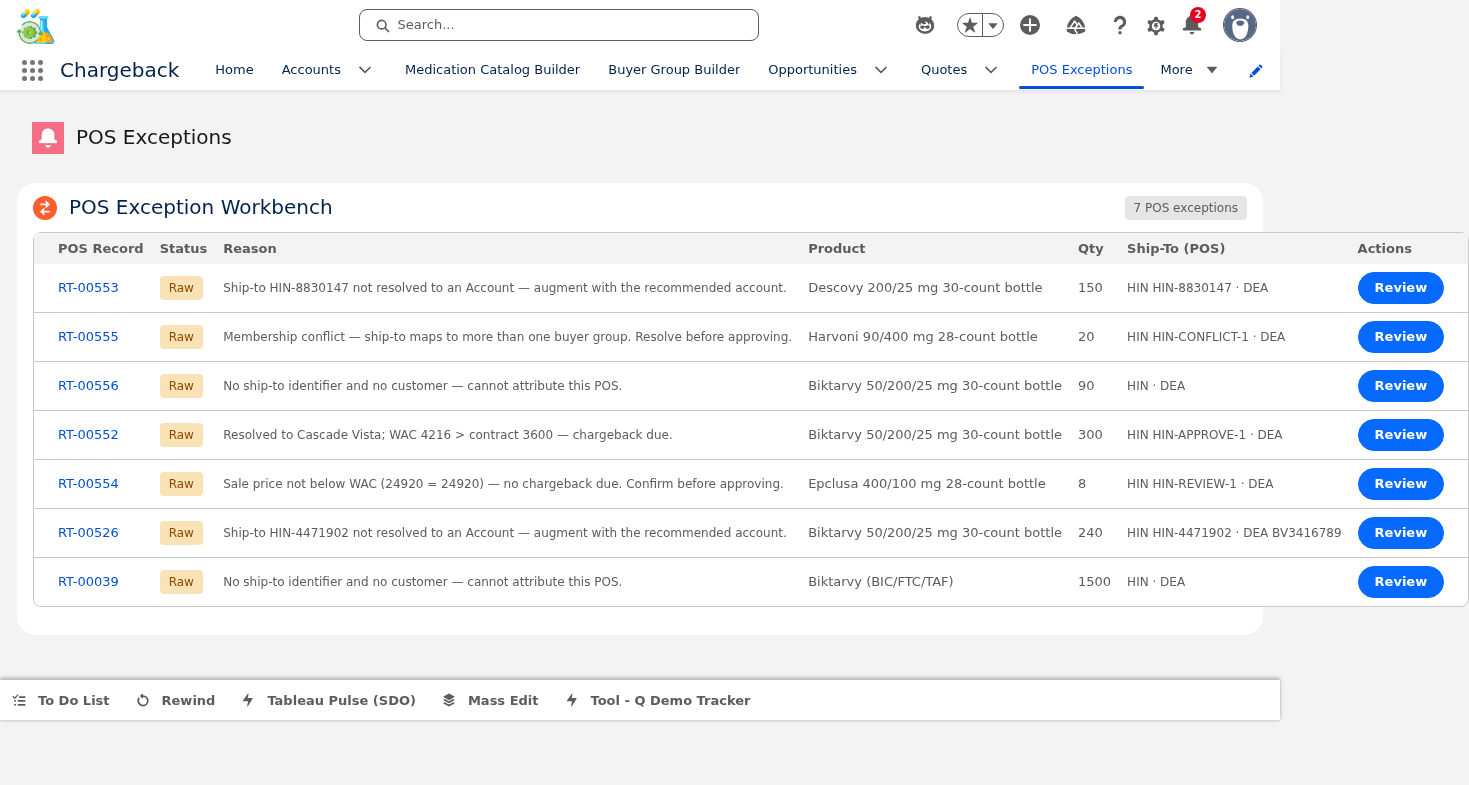
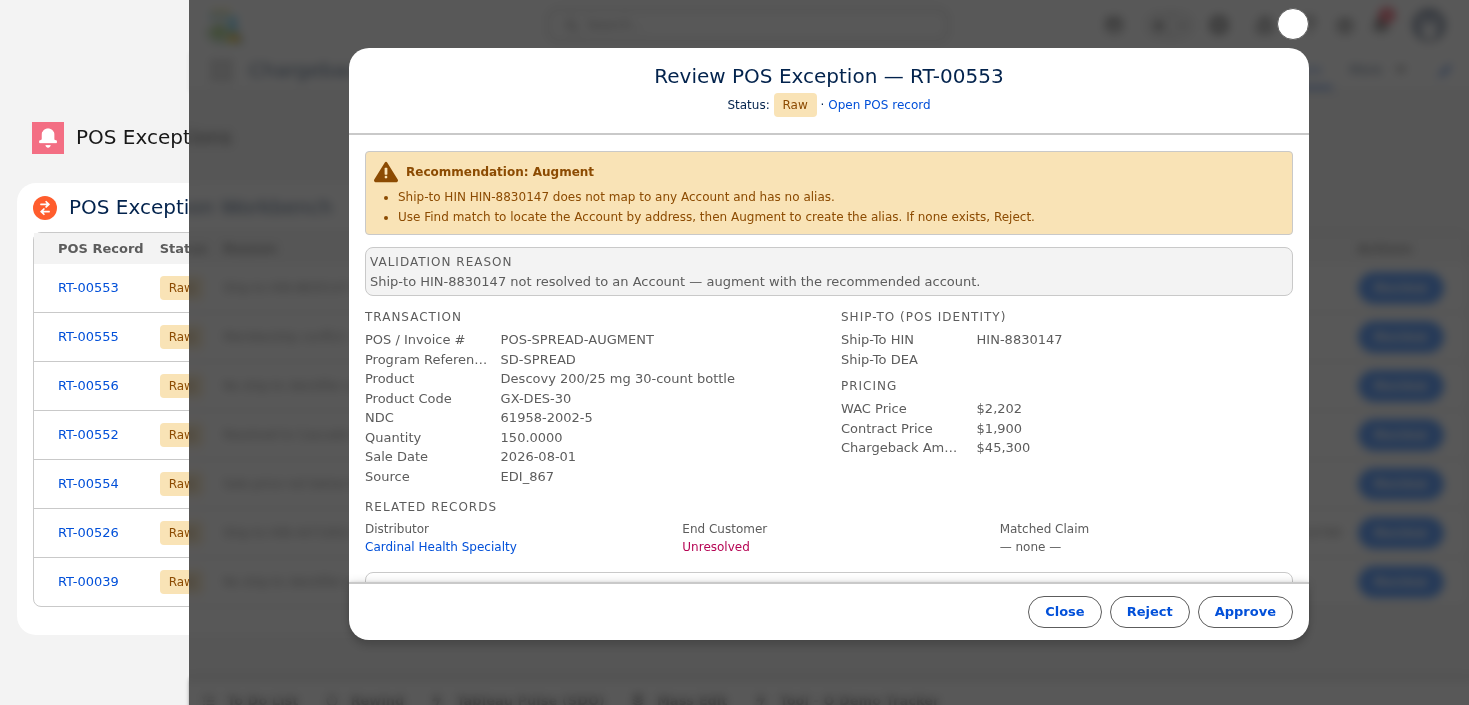
Handles Point of Sale records that could not be automatically matched to accounts. Uses an AI-powered recommendation engine to suggest matches.
Unresolved POS records are displayed with detail modals showing the original transaction data.
Click "Find Matches" to generate AI-powered recommendations. The engine produces Approve/Reject/Augment variants with ranked candidate accounts.
Each candidate shows a confidence badge: High Medium Low. One-click acceptance creates an Account Alias record linking the POS data to the correct account.
If no recommendations match, use the manual address search to find and link the correct account.


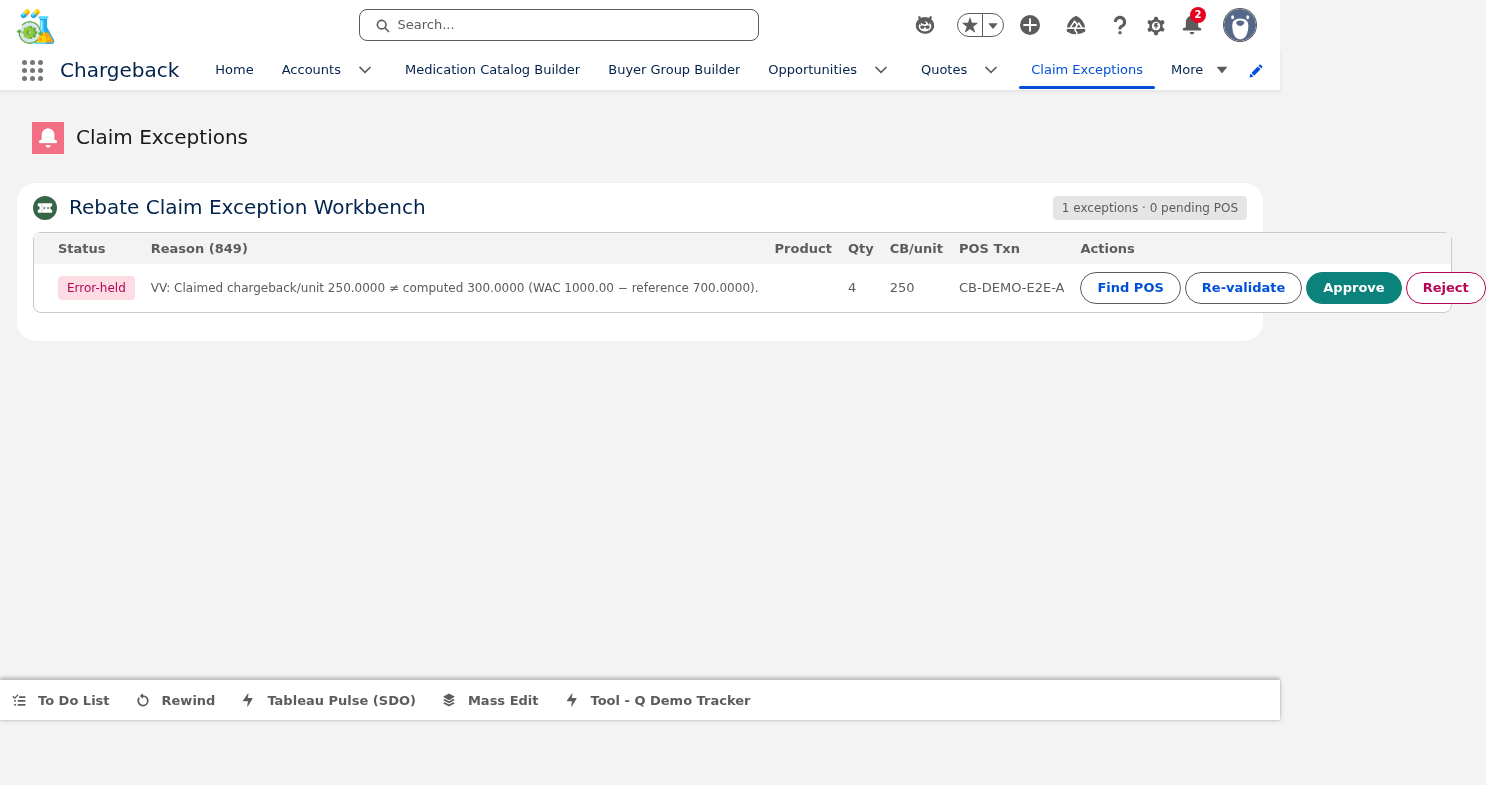
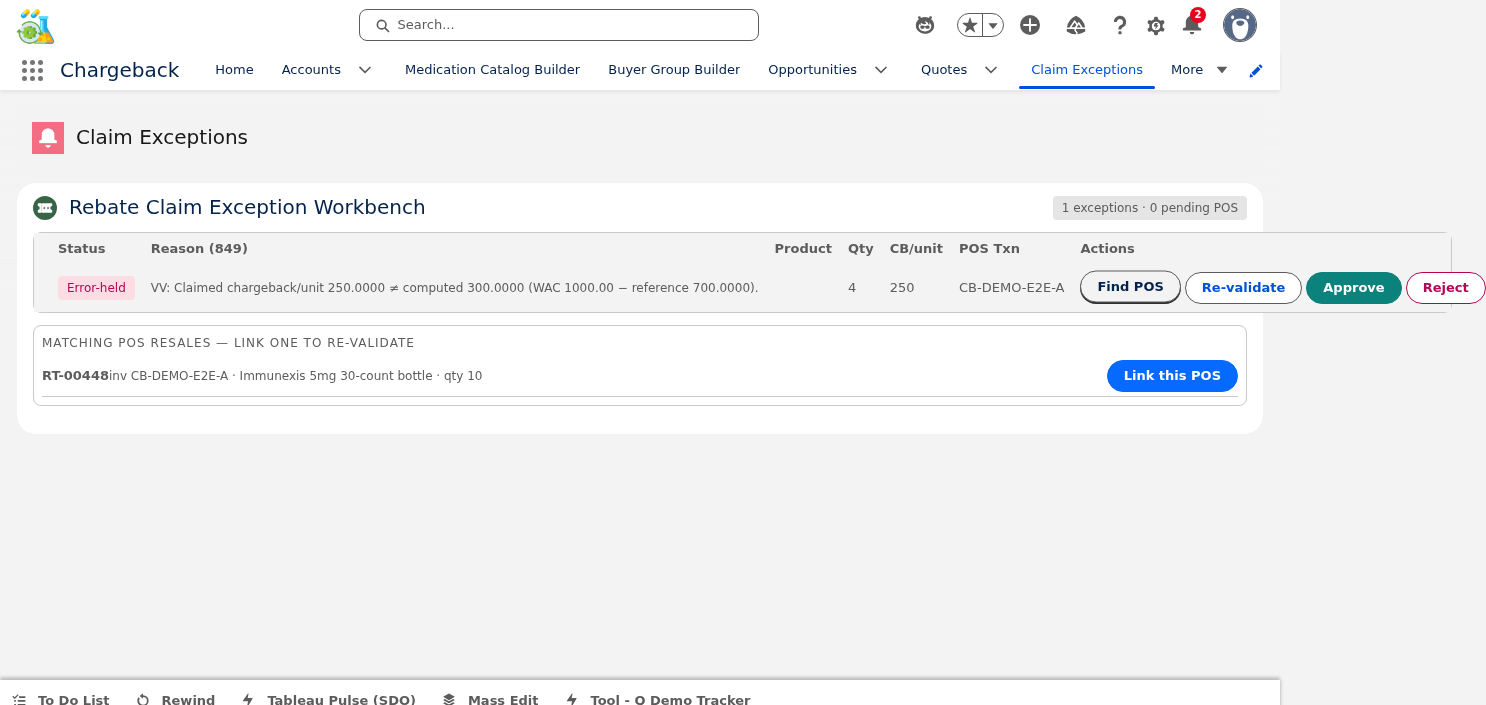
Processes claims held in exception status — claims that failed automatic validation and require human review.


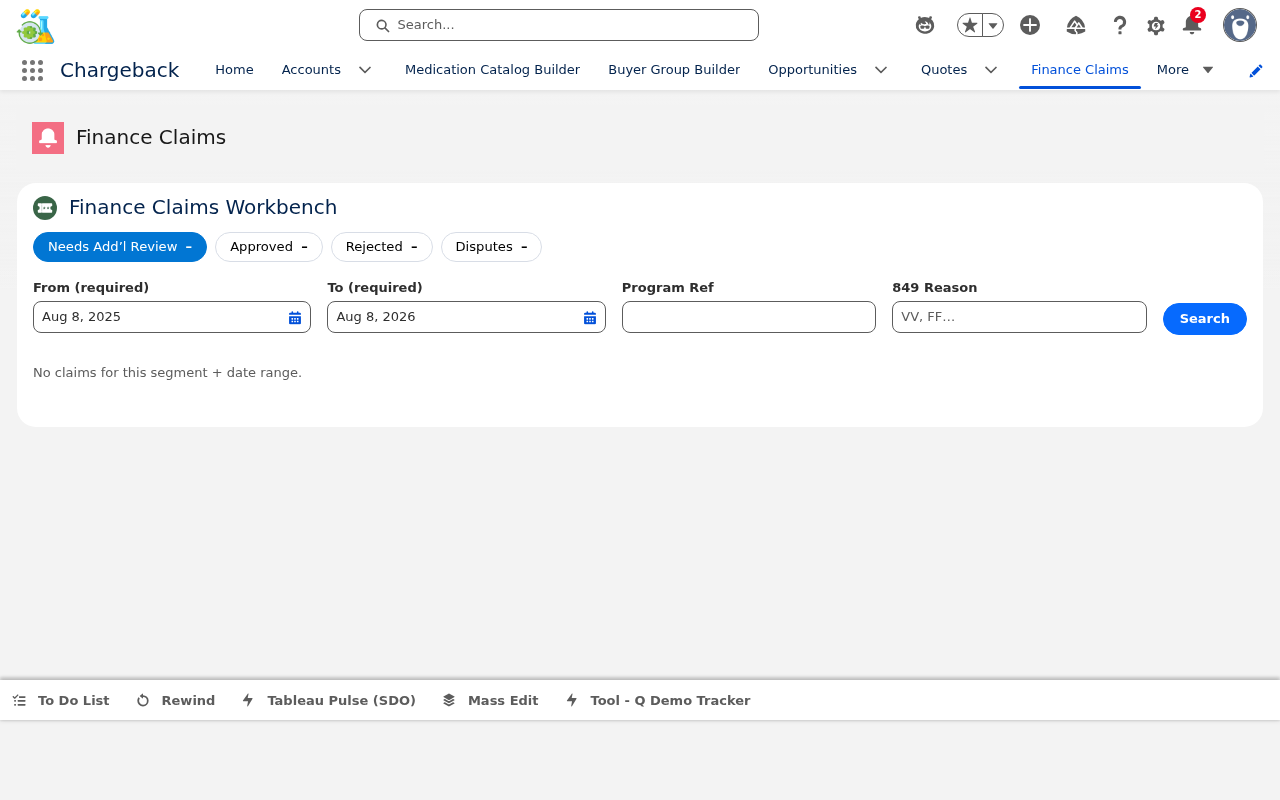
The finance team's primary claims processing interface with segmented views for efficient workflow management.


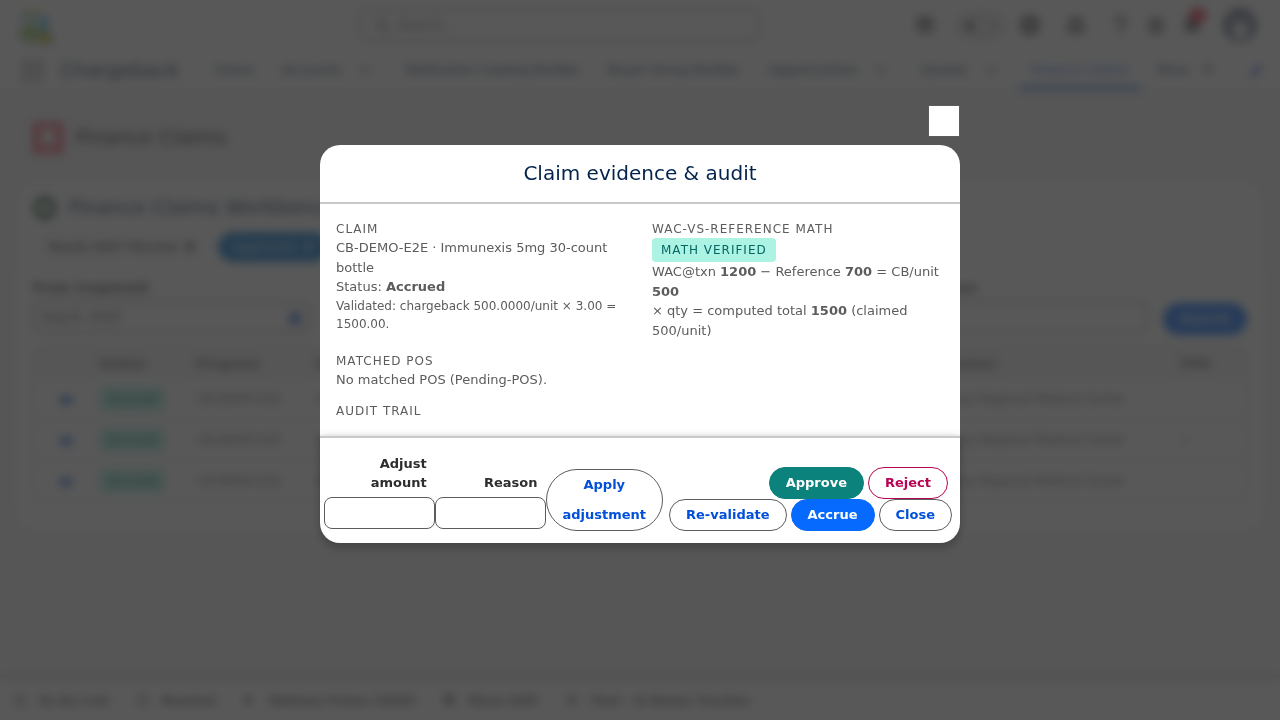
Each claim opens a detail modal with a math verification badge showing whether the calculated amounts match expected values. Mismatches are flagged for investigation.
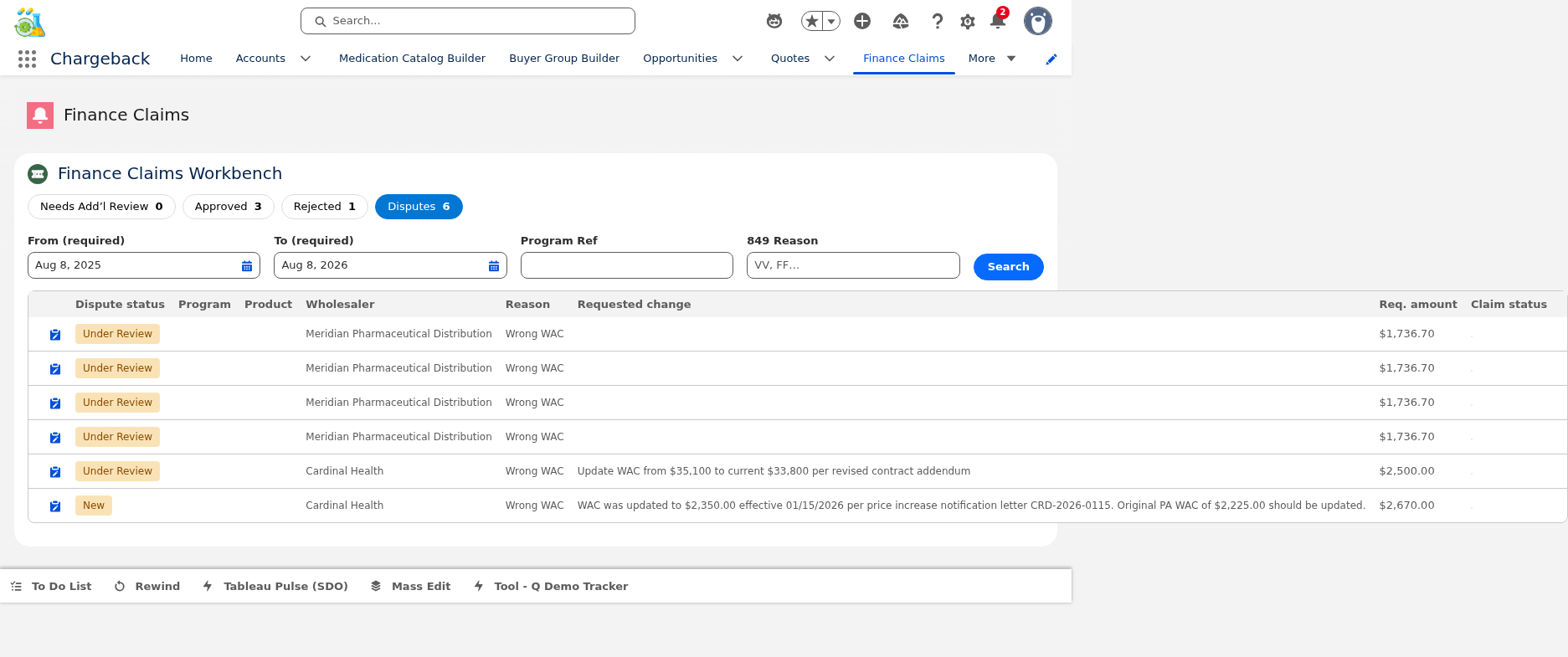
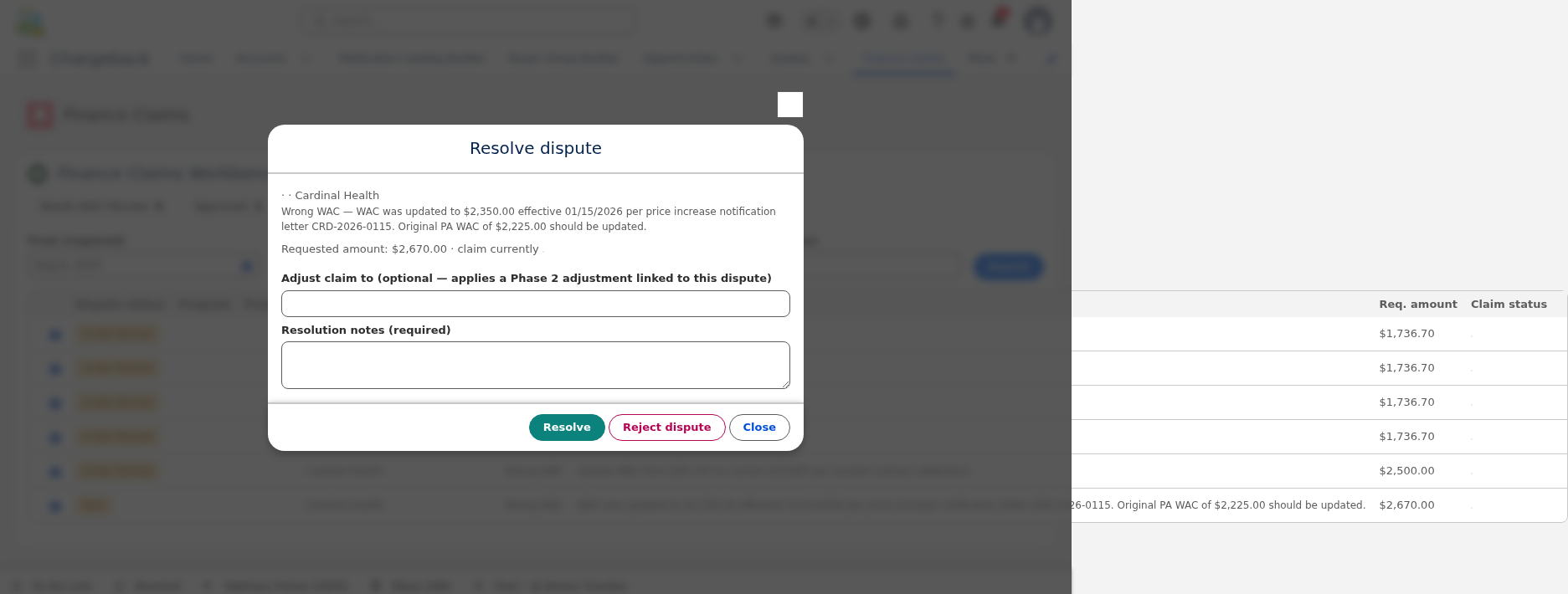
The Disputes tab manages wholesaler-filed disputes with two resolution options:
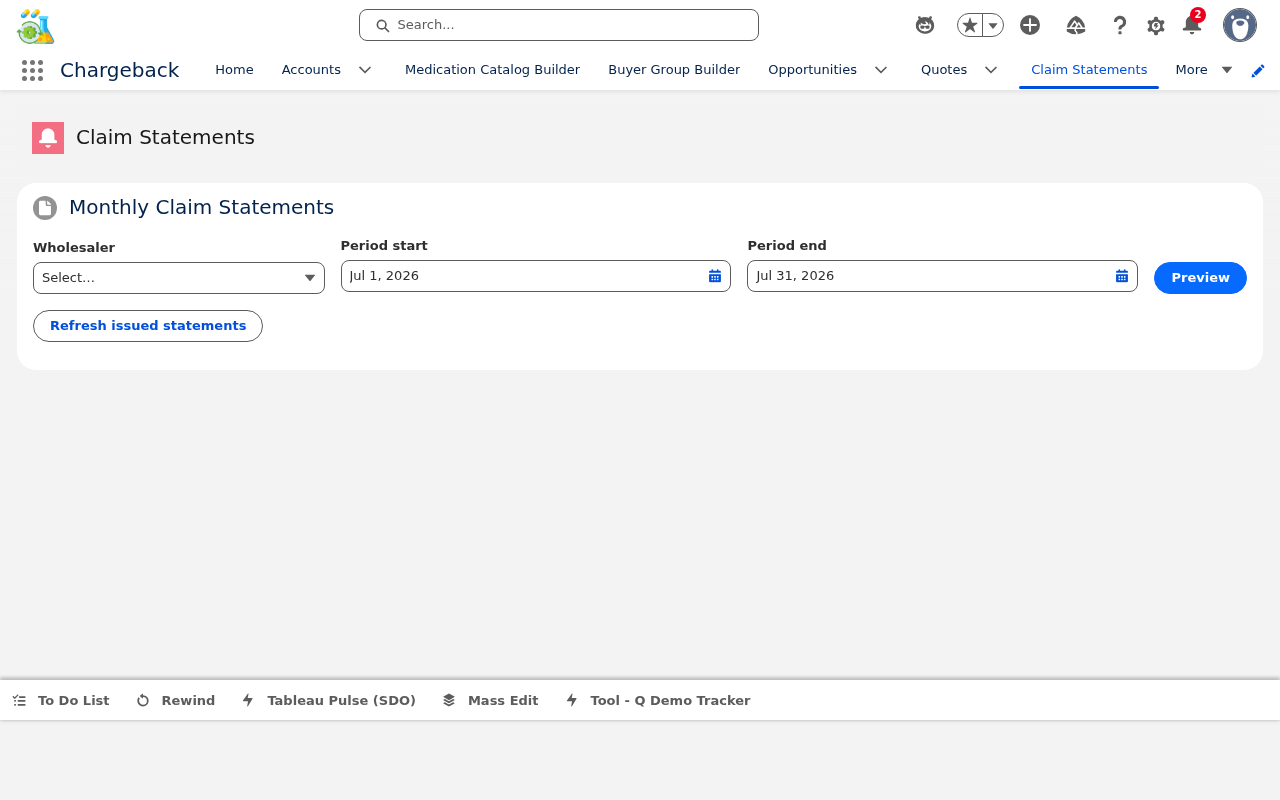
Generates and manages chargeback claim statements issued to wholesalers.
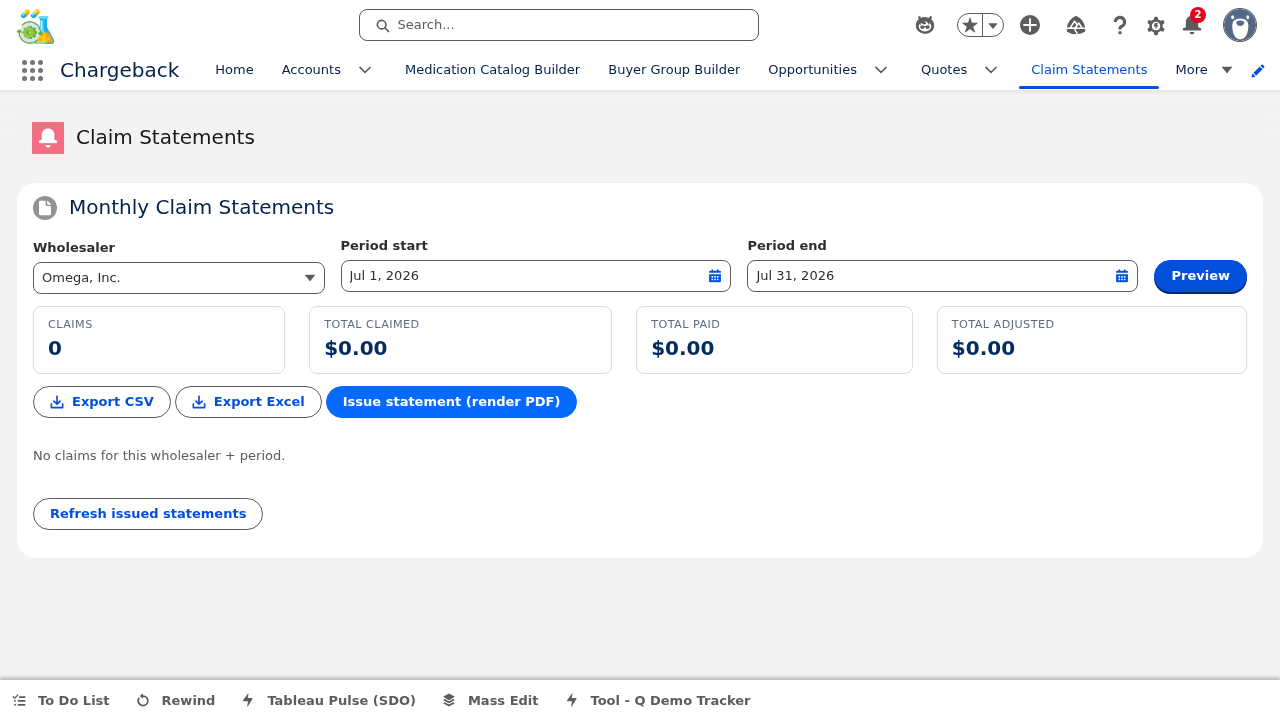
Choose the wholesaler and date period (defaults to prior calendar month).
Review header tiles showing totals and a line-by-line breakdown of claim amounts.
Export to CSV/XLSX for analysis, or Issue the statement which persists the data and generates a PDF document.
Statement history is maintained for audit trail and re-access.


▸ Live from Salesforce org — 3 statements across wholesaler partners
| Statement | Wholesaler | Claims | Total Claimed | Total Approved |
|---|---|---|---|---|
| STMT-0000003 | Cardinal Health | 5 | $12,934.14 | $10,264.14 |
| STMT-0000004 | Cencora | 4 | $7,543.32 | $7,543.32 |
| STMT-0000005 | McKesson | 4 | $15,285.29 | $15,285.29 |
| Total — All Wholesalers | 13 | $35,762.75 | $33,092.75 | |
Wholesale Acquisition Cost analytics with chargeback exposure analysis, change tracking, and WAC maintenance.
Enter a new WAC amount and effective start date. The system automatically closes the prior period and validates data integrity: gap-free, non-overlapping, exactly one open (current) row.


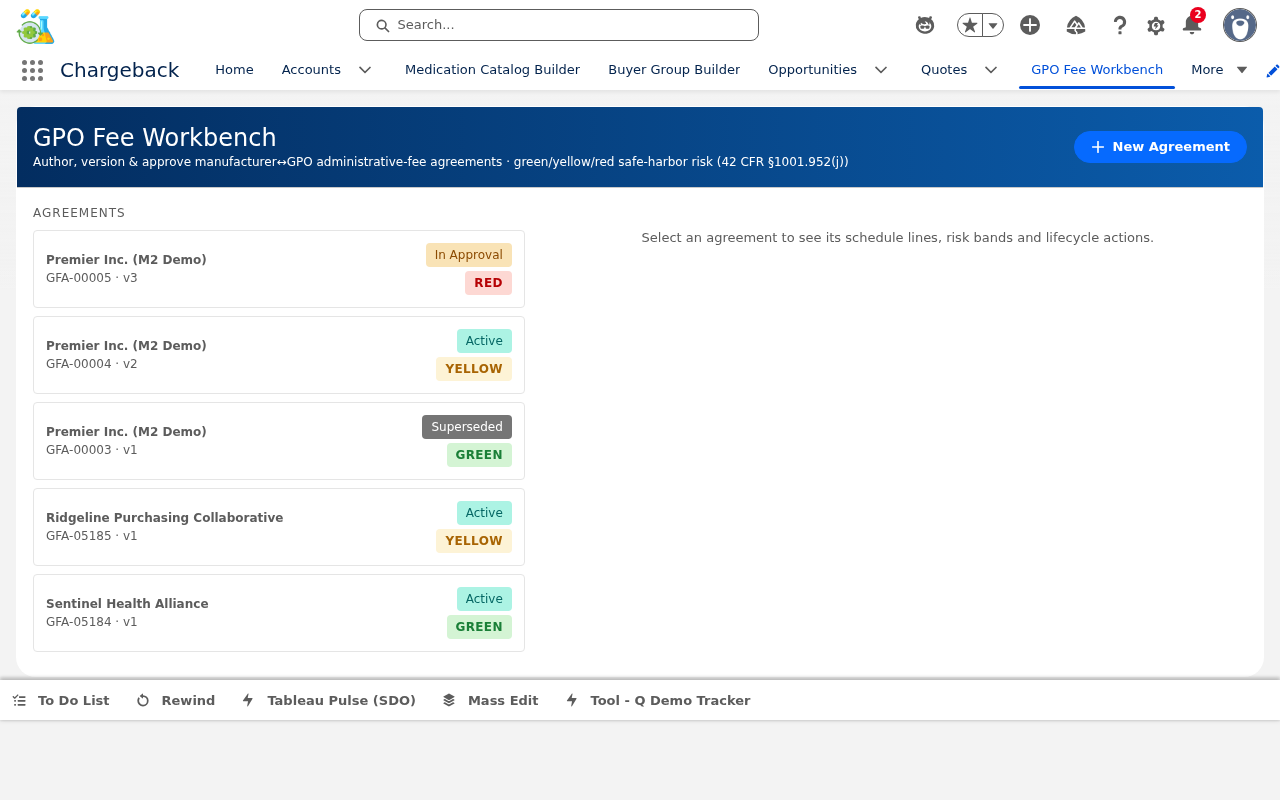
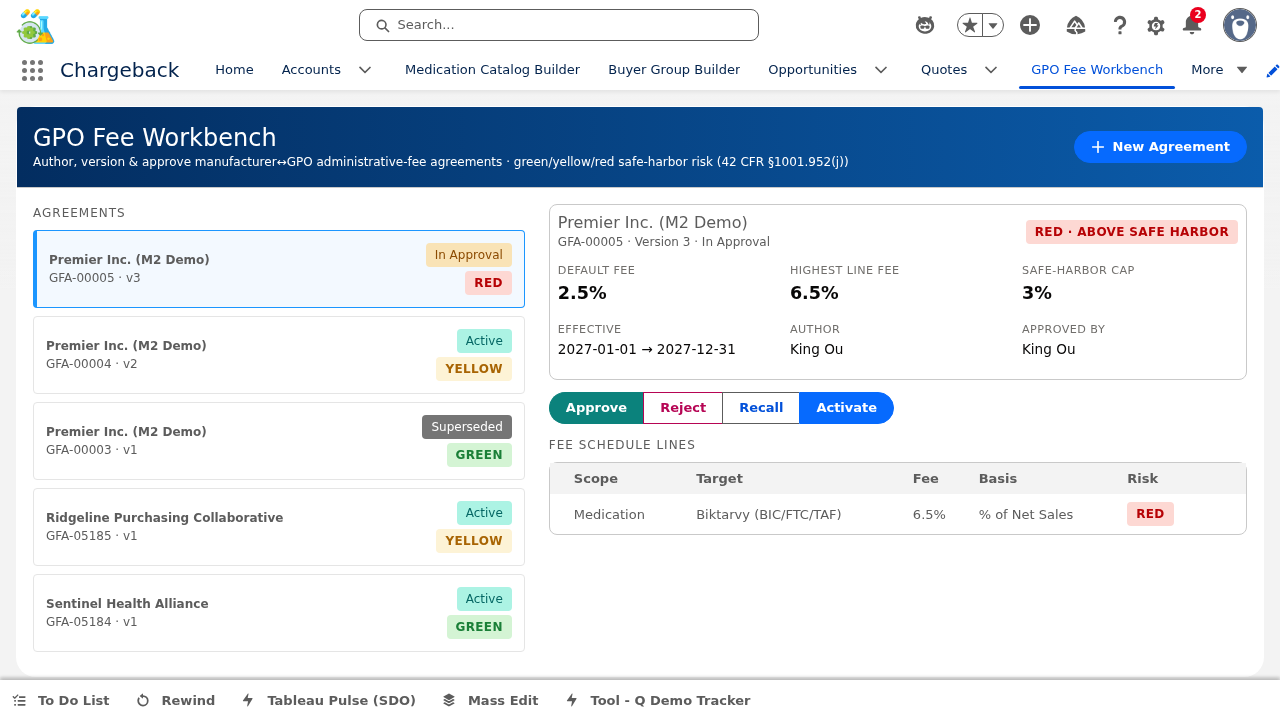
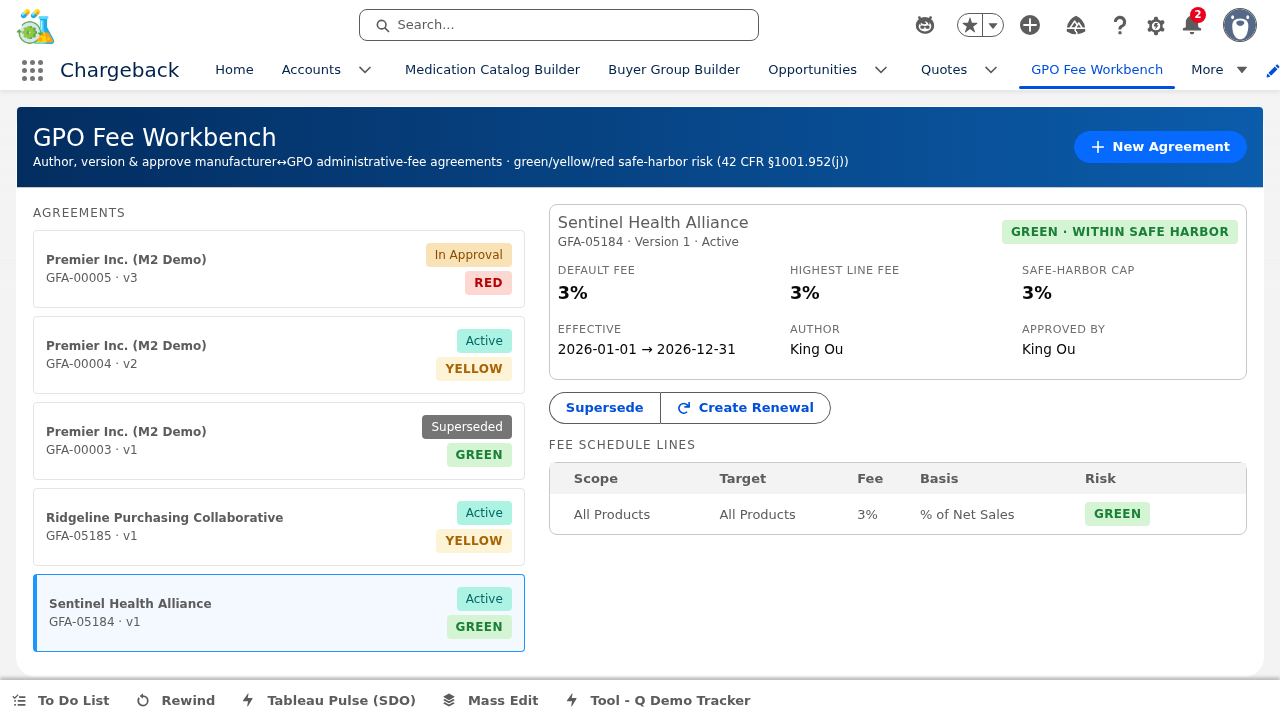
Manages the complete lifecycle of Group Purchasing Organization fee agreements with safe harbor compliance monitoring.
Each agreement contains schedule lines with configurable scope and basis:
Risk indicators monitor each schedule line against safe harbor caps:
Agreements can be renewed (creating a new agreement based on the current one) or superseded (replacing the current agreement with an updated version).


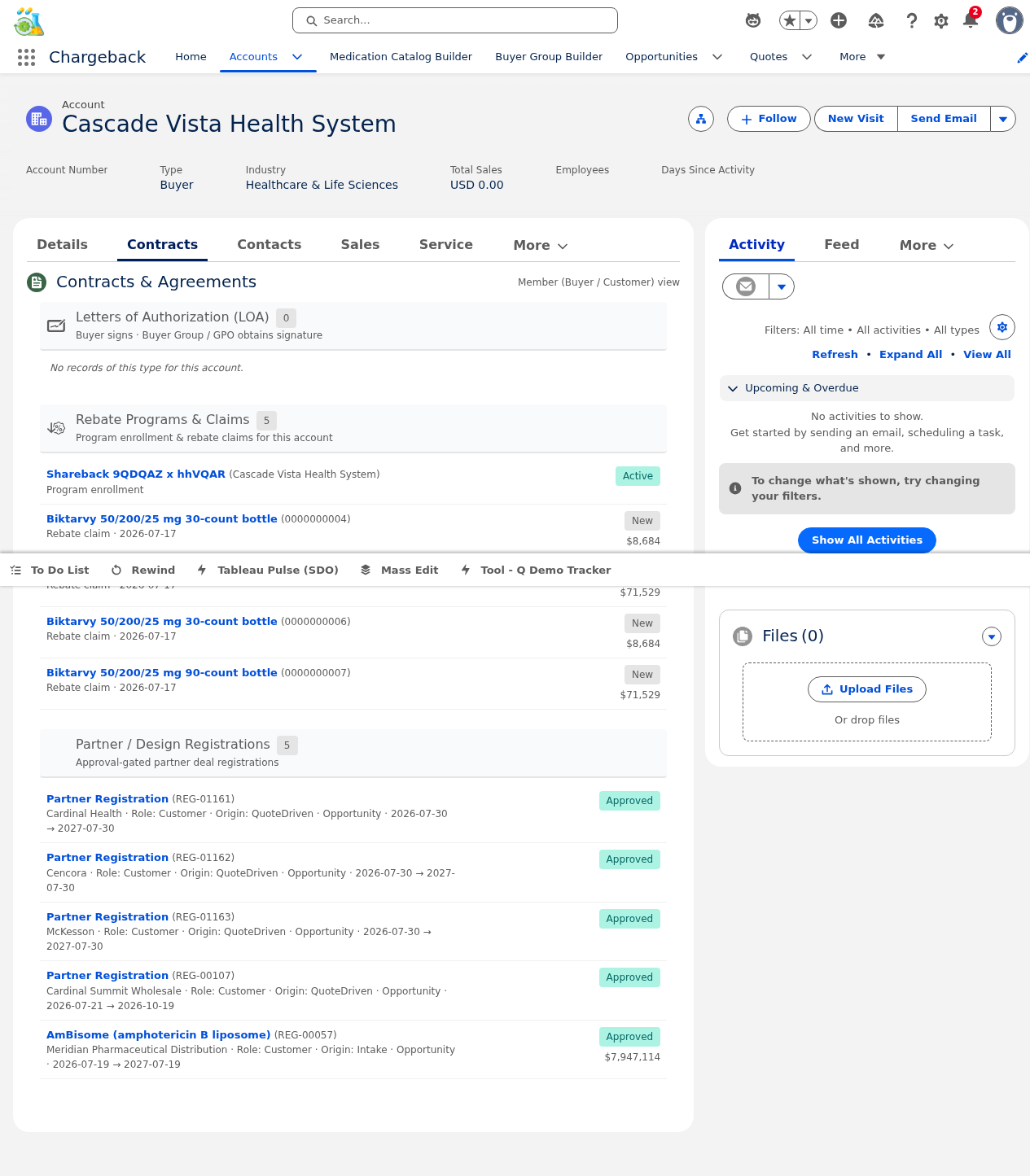
A read-only Account record page component displaying all associated contracts with status badges, financial metadata (amounts, date ranges), and grouping by contract type.

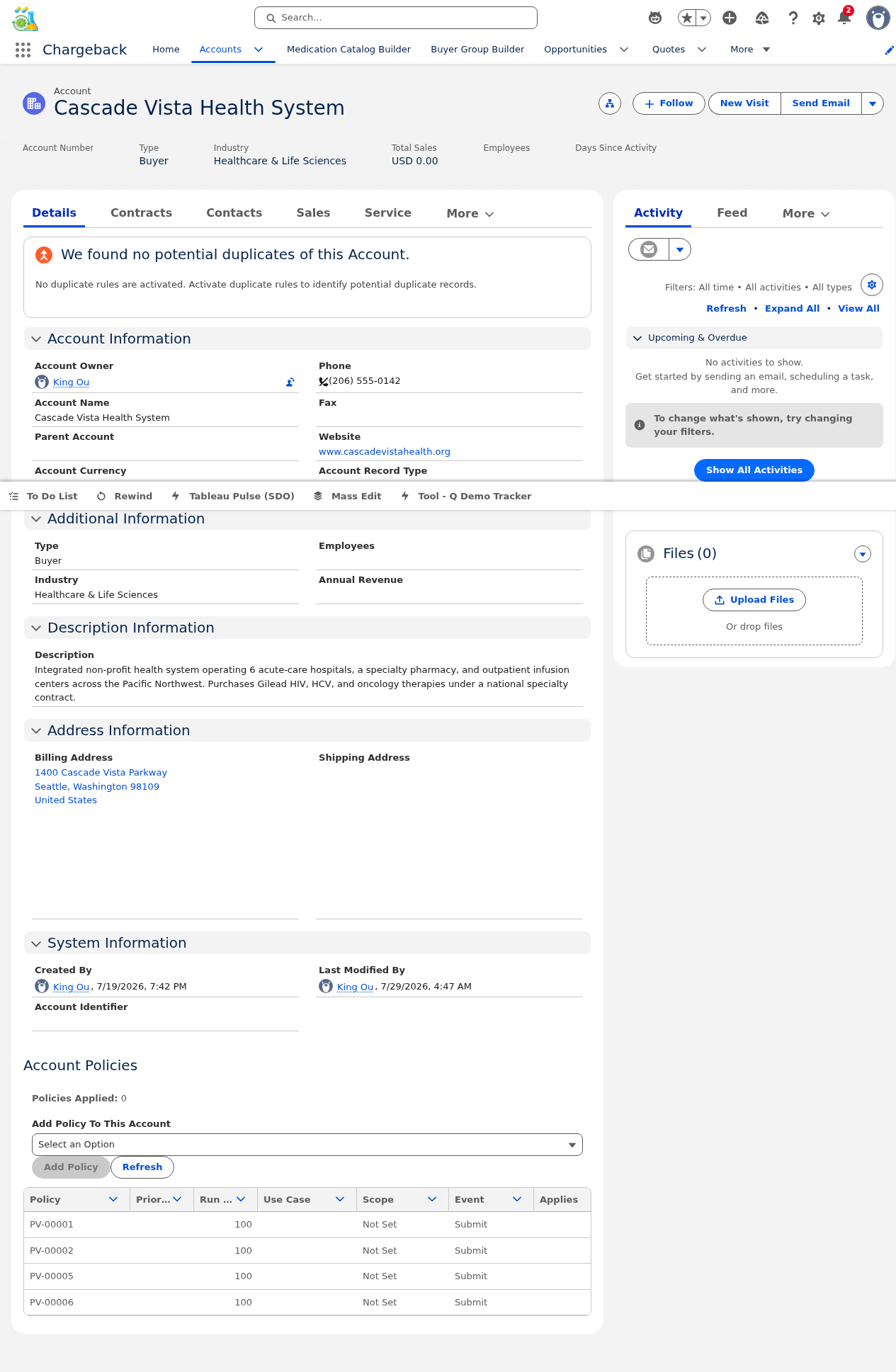
Manages which Prompt Validation policies are applied to a specific account. Shows the count of applied policies and provides a policy picker for adding unapplied policies to the account.

Partners see their assigned price authorizations with line item details including product, NDC, contract price, WAC, and chargeback per unit. An EDI 845 text preview is available for each authorization.


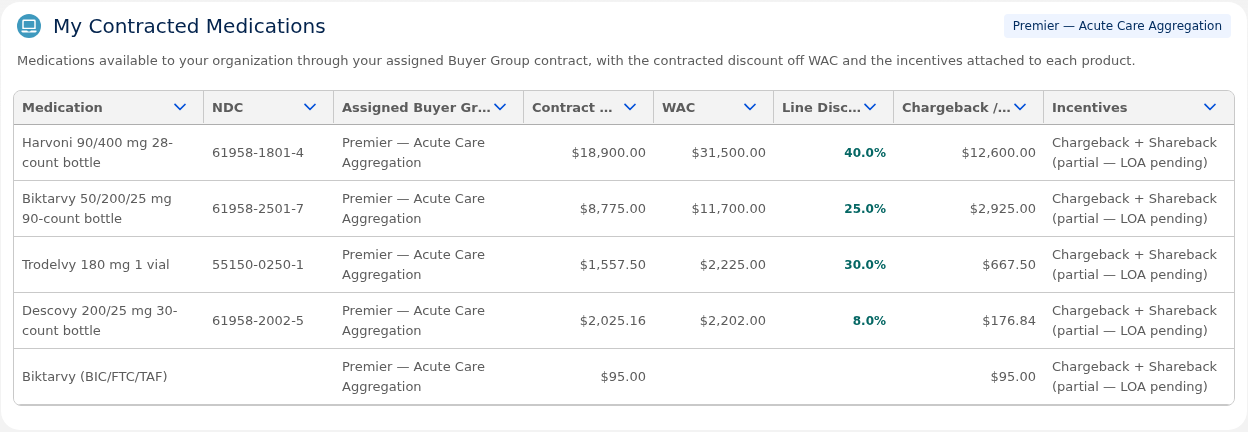
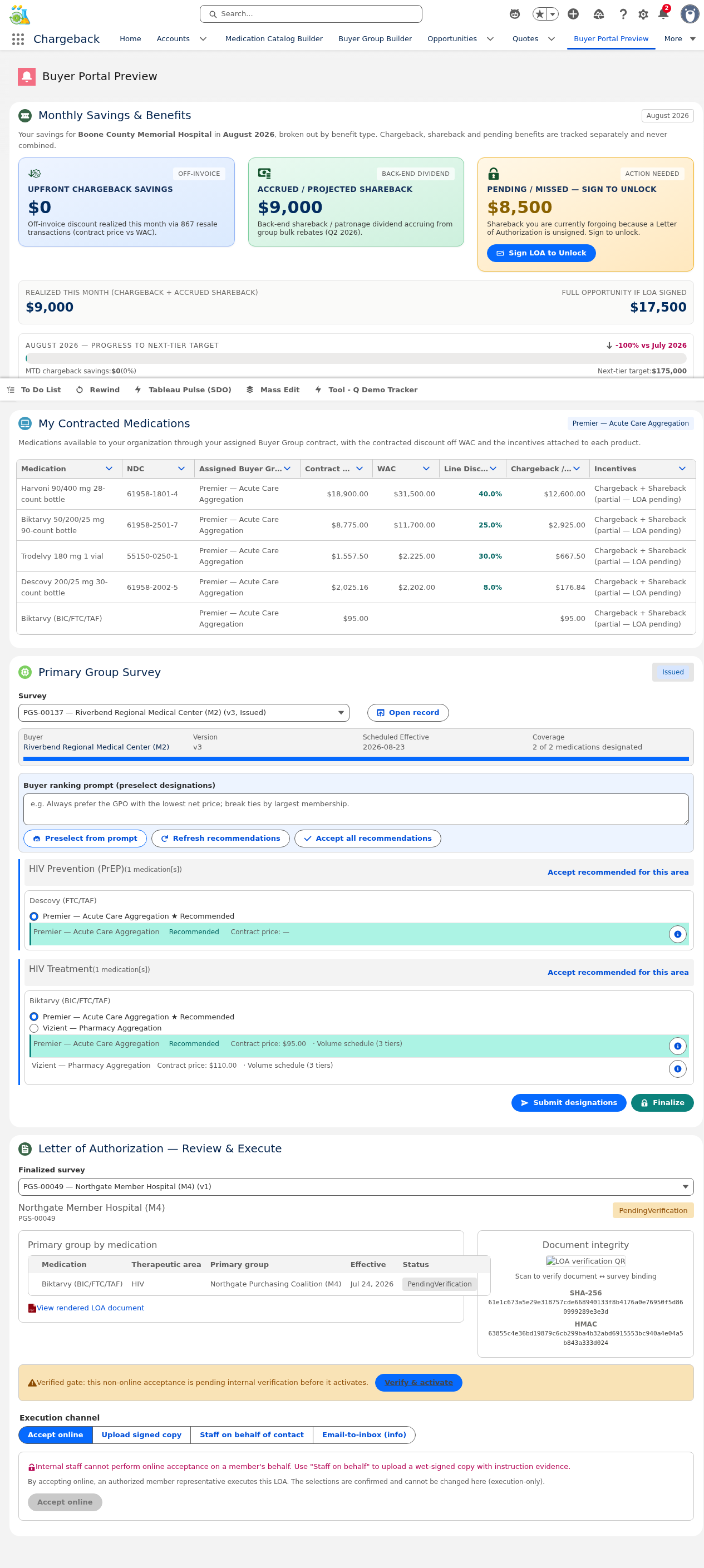
Buyers see their contracted medication catalog with columns for medication name, NDC, assigned buyer group, contract price, WAC, line discount (%), chargeback per unit, and incentives. An internal preview mode with buyerContextId allows staff to see the buyer's view.


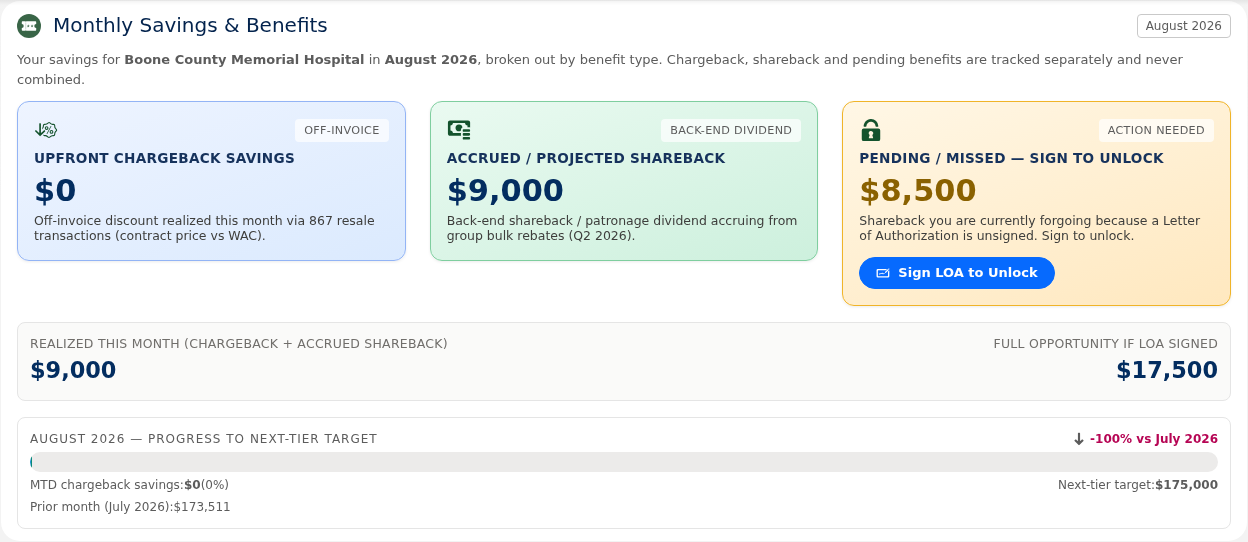
Monthly savings summary with three themed buckets:
Includes month-to-date progress bar, next tier target, and prior month comparison with delta percentage indicators.


Wholesaler-facing portal for viewing their chargeback claims:


The Distributor Dashboard provides a branded claim intake experience with drag-and-drop file upload, inline editing, and row-level actions for processing chargeback claims from the distributor perspective.
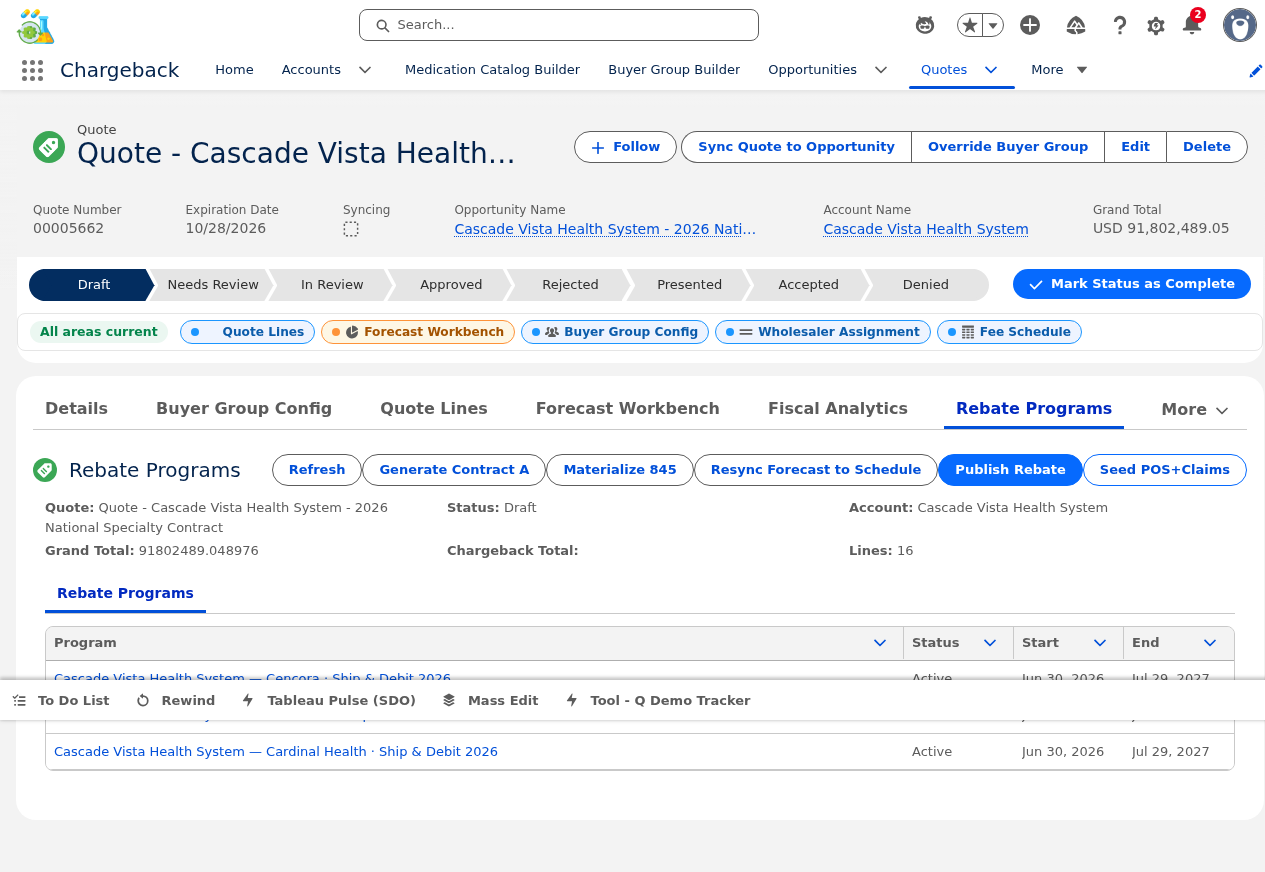
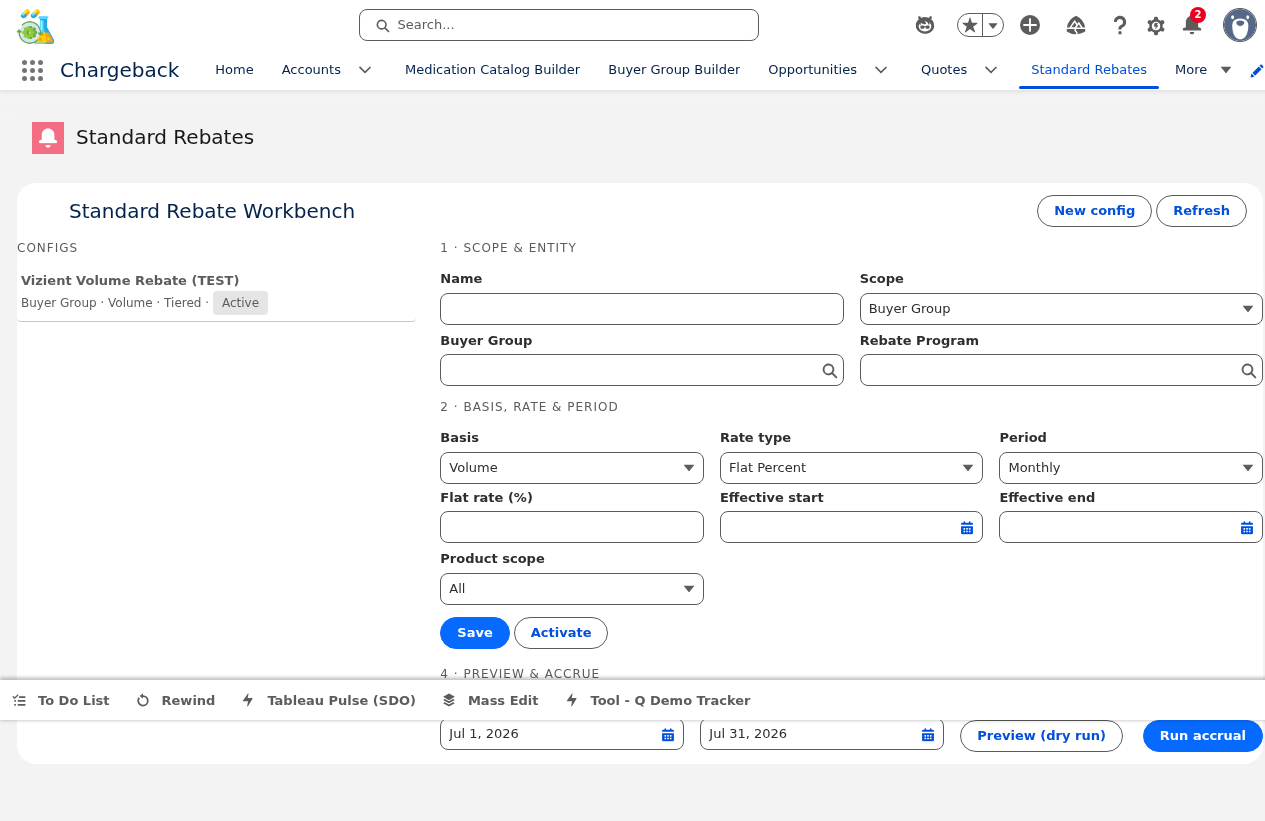
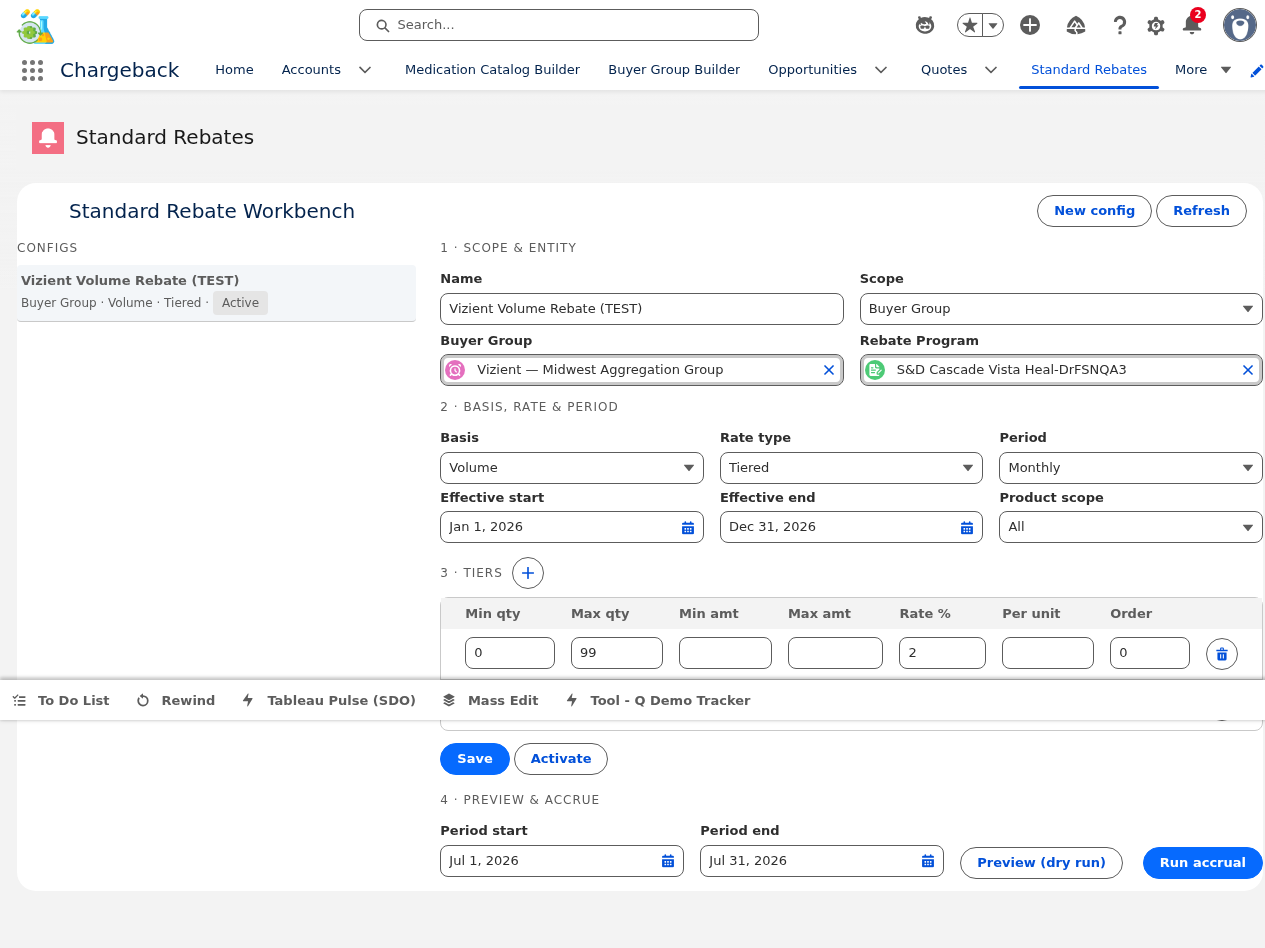
Configures and manages standard rebate programs with tiered rate structures, accrual preview, and posting.
For tiered rebates, the tier editor allows defining multiple brackets:
| Tier | Min Qty | Max Qty | Rate |
|---|---|---|---|
| Tier 1 | 0 | 1,000 | 2.0% |
| Tier 2 | 1,001 | 5,000 | 3.5% |
| Tier 3 | 5,001 | ∞ | 5.0% |


Set up the rebate terms and activate the configuration (Draft → Active).
Run a preview calculation to see estimated rebate amounts before committing. Select the accrual period (month/quarter/year).
Execute the actual accrual calculation and create rebate payout records.
The EDI 845 transaction set electronically communicates authorized contract prices to wholesalers. When a Price Authorization is materialized from the Pipeline Workbench, the system generates an 845 document containing:

The EDI 849 is the chargeback claim transaction. Wholesalers submit 849 documents requesting reimbursement for the difference between WAC and contract price. The system processes these inbound 849s through the Claims Workbench pipeline.

Shareback (also called Ship-and-Debit) manages the back-end dividend distribution to buyers based on their purchasing activity through authorized wholesalers.
The shareback amount represents the buyer's share of the chargeback savings — the difference between the wholesaler's WAC purchase price and the buyer's contract price, distributed according to the agreement terms.
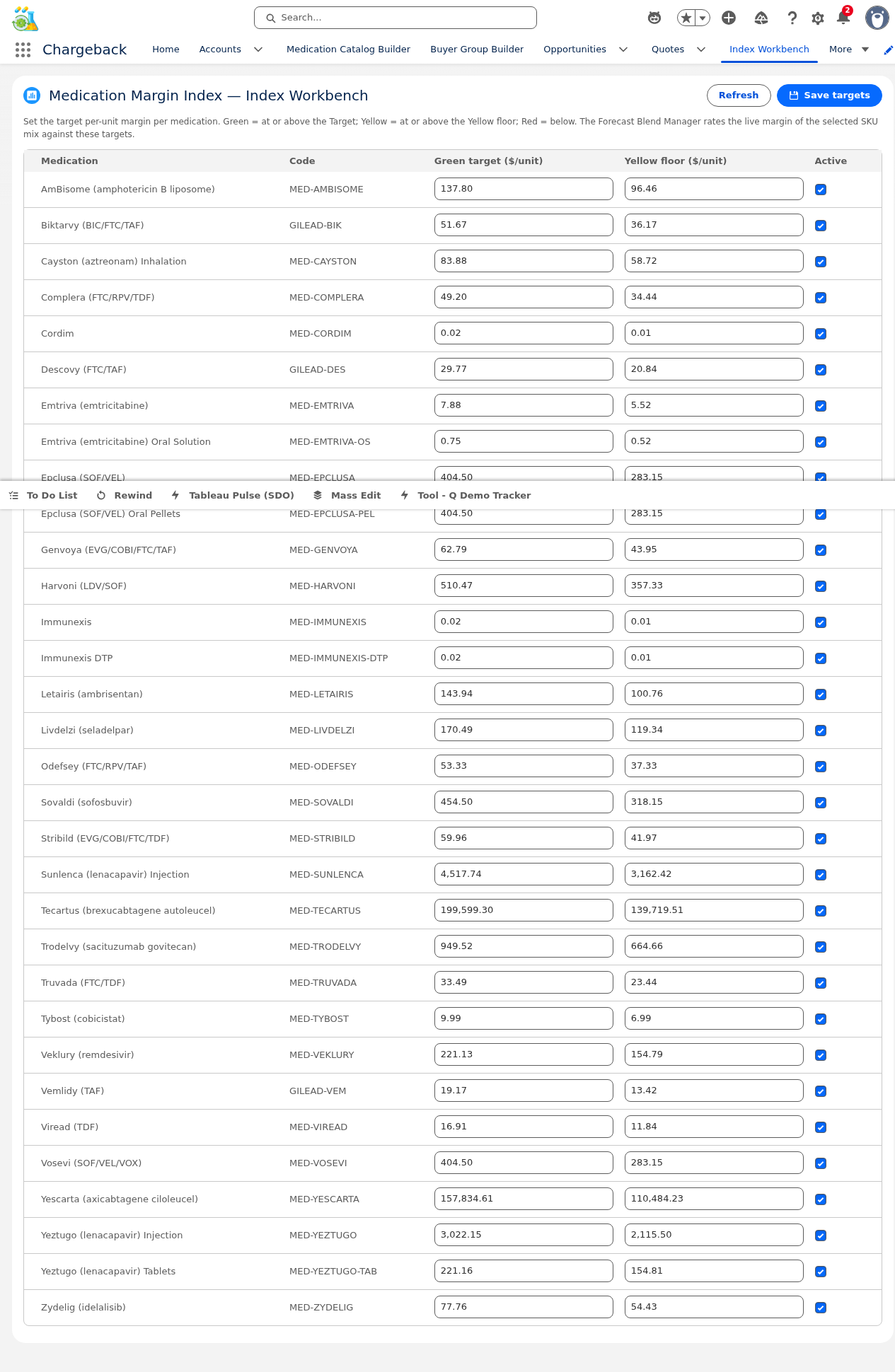
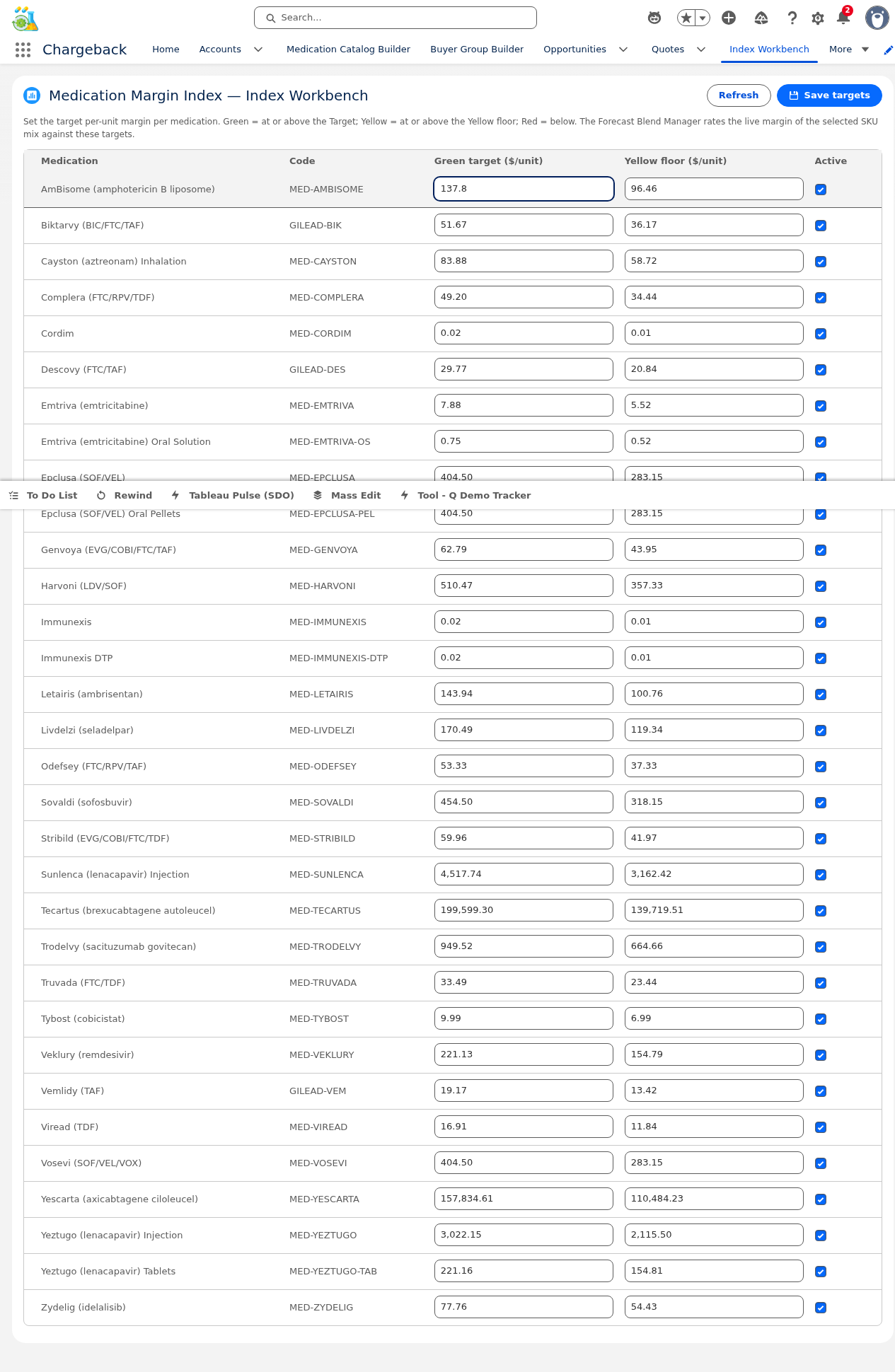
The admin workbench for configuring margin targets per medication. Used as a reference standard throughout the pricing and forecast modules.


The Collaborative Workbench (CWW) is a platform-event-driven orchestration layer that tracks the status of cross-functional work areas across the chargeback lifecycle. When a change occurs in one area (e.g., quote lines are edited), CWW automatically notifies dependent areas (e.g., forecast, analytics, price authorization) for review.


A horizontal color-coded pill strip displayed at the top of quote-related record pages. Each pill represents a tracked CWW area with real-time updates via platform event subscription (CWW_Status_Changed__e).
When an area's status changes (e.g., Lines go from "Completed" to "Needs Review" because a price was edited), the pill updates immediately without page refresh. Review counts are shown as badges on pills requiring attention.
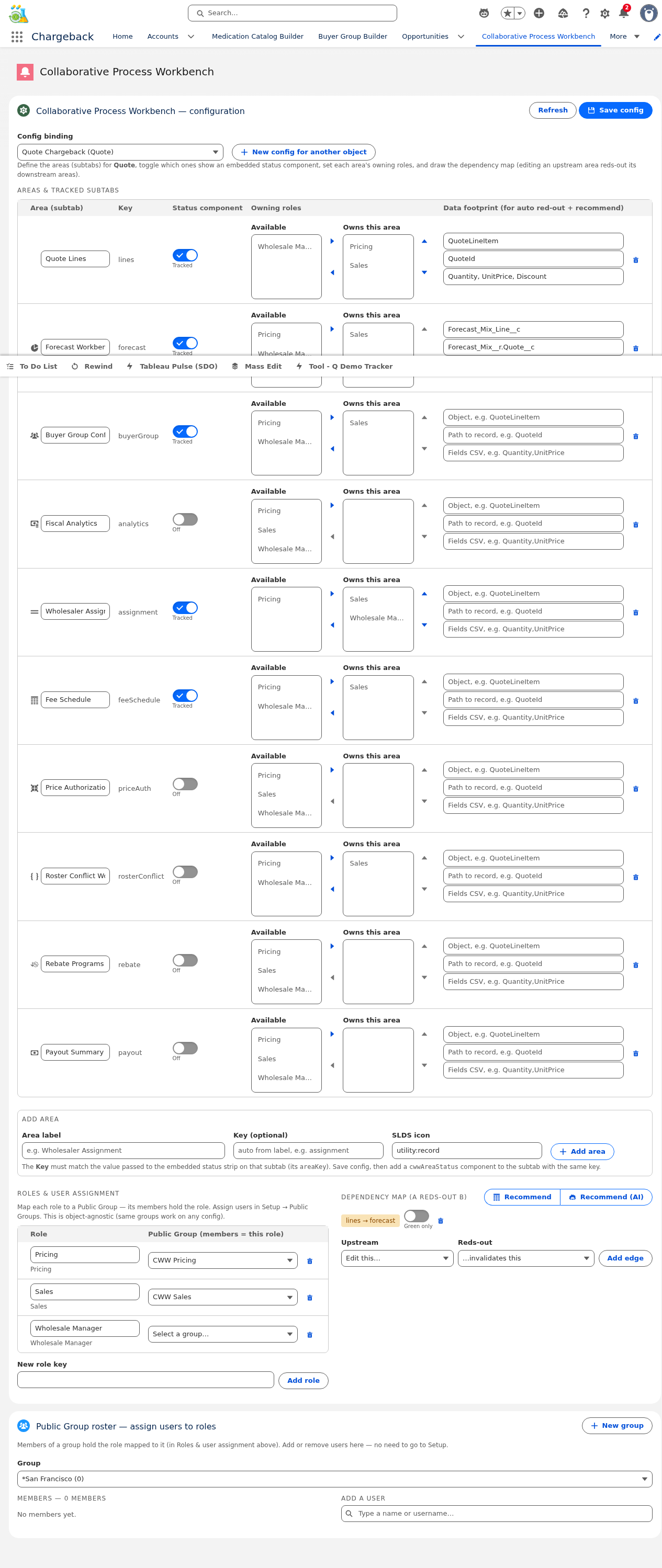
The CWW Workbench is the admin console for configuring how the collaborative workflow operates.
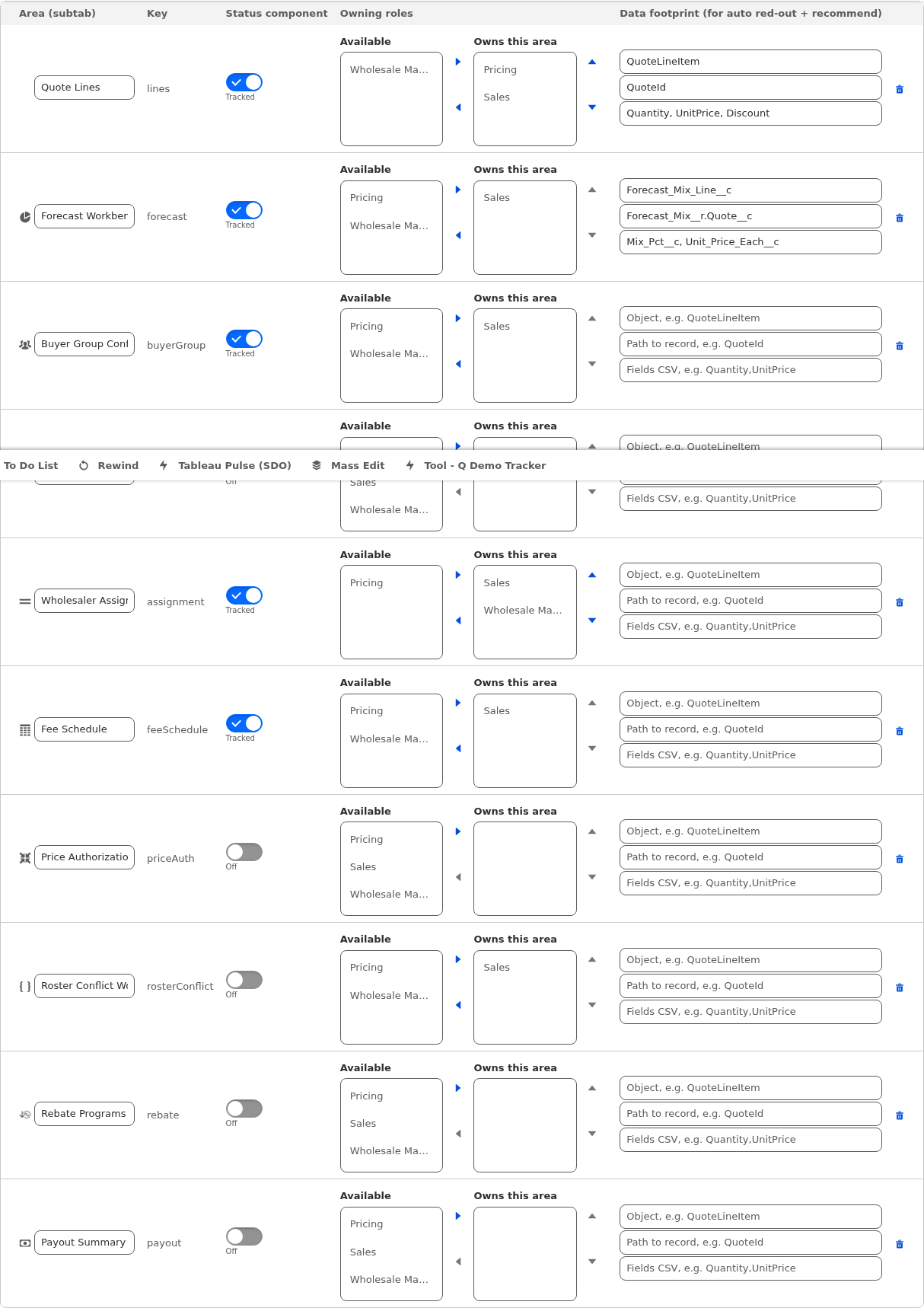
Define which workflow areas are tracked. Each area has a name, icon, sort order, and active toggle. Common areas include: Lines, Buyer Group, Forecast, Analytics, Price Auth, Rebate, and Payout.


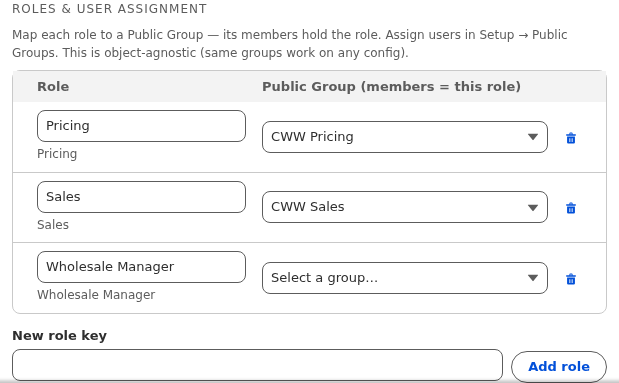
CWW roles are mapped to Public Groups. Each role defines who is responsible for a specific area. When an area needs review, users in the assigned role's public group receive notifications.

The most powerful CWW feature — the dependency graph defines upstream/downstream relationships between areas:

Two recommendation modes:
Per area, define which specific data changes should trigger the status change. This prevents false positives — not every save in the Lines area should necessarily trigger a Forecast review.
Embedded within each subtab, the CWW Area Status strip shows the current status for that specific area and provides action buttons for the owning role:
The component auto-hides when the area is not tracked in the active CWW configuration, ensuring a clean interface for non-CWW-enabled records.

CWW uses the CWW_Status_Changed__e platform event for real-time communication:
cwwMarkDirty (e.g., after saving quote lines), a platform event is published with the area name, new status, and the record context.
Click any module to jump directly to its content.
Master data & SKU management
Groups, rosters & onboarding
Lifecycle & medication lines
Lines, pricing & proposals
Wholesalers, analytics & PA
Exceptions, finance & WAC
GPO fees & partner portal
Shareback, 845/849
AI rule authoring & governance
Workflow orchestration